Overview
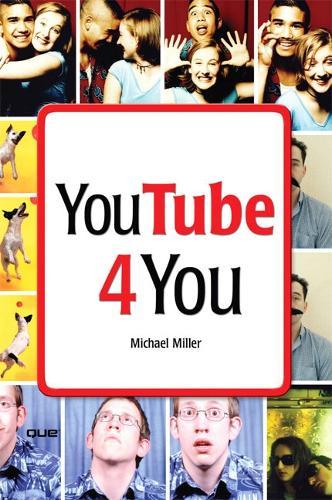
<>VIEW. UPLOAD. SHARE. That's what YouTube is all about–viewing, uploading, and sharing your favorite videos. And the book you hold in your hands will help you get the most out of this hot website. You'll learn how to find the latest viral videos, share your favorite videos with friends and the YouTube community, and shoot and upload your own videos to the YouTube website. YouTube 4 You is the first book to take you inside YouTube, show you how the site works, and provide tips and tricks for becoming a more successful YouTuber! You’ll Learn How To • Find and watch the latest videos • Manage and share your favorite videos • Download and save YouTube videos to your computer or iPod • Upload your own YouTube video creations • Get more out of the YouTube community • Troubleshoot viewing and uploading problems Contents Introduction 1 Part I YouTube 4 Everyone 1 Welcome to YouTube 7 2 Getting Around the YouTube Site 13 Part II YouTube 4 Viewers 3 Finding Videos to Watch 27 4 Watching YouTube Videos 39 5 Managing and Sharing Your Favorite Videos 49 6 Downloading YouTube Videos to Your PC–and Your iPod 61 Part III YouTube 4 Video Makers 7 What Type of Videos Do You Want to Upload? 75 8 Creating Videos 4 YouTube 89 9 Uploading Videos to YouTube 99 10 Managing Your Uploaded Videos 109 11 Who Owns What: Legal Issues with YouTube Videos 117 Part IV YouTube 4 Advanced Users 12 Joining the YouTube Community–and Creating Your Own Channel 133 13 Adding YouTube Videos to Your Own Site or Blog 153 14 Profiting from Your YouTube Videos 163 15 Getting More Out of YouTube–With Third-Party Tools 175 16 Troubleshooting YouTube Problems 183 Index 191
Full Product Details
Author: Michael Miller
Publisher: Pearson Education (US)
Imprint: Que Corporation,U.S.
Dimensions:
Width: 20.90cm
, Height: 1.20cm
, Length: 14.10cm
Weight: 0.236kg
ISBN: 9780789736987
ISBN 10: 0789736985
Pages: 208
Publication Date: 03 May 2007
Audience:
General/trade
,
General
Format: Paperback
Publisher's Status: Out of Print
Availability: In Print

Limited stock is available. It will be ordered for you and shipped pending supplier's limited stock.
Author Information
Michael Miller has written more than 75 nonfiction how-to books in the past two decades, including Que’s Googlepedia: The Ultimate Google Resource, iPodpedia: The Ultimate iPod and iTunes Resource, Absolute Beginner’s Guide to Computer Basics, Absolute Beginner’s Guide to eBay, and How Microsoft Windows Vista Works. He also writes about digital lifestyle topics for a number of websites. Mr. Miller has established a reputation for clearly explaining technical topics to nontechnical readers, and for offering useful real-world advice about complicated topics. More information can be found at the author’s website, located at www.molehillgroup.com.