Overview
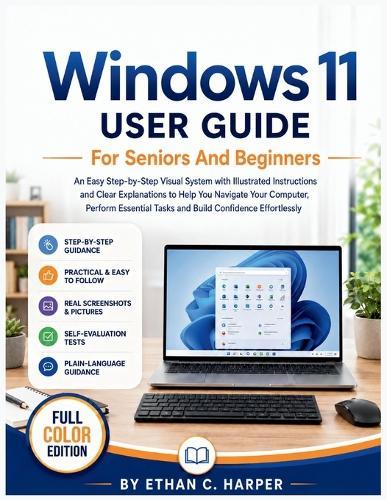
Using Windows 11 should not make you feel confused, nervous, or dependent on someone else. But if you have ever stared at your computer screen wondering where to click, how to find a file, why something disappeared, how to connect to the internet, or what all those buttons and icons mean, you are not alone. Many seniors and beginners struggle because most computer guides move too fast, use technical words, and assume you already understand the basics.Windows 11 User Guide for Seniors and Beginners was written to change that. This full-colour, easy-to-follow guide gives you a calm, visual, step-by-step way to understand your computer and use it with confidence. Instead of overwhelming you with complicated terms, it explains Windows 11 in simple language and shows you exactly what to do with illustrated instructions, clear screenshots, helpful markers, and practical examples you can follow on your own screen. Inside this book, you will learn how to turn your computer on and off safely, sign in without confusion, understand the desktop, use the Start menu, open apps, search for what you need, use the mouse and keyboard, manage files and folders, adjust settings, connect to Wi-Fi, browse the internet, print documents, and handle common beginner problems without panic.This guide does not rush you. It does not talk down to you. It starts from the beginning and walks with you one simple action at a time. With this book, you will be able to: Use Windows 11 without feeling lost every time you sit at your computer. Understand the Start menu, taskbar, desktop, apps, files, folders, and settings. Follow clear visual steps instead of guessing what to click next. Perform everyday tasks like browsing, typing, saving, printing, emailing, and finding documents. Avoid common mistakes that cause stress, missing files, or accidental clicks. Make your computer easier to see, hear, and use with helpful accessibility settings. Build real confidence at your own pace, even if you have never been good with technology. The proof is in the design of the book: every chapter focuses on real computer tasks beginners actually need, not confusing features you may never use. The instructions are written slowly, clearly, and visually so you can read, look, try, pause, and repeat until the steps begin to feel natural. By the end of this guide, Windows 11 will no longer feel like a strange machine full of hidden buttons. It will feel like a tool you can use for daily life - to write, search, connect, organize, print, learn, and stay independent. Do not keep waiting for someone else to show you the same steps again and again. The longer you avoid your computer, the longer simple tasks will continue to feel harder than they should. Get this book today and start using Windows 11 with clarity, comfort, and confidence - one simple illustrated step at a time.
Full Product Details
Author: Ethan C Harper
Publisher: Independently Published
Imprint: Independently Published
Dimensions:
Width: 21.60cm
, Height: 0.90cm
, Length: 27.90cm
Weight: 0.413kg
ISBN: 9798197213143
Pages: 172
Publication Date: 16 May 2026
Audience:
General/trade
,
General
Format: Paperback
Publisher's Status: Active
Availability: Available To Order

We have confirmation that this item is in stock with the supplier. It will be ordered in for you and dispatched immediately.