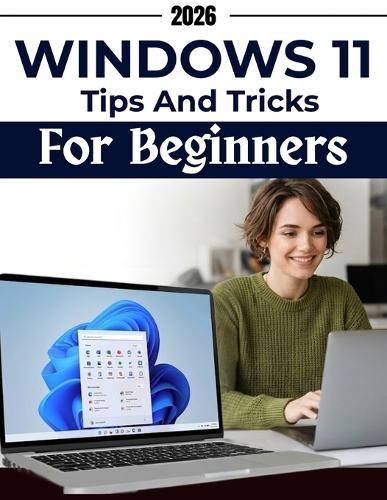
Windows 11 Tips & Tricks for Beginners: Visual screen-by-screen guidance to, avoid common mistakes, recover and handle everyday tasks, settings, apps, files, internet use, and security

Author:   Jose Bradford
Publisher:   Independently Published
Volume:   2
ISBN:  

9798251483161


Pages:   102
Publication Date:   10 March 2026
Format:   Paperback
Availability:   Available To Order   Availability explained
We have confirmation that this item is in stock with the supplier. It will be ordered in for you and dispatched immediately.

Our Price $47.49 Quantity:  
Add to Cart

Share |

Windows 11 Tips & Tricks for Beginners: Visual screen-by-screen guidance to, avoid common mistakes, recover and handle everyday tasks, settings, apps, files, internet use, and security


Overview

Using Windows 11 should not feel confusing or stressful, but for many people it does. Menus look unfamiliar. Settings are hard to understand. Messages appear on the screen without explanation. You may find yourself clicking around, unsure what is safe to change and what is better left alone. Even simple tasks can take longer than they should. Windows 11 Tips & Tricks for Beginners focuses on helping you understand how the system works in everyday use. It explains what you see on the screen, what different options mean, and how to make choices that keep things running smoothly. You will learn how to: Navigate Windows 11 with confidence Understand menus, settings, and system messages Work with apps, files, and folders without fear of mistakes Use the internet and basic security features more safely Recognise common problems before they become serious Recover calmly when something does not work as expected The book uses visual, screen by screen guidance so you can follow along at your own pace. Clear screenshots, simple examples, and practical explanations show not only what to do, but why you are doing it. This helps you build understanding instead of just memorising steps. Along the way, you will find helpful tips that save time, reduce frustration, and prevent common errors. These small details make daily computer use easier and more predictable. The guidance in this book is based on real experience helping everyday users learn to use their computers with confidence. It is written for people who want clear explanations, not technical language. If you want to feel more comfortable using Windows 11 and make better decisions while using your computer, this book will help you get there. Get your copy now and start using Windows 11 with clarity and confidence.

Full Product Details

Author:   Jose Bradford
Publisher:   Independently Published
Imprint:   Independently Published
Volume:   2
Dimensions:   Width: 21.60cm , Height: 0.50cm , Length: 27.90cm
Weight:   0.259kg
ISBN:  

9798251483161


Pages:   102
Publication Date:   10 March 2026
Audience:   General/trade ,  General
Format:   Paperback
Publisher's Status:   Active
Availability:   Available To Order   Availability explained
We have confirmation that this item is in stock with the supplier. It will be ordered in for you and dispatched immediately.

Table of Contents

Reviews

Author Information

Tab Content 6

Author Website:  

Countries Available

All regions
Latest Reading Guide

MRGC26


Shopping Cart
Your cart is empty
Shopping cart
Mailing List