Overview
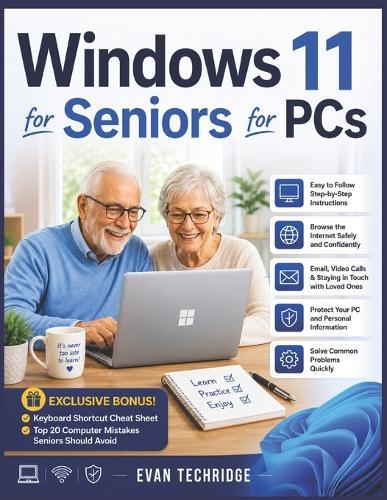
WINDOWS 11 DOESN'T HAVE TO FEEL CONFUSING ANYMOREDo you feel frustrated trying to understand your computer? Have you ever worried about clicking the wrong button and damaging something? Do modern computers sometimes feel too complicated, too fast, or simply overwhelming? If so, you are not alone-and this book was written specifically for you. This book is a clear, practical, and beginner-friendly guide designed to help older adults confidently use their computers without stress, confusion, or complicated technical language. Whether you are completely new to Windows 11 or transitioning from an older version of Windows, this easy-to-follow guide will walk you through everything step by step in a calm and supportive way. Technology should make life easier-not more frustrating. This book helps you build confidence while teaching the essential computer skills needed for everyday life, communication, entertainment, safety, and independence. Inside this guide, you will discover how to: Navigate the Windows 11 desktop with ease Use the mouse, keyboard, and Start Menu confidently Connect to Wi-Fi and browse the internet safely Send emails and make video calls with family and friends Organize files, photos, and folders without confusion Download, install, and manage applications safely Protect your computer from scams, viruses, and online threats Fix common computer problems without panic or frustration Personalize your computer to make it easier to see and use Build confidence with simple step-by-step instructions And that's not all... This book also includes Exclusive Bonus Content to make your learning experience even easier: Essential Keyboard Shortcuts Cheat Sheet Top 20 Computer Mistakes Seniors Should Avoid Unlike many complicated computer manuals, this guide was written with patience, clarity, and simplicity in mind. Every chapter is designed to help you learn comfortably at your own pace-even if you have very little computer experience. You do not need to be ""good with technology"" to use Windows 11 successfully. With the right guidance and practice, anyone can learn how to use a computer with confidence. If you are ready to stop feeling intimidated by technology and finally begin using your PC comfortably and independently, then this book is the perfect place to start. Scroll up and grab your copy today to begin mastering Windows 11 the simple way!
Full Product Details
Author: Evan Techridge
Publisher: Independently Published
Imprint: Independently Published
Dimensions:
Width: 21.60cm
, Height: 0.50cm
, Length: 27.90cm
Weight: 0.245kg
ISBN: 9798196953682
Pages: 96
Publication Date: 14 May 2026
Audience:
General/trade
,
General
Format: Paperback
Publisher's Status: Active
Availability: Available To Order

We have confirmation that this item is in stock with the supplier. It will be ordered in for you and dispatched immediately.