Overview
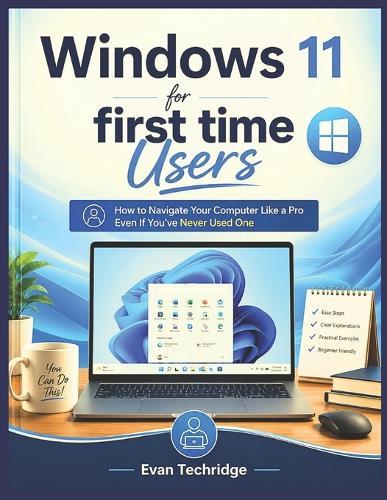
Struggling to Understand Your New Computer? Feeling Overwhelmed Every Time You Turn It On?What if learning how to use your PC could actually feel simple, stress-free, and enjoyable-even if you have never used a computer before? Many first-time users feel intimidated by modern technology. The endless buttons, unfamiliar settings, confusing instructions, and fear of making mistakes can make computers seem complicated and frustrating. But the truth is, you do not need to be a tech expert to use Windows 11 confidently. This book was specially designed to help complete beginners navigate their computer step by step using simple explanations, practical examples, and easy-to-follow guidance anyone can understand. Whether you are using a PC for the first time, upgrading from an older computer, or simply looking for a beginner-friendly guide without technical jargon, this book will help you build confidence and master essential computer skills at your own pace. Inside this practical guide, you will discover how to: - Understand the Windows 11 interface with ease - Navigate your computer confidently without confusion - Connect to Wi-Fi and browse the internet safely - Organize files, folders, and important documents - Download and manage apps correctly - Use email, video calls, and online tools comfortably - Protect your personal information from online scams - Troubleshoot common computer problems like a pro - Learn essential keyboard shortcuts that save time - Build confidence with simple daily computer habits And much more! Unlike many complicated tech manuals, this book explains everything in plain English with beginner-friendly instructions that make learning feel easy and approachable. You do not need previous experience. You do not need advanced technical knowledge. All you need is the willingness to learn one step at a time. By the end of this book, you will no longer feel lost or intimidated by your computer. Instead, you will have the confidence and skills needed to use Windows 11 comfortably for work, communication, entertainment, learning, and everyday life. Now is the perfect time to stop feeling frustrated by technology and finally start using your computer with confidence. Scroll up and grab your copy today to begin your journey toward becoming a confident Windows 11 user!
Full Product Details
Author: Evan Techridge
Publisher: Independently Published
Imprint: Independently Published
Dimensions:
Width: 21.60cm
, Height: 0.50cm
, Length: 27.90cm
Weight: 0.227kg
ISBN: 9798197034700
Pages: 88
Publication Date: 15 May 2026
Audience:
General/trade
,
General
Format: Paperback
Publisher's Status: Active
Availability: Available To Order

We have confirmation that this item is in stock with the supplier. It will be ordered in for you and dispatched immediately.