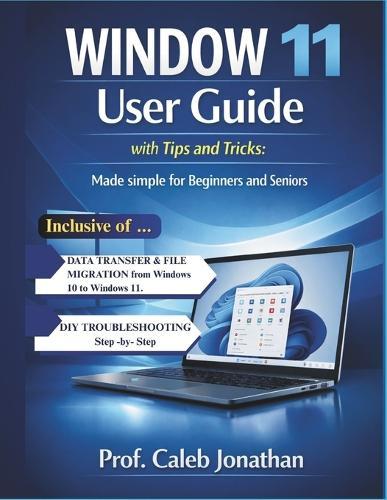
WINDOW 11 USER GUIDE with Tips and Tricks: Made Simple For Beginners And Seniors

Author:   Prof Caleb Jonathan
Publisher:   Independently Published
ISBN:  

9798248134151


Pages:   318
Publication Date:   12 February 2026
Format:   Paperback
Availability:   Available To Order   Availability explained
We have confirmation that this item is in stock with the supplier. It will be ordered in for you and dispatched immediately.

Our Price $97.68 Quantity:  
Add to Cart

Share |

WINDOW 11 USER GUIDE with Tips and Tricks: Made Simple For Beginners And Seniors


Overview

Made Simple for Beginners and SeniorsFeeling overwhelmed by Windows 11? Upgraded from Windows 10 and not sure where everything went? You're not alone - and this book is here to help. Windows 11 User Guide with Tips and Tricks is your friendly, step-by-step companion designed especially for beginners and seniors who want clear instructions without confusing technical jargon. Whether you're brand new to computers or just adjusting to Microsoft's latest update, this guide makes everything simple, visual and easy to follow. No tech background required. No complicated language. Just clear guidance that works. Inside This Book, You'll Discover: How to confidently navigate the new Windows 11 interface Simple explanations of the Start Menu, Taskbar, Widgets and Settings Step-by-step instructions with easy-to-follow directions How to connect to Wi-Fi, printers, Bluetooth and external devices Internet safety tips to protect yourself from scams and viruses How to organize files and folders without stress Built-in shortcuts and hidden features that save time BONUS: Easy File Transfer from Windows 10 to Windows 11Upgrading doesn't mean losing your important files. This guide walks you through: Safe and simple ways to transfer documents, photos and programs Using OneDrive, external drives and direct PC transfer methods How to back up your data before upgrading Troubleshooting common transfer problems You'll move to Windows 11 with confidence - without losing precious memories or important work. Perfect For: Seniors learning computers at their own pace Beginners switching from Windows 10 Parents or grandparents who want clear, large-print guidance Anyone who wants a simple, no-frustration manual Why This Guide Is DifferentUnlike complicated tech manuals filled with jargon, this book focuses on clarity, simplicity and practical solutions. Every chapter is written in plain English and organized for quick reference. By the time you finish this guide, you'll feel confident using Windows 11 for: Email Browsing the web Video calls Managing photos Online shopping Everyday tasks No more frustration. No more confusion. Just confidence.

Full Product Details

Author:   Prof Caleb Jonathan
Publisher:   Independently Published
Imprint:   Independently Published
Dimensions:   Width: 21.60cm , Height: 1.70cm , Length: 27.90cm
Weight:   0.739kg
ISBN:  

9798248134151


Pages:   318
Publication Date:   12 February 2026
Audience:   General/trade ,  General
Format:   Paperback
Publisher's Status:   Active
Availability:   Available To Order   Availability explained
We have confirmation that this item is in stock with the supplier. It will be ordered in for you and dispatched immediately.

Table of Contents

Reviews

Author Information

Tab Content 6

Author Website:  

Countries Available

All regions
Latest Reading Guide

MRG 26 2


Shopping Cart
Your cart is empty
Shopping cart
Mailing List