|
|
|||
|
||||
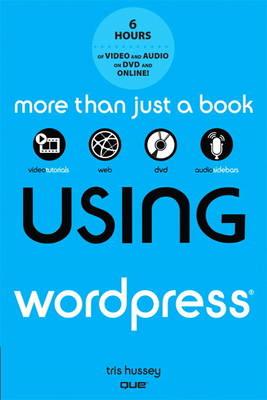
OverviewWordPress has grown into the #1 blogging tool in its category: several million bloggers have downloaded this powerful open source software, and millions more are using WordPress.com's hosted services. Thirty-two of Technorati's Top 100 blogs now use WordPress. Using Wordpress is a customized, media-rich learning experience designed to help new users master Wordpress quickly, and get the most out of it, fast! It starts with a concise, friendly, straight-to-the-point guide to Wordpress. This exceptional book is fully integrated with an unprecedented collection of online learning resources: online video, screencasts, podcasts, and additional web content, all designed to reinforce key concepts and help users achieve real mastery. The book and interactive content work together to teach everything mainstream Wordpess users need to know. This practical, approachable coverage guides readers through getting started fast, and covers the recent release of Wordpress 3. This major upgrade includes built-in image editor and the ability to host multiple blogs from one WordPress install. This new version of Using Wordpress adds a DVD, so that all the interactive material previously available only online is now also available for offline reading and study. Full Product DetailsAuthor: Tris HusseyPublisher: Pearson Education (US) Imprint: Que Corporation,U.S. Dimensions: Width: 15.50cm , Height: 2.10cm , Length: 22.70cm Weight: 0.518kg ISBN: 9780789749079ISBN 10: 0789749076 Pages: 368 Publication Date: 04 August 2011 Audience: General/trade , General Format: Mixed media product Publisher's Status: Out of Print Availability: In Print Limited stock is available. It will be ordered for you and shipped pending supplier's limited stock. Table of Contents1. Domains and Hosts: Getting the Foundation in Place 2. Installing WordPress on your own 3. How WordPress.com is different than WordPress.org 4. Getting Around self-installed WordPress 5. Configuring WordPress to work its best 6. Organizing the content on your blog 7. All about Themes 8. Finding and Using Plugins 9. Creating content with WordPress 10. Creating a site with WordPress 11. Tuning Your WordPress Site for Search Engines 12. Managing multimedia with WordPress 13. Keeping your blog in shape: Maintaining WordPress 14. Understanding WordPress Security 15. Troubleshooting Common Problems 16. Tips and Tools to make things easier 17. Managing Multiple blogs 18. Becoming a part of the WordPress CommunityReviewsAuthor InformationTris Hussey is a speaker, former training manager, charter member of the Professional Bloggers Association, and Special Projects Manager for Media 2.0. He has been a blogger since 2004, and was one of Canada's first professional bloggers. The author of thousands of posts and articles on social media and blogging, he was named one of Vancouver's top 20 social media people. He is also a professional photographer. Tab Content 6Author Website:Countries AvailableAll regions |
||||