Overview
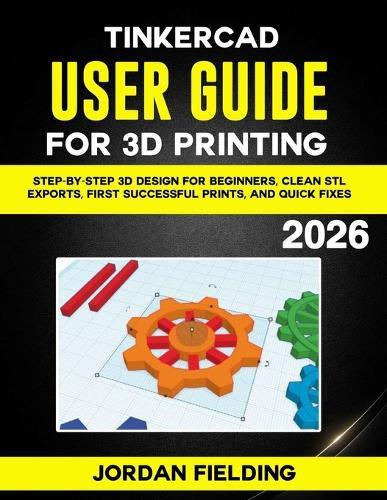
Tinkercad User Guide for 3D Printing 2026 is a practical, beginner friendly roadmap that focuses on the stuff that matters for real prints. Not theory. Not fancy talk. Just clear steps that help you design clean models, export STL files correctly, and avoid the most common mistakes that waste time and filament. This guide is built for people who want results fast, including first time makers, students, hobbyists, and anyone learning 3D printing at home. You will learn the habits that experienced printers use without thinking, so you can stop guessing and start printing with control. Inside, you will learn how to: Set up Tinkercad the right way for 3D printing so your units, grid, and snapping work for you Understand the workspace and camera controls so you stop getting stuck or losing your model Build your first printable model quickly using simple shapes that actually succeed on most printers Size parts correctly using the ruler tool so your prints match real measurements Choose thickness and geometry that prints strong instead of snapping, warping, or failing Create clearance for parts that must fit together so pegs, holes, clips, and joints work in real life Plan orientation before export to reduce supports, improve strength, and avoid ugly support marks Export clean STL files and verify them so your slicer does not surprise you later Spot slicer problems early by reading previews and catching failures before you waste a full print Troubleshoot fast with quick fixes for broken imports, wrong scale, bad cuts, weak joints, and more You will also get simple test piece ideas that help you dial in tolerances without printing a huge project first. That one change alone can save you hours. If you have been watching other people print cool stuff and thinking, ""I want to do that, but I keep messing up the basics,"" this book is for you. One more thing. Tinkercad is web based and it changes over time. Printers and slicers vary too. So this guide is written to teach you the ideas that stay true, even when buttons move around. When something depends on your printer type, material, or slicer, it says so plainly. If you wait, you will keep doing the same frustrating loop: design, export, slice, fail, repeat. But the people who get good at 3D printing are not magic. They just learn the right workflow early. Grab your copy now and get your first clean STL exports, first successful prints, and quick fixes in place before you waste another weekend on ""why did this print fail.""
Full Product Details
Author: Jordan Fielding
Publisher: Independently Published
Imprint: Independently Published
Dimensions:
Width: 21.60cm
, Height: 1.10cm
, Length: 27.90cm
Weight: 0.467kg
ISBN: 9798244317091
Pages: 196
Publication Date: 17 January 2026
Audience:
General/trade
,
General
Format: Paperback
Publisher's Status: Active
Availability: Available To Order

We have confirmation that this item is in stock with the supplier. It will be ordered in for you and dispatched immediately.