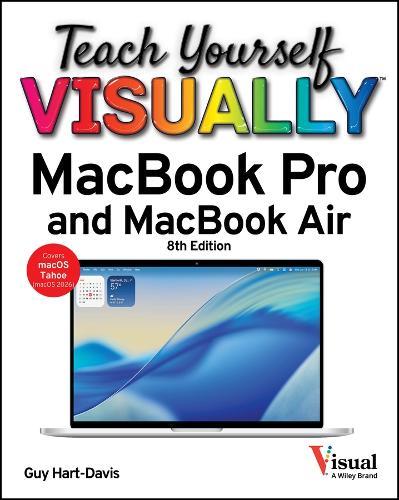
Teach Yourself VISUALLY MacBook Pro and MacBook Air

Author:   Guy Hart-Davis
Publisher:   John Wiley & Sons Inc
Edition:   8th edition
ISBN:  

9781394387649


Pages:   336
Publication Date:   12 February 2026
Format:   Paperback
Availability:   Awaiting stock   Availability explained


Our Price $54.95 Quantity:  
Pre-Order

Share |

Teach Yourself VISUALLY MacBook Pro and MacBook Air


Overview

The visual learner's guide to getting up and running with your Apple laptop Teach Yourself VISUALLY MacBook Pro and MacBook Air covers all the vital information you need to start working on your MacBook. With this highly illustrated and easy-to-follow guide, you'll learn to navigate the macOS interface like a pro, customize your desktop with the widgets you need, and get your MacBook working with iCloud, your iPhone, and your iPad. This book's graphical, step-by-step instructions walk you through everything from installation to troubleshooting, helping you to get the most out of the investment you've made in your MacBook. This fully updated edition helps you become a power user of the latest MacBook models and exploit the features in macOS Tahoe, Apple's state-of-the-art operating system, and the apps that come with it. If you prefer to learn visually, this is the book you need. Discover how to: Perform everyday tasks quickly and easily Customize settings to make macOS and its apps work the way you prefer Communicate via audio and video with FaceTime, via instant messaging with Messages, and via email with Mail Organize your life with Calendar, Contacts, Reminders, Notes, and Maps Make the most of your iCloud account Instead of confusing tech-speak and vague instructions, this guide is packed with screenshots, easy-to-follow instructions, and a practical sensibility. Grab Teach Yourself VISUALLY MacBook Pro and MacBook Air and explore all that your MacBook can do.

Full Product Details

Author:   Guy Hart-Davis
Publisher:   John Wiley & Sons Inc
Imprint:   John Wiley & Sons Inc
Edition:   8th edition
Dimensions:   Width: 18.80cm , Height: 2.30cm , Length: 23.40cm
Weight:   0.658kg
ISBN:  

9781394387649


ISBN 10:   1394387644
Pages:   336
Publication Date:   12 February 2026
Audience:   College/higher education ,  Professional and scholarly ,  Postgraduate, Research & Scholarly ,  Professional & Vocational
Format:   Paperback
Publisher's Status:   Forthcoming
Availability:   Awaiting stock   Availability explained

Table of Contents

Chapter 1 Getting Started with Your MacBook Understanding the MacBook Pro and MacBook Air 4 Set Up Your MacBook 8 Start Your MacBook and Log In 12 Explore the macOS Desktop 14 Point and Click with the Trackpad 18 Connect to a Wireless Network 20 Give Commands 22 Open, Close, and Manage Windows 24 Using Control Center 26 Using Notifications 28 Add Widgets to Your Desktop 30 Put Your MacBook to Sleep and Wake It Up 32 Log Out, Shut Down, and Resume 33 Chapter 2 Configuring Your MacBook Change the Wallpaper 36 Set Up a Screen Saver 38 Configure Battery and Sleep Settings 40 Customize the Dock 42 Configure the Menu Bar 44]Configure Control Center 46 Add or Remove Desktop Spaces 48 Create Hot Corners to Control Screen Display 50 Make the Screen Easier to See 52 Configure the Appearance, Accent, and Highlight 56 Configure the Keyboard 58 Configure the Trackpad or Other Pointing Device 60 Configure iCloud Settings 62 Add a Second Display 64 Using an iPad as an Extra Display 66 Connect External Devices 68 Explore Other Important Settings 70 Chapter 3 Sharing Your MacBook with Others Create a User Account 74 Configure Your MacBook for Multiple Users 76 Share Your MacBook with Fast User Switching 78 Set Up Family Sharing 80 Turn On Screen Time for a Child 84 Configure Downtime 85 Set Time Limits for Apps and Websites 86 Make Apps Always Available to a User 88 Apply Content and Privacy Restrictions 90 Review a User's Actions 92 Chapter 4 Running Apps Open an App and Quit It 96 Install an App 98 Run an App Full Screen 100 Set Apps to Run Automatically at Login 102 Move, Resize, Fill, and Arrange Windows 104 Switch Quickly Among Apps 106 Switch Apps Using Mission Control 108 Enable and Configure Stage Manager 110 Switch Apps Using Stage Manager 112 Set Up Dictation and Read & Speak 114 Using Dictation and Read & Speak 116 Configure and Invoke Siri 118 Perform Tasks with Siri 120 Remove Apps 122 Identify Problem Apps 124 Force a Crashed App to Quit 125 Revert to an Earlier Version of a Document 126 Chapter 5 Managing Your Files and Folders Explore Your MacBook's File System 130 Using the Finder's Views 132 Work with Finder Tabs 134 View a File with Quick Look 136 Organize Your Desktop Files with Stacks 138 Search for a File or Folder 140 Create a New Folder 142 Rename a File or Folder 143 Copy a File 144 Move a File 146 View the Information About a File or Folder 148 Organize Your Files with Tags 150 Work with Zip Files 152 Using the Trash 154 Configure Finder Settings 156 Customize the Finder Toolbar 158 Customize the Finder Sidebar 159 Chapter 6 Surfing the Web Open Safari and Customize Your Start Page 162 Open a Web Page 164 Follow a Link to a Web Page 165 Open Several Web Pages at Once 166 Navigate Among Web Pages 168 Return to a Recently Visited Page 170 Play Music and Videos on the Web 172 Set Your Home Page and Search Engine 174 Create Bookmarks for Web Pages 176 Using Reader View and Reading List 178 Organize Safari Tabs into Tab Groups 180 Download a File 182 Create and Use Safari Profiles 184 Chapter 7 Sending and Receiving E-Mail Set Up Your E-Mail Accounts 188 Send an E-Mail Message 190 eceive and Read Your Messages 192 Reply to or Forward a Message 194 Send and Receive Files via E-Mail 196 View E-Mail Messages by Conversations 198 Block and Unblock Contacts 200 Reduce the Amount of Spam You Receive 202 Chapter 8 Chatting and Calling Configure the Messages App 206 Chat with a Contact 208 Send and Receive Files with Messages 210 Sign In to FaceTime and Choose Settings 212 Make and Receive FaceTime Calls 214 Phone and Text from Your Mac 216 Chapter 9 Organizing Your Life Manage Your Apple Account and iCloud Account 220 Navigate the Calendar App 222 Create a New Calendar 224 Create an Event 226 Share an iCloud Calendar with Other People 228 Subscribe to a Shared Calendar 230 Add Someone to Your Contacts 232 Organize Contacts into Lists 234 Create Notes 236 Track Your Commitments with Reminders 240 Make the Most of the Maps App 244 Chapter 10 Enjoying Music, Video, and Books Add Your Music to the Music App 248 Set Up Home Sharing 250 Play Songs 252 Create Playlists 254 Create Smart Playlists 256 Listen to Apple Radio and Internet Radio 258 Enjoy Podcasts 260 Play Videos with the TV App 262 Read Books 264 Chapter 11 Making the Most of Your Photos Import Photos 268 Browse Your Photos 270 Select Photos from Bursts 272 Crop a Photo 274 Rotate or Straighten a Photo 276 Improve a Photos Colors 278 Add Filters to Photos 280 Create Photo Albums 282 Create and Play Slide Shows 284 E-Mail a Photo 286 Shoot Photos or Movies of Yourself 288 Chapter 12 Networking, Security, and Troubleshooting Transfer Files Using AirDrop 292 Connect to a Shared Folder 294 Share a Folder 296 Connect to a Shared or Network Printer 298 Tighten Your MacBooks Security 300 Choose Privacy Settings for Location Services 302 Reclaim Space by Emptying the Trash 304 Keep macOS Current by Applying Updates 306 Keep Your Apps Up to Date 308 Back Up Your Files 310 Recover Files from Backup 312 Deal with macOS Crashes and Worse 314 Index 316

Reviews

Author Information

Tab Content 6

Author Website:  

Countries Available

All regions
Latest Reading Guide

RGFEB26


Shopping Cart
Your cart is empty
Shopping cart
Mailing List