Overview
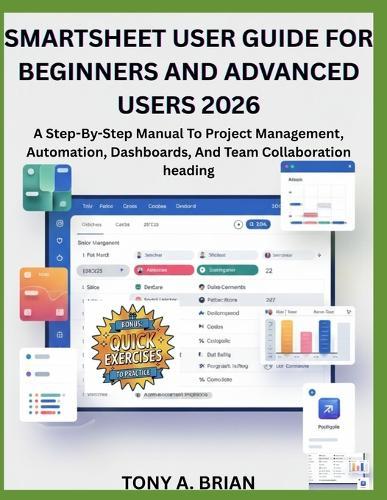
Smartsheet User Guide 2026A Step-by-Step Guide to Project Management, Automation, Dashboards, and Team Collaboration Smartsheet has become one of the most powerful tools for managing projects, tracking work, and collaborating across teams-but only if you know how to use it properly. Smartsheet User Guide 2026 is a clear, practical, and up-to-date manual designed to help you master Smartsheet with confidence, even if you are starting from scratch. This book takes a hands-on, beginner-friendly approach, guiding you step by step through Smartsheet's core features and advanced capabilities. Instead of overwhelming you with theory, it focuses on real-world use cases, best practices, and proven workflows that help you work faster, stay organized, and deliver results. Whether you are an individual professional, a project manager, or a team leader, this guide shows you how to use Smartsheet effectively in today's modern workplace. Inside This Book, You'll Learn How To: Understand Smartsheet's interface, structure, and terminology Create, organize, and manage sheets with confidence Use Grid, Gantt, Card, and Calendar views effectively Apply templates to standardize projects and workflows Collect data using forms and manage submissions efficiently Collaborate with teams using sharing, comments, and permissions Automate alerts, reminders, approvals, and actions Use formulas and functions to analyze and manage data Build reports and dashboards for real-time visibility Manage projects, timelines, and milestones with ease Allocate and track resources and workloads Import, export, and integrate data across tools Secure your data and manage access responsibly Use Smartsheet on mobile devices productively Troubleshoot common issues and optimize performance Who This Book Is For Beginners who want a clear and structured introduction to Smartsheet Professionals looking to improve productivity and organization Project managers seeking better visibility and control Team leaders and managers managing collaborative workflows Anyone who wants to automate work and reduce manual effort No prior Smartsheet experience is required. Each chapter is designed to be easy to follow, practical, and immediately applicable. Why This Guide Stands Out Written specifically for 2026 features and workflows Beginner-friendly without sacrificing professional depth Structured for both cover-to-cover reading and quick reference Focused on real-world productivity, not just features If you want to stop guessing, reduce manual work, and confidently manage projects and teams using Smartsheet, this guide is the perfect place to start.
Full Product Details
Author: Tony A Brian
Publisher: Independently Published
Imprint: Independently Published
Dimensions:
Width: 21.60cm
, Height: 0.80cm
, Length: 27.90cm
Weight: 0.349kg
ISBN: 9798246631652
Pages: 144
Publication Date: 03 February 2026
Audience:
General/trade
,
General
Format: Paperback
Publisher's Status: Active
Availability: Available To Order

We have confirmation that this item is in stock with the supplier. It will be ordered in for you and dispatched immediately.