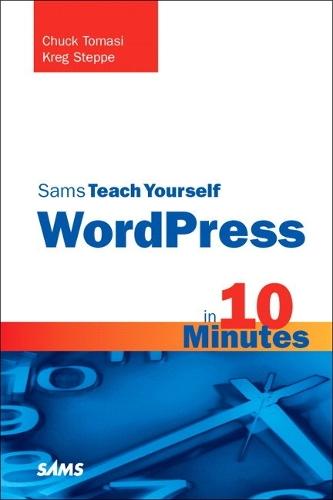
Sams Teach Yourself WordPress in 10 Minutes

Author:   Chuck Tomasi ,  Kreg Steppe
Publisher:   Pearson Education (US)
ISBN:  

9780672331206


Pages:   240
Publication Date:   01 April 2010
Format:   Paperback
Availability:   In Print   Availability explained
Limited stock is available. It will be ordered for you and shipped pending supplier's limited stock.

Our Price $39.57 Quantity:  
Add to Cart

Share |

Sams Teach Yourself WordPress in 10 Minutes


Overview

Sams Teach Yourself WordPress in 10 Minutes   Chuck Tomasi Kreg Steppe   Sams Teach Yourself WordPress in 10 Minutes gives you straightforward, practical answers when you need fast results. By working through its 10-minute lessons, you’ll learn everything you need to build great blogs with WordPress and WordPress.org, and reach any audience by web browser, RSS, or cell phone!   Tips point out shortcuts and solutions   Cautions help you avoid common pitfalls   Notes provide additional information   Plain English definitions explain new terms   10 minutes is all you need to learn how to… Quickly build blogs for free with WordPress.com Customize your blog to fit your message Create powerful text, audio, and video content Moderate comments and build communities Set up RSS feeds Host your own blog with WordPress.org software Deliver content via iPhone and BlackBerry Streamline publishing with third-party tools   Register your book at informit.com/register for convenient access to updates and corrections as they become available.   Category:  Internet Covers:  WordPress User Level:  Beginning  

Full Product Details

Author:   Chuck Tomasi ,  Kreg Steppe
Publisher:   Pearson Education (US)
Imprint:   Sams Publishing
Dimensions:   Width: 13.80cm , Height: 1.30cm , Length: 20.80cm
Weight:   0.264kg
ISBN:  

9780672331206


ISBN 10:   0672331209
Pages:   240
Publication Date:   01 April 2010
Audience:   General/trade ,  General
Format:   Paperback
Publisher's Status:   Out of Print
Availability:   In Print   Availability explained
Limited stock is available. It will be ordered for you and shipped pending supplier's limited stock.

Table of Contents

Introduction   1 Introducing WordPress Understanding What WordPress Is ............................................5 Getting Started with WordPress.com ........................................9 Migrating From Another Blog ..................................................13 Summary ..............................................................................13   2 Completing Your Profile Finding Your Profile ................................................................15 Profile Options ......................................................................16 Completing Your About Page ..................................................25 Summary ..............................................................................26   3 Creating Posts and Pages Creating Posts ......................................................................27 Editing Existing Posts ............................................................36 Creating Pages ......................................................................39 Summary ..............................................................................54   4 Configuring Your Blog Settings General ................................................................................55 Writing ..................................................................................58 Reading ................................................................................62 Discussion ............................................................................65 Media ..................................................................................70 Privacy ..................................................................................71 Delete Blog ..........................................................................72 OpenID..................................................................................73 Domains ..............................................................................73 Summary ..............................................................................74   5 Managing Comments Understanding Comments ......................................................75 Allowing or Denying Comments ..............................................77 Managing Comments ............................................................82 Best Practices ......................................................................90 Summary ..............................................................................91   6 Personalizing the Appearance of Your Blog Themes ................................................................................93 Widgets ..............................................................................100 Making Additional Changes ..................................................103 Summary ............................................................................111   7 Using RSS and Data Migration Tools Syndicate Your Blog with RSS ..............................................113 Other Useful Tools ..............................................................118 Backing Up Your Data ..........................................................123 Migrating Your Blog ..............................................................124 Importing from Another Blog ................................................128 Summary ............................................................................130   8 Setting Up Hosting Why Host Your Own Blog? ....................................................131 Understanding Your Responsibilities......................................132 Setting Up Your Domain Name..............................................133 Setting Up Your Web Hosting Account....................................136 Finding Support ..................................................................137 Summary ............................................................................137   9 Installing WordPress Using Automated Script Services ..........................................139 Installing WordPress Manually ..............................................140 Uploading Your Files ............................................................143 Creating the Database ........................................................146 Running the Install Script ....................................................147 Summary ............................................................................151   10 Using Themes on Your Own Site Changing the Look and Function of Your Site ........................153 Searching for and Installing a Theme ....................................157 Widgets ..............................................................................166 Summary ............................................................................168   11 Customizing Your Site with Plug-ins What Are Plug-ins? ..............................................................169 Using the Plug-ins Dashboard ..............................................170 Finding Plug-ins ..................................................................172 Installing a Plug-in ..............................................................177 Upgrading Plug-ins ..............................................................181 Removing a Plug-in ..............................................................183 Popular Plug-ins ..................................................................184 Summary ............................................................................186   12 Blogging on the Go Setting Up Your Blog for Remote Access ..............................187 Posting from Other Websites ................................................189 Using Mobile Applications ....................................................192 Using Email to Post ............................................................196 Using ScribeFire ..................................................................200 Summary ............................................................................204   13 WordPress Support Looking for Help ..................................................................205 Free Support ......................................................................205 Paid Support ......................................................................209 Other Learning Resources ....................................................210 Summary ............................................................................211   Index

Reviews

Author Information

Chuck Tomasi is an IT manager for Plexus Corp., a contract electronics company headquartered in Neenah, Wisconsin. He has almost 30 years of IT experience and is also a devoted husband and proud father of two. Chuck is an accomplished writer and public speaker on New Media. His first book, Podcasting for Dummies (co-written with Tee Morris and Evo Terra), was ranked #1 by Neilsen BookScan in its category. He is a regular contributing writer to the Friends In Tech and Tech Talk for Families blogs. Chuck is a pioneer in podcasting who began working with the media in 2004 when it was still in its infancy. He is the co-host of the light-hearted weekly tech/science podcast Technorama, which was a finalist in two categories at the 2007 Parsec Awards for podcasting excellence. He also produces and hosts the Gmail Podcast, a collection of short audio tips. As a speaker, Chuck has led training sessions on podcasting for the National Park Service, spoken at the New Media Expo on how to build listener loyalty, presented a session at the National HDI (Help Desk Instutite) conference on effective customer communications, and done numerous presentations for his local HDI chapter. Chuck is also the founder, host, and regular presenter for Fox Cities Managers, a local group of professionals dedicated to leadership excellence in northeast Wisconsin. Find out more about Chuck at http://www.chucktomasi.com.   Kreg Steppe has 20 years of experience as an IT professional. Kreg is a husband and father of one. He has several interests in creative writing, photography, audio production, and web application development. Currently working as a web developer, he has 10 years experience with web technologies including HTML, JavaScript, PHP, MySQL, Apache, and IIS. His work leads him to create rich and robust solutions including writing a custom intranet, extranet, and workflow applications. He is also a podcasting early adopter. In late 2004, as podcasting started to get recognition, Kreg became involved with several podcasts, emerging as a consummate assistant to budding podcasters. In early 2005 Kreg joined Chuck Tomasi and launched Technorama, a podcast with a lighthearted look at all things tech and sci-fi. Working on Technorama, and as a member of Friends In Tech podcasting group, Kreg has had several years of audio production experience including creative writing, coordination logistics, and editing. Most recently, Kreg spoke at Create South 2009 regarding “Sharing Your Photography and Social Media” as an amateur photographer and with an interest in social networking (http://www.kregsteppe.com).

Tab Content 6

Author Website:  

Countries Available

All regions
Latest Reading Guide

April RG 26_2


Shopping Cart
Your cart is empty
Shopping cart
Mailing List