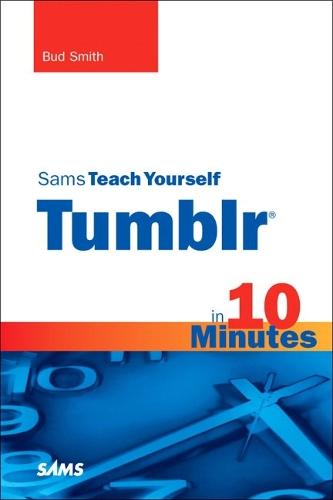
Sams Teach Yourself Tumblr in 10 Minutes

Author:   Bud E. Smith
Publisher:   Pearson Education (US)
ISBN:  

9780672331169


Pages:   216
Publication Date:   05 August 2010
Format:   Paperback
Availability:   In Print   Availability explained
Limited stock is available. It will be ordered for you and shipped pending supplier's limited stock.

Our Price $39.57 Quantity:  
Add to Cart

Share |

Sams Teach Yourself Tumblr in 10 Minutes


Overview

Sams Teach Yourself Tumblr® in 10 Minutes offers straightforward, practical answers when you need fast results. By working through 10-minute lessons, you’ll learn everything you need to use Tumblr to create a blog for sharing tweets, links, text, media, email, anything! Each compact lesson zeroes in on essential techniques, with fast, step-by-step instructions that help you do it right the first time!   Tips point out shortcuts and solutions Cautions help you avoid common pitfalls Notes provide additional information   10 minutes is all you need to learn how to… Create and run a personal blog incredibly easily! Personalize your tumblog with themes and a custom domain name Post text, links, photos, media, and more Add comments to your tumblog Save and share your tweets from Twitter on Tumblr Feed your tumblog content to your Facebook page Post from your cellphone, iPhone, or iPad Find tumblogs you like, and quote or repost their content Extend tumblogs with Goodies and Third-Party Apps

Full Product Details

Author:   Bud E. Smith
Publisher:   Pearson Education (US)
Imprint:   Sams Publishing
Dimensions:   Width: 14.10cm , Height: 1.10cm , Length: 21.00cm
Weight:   0.242kg
ISBN:  

9780672331169


ISBN 10:   0672331160
Pages:   216
Publication Date:   05 August 2010
Audience:   General/trade ,  General
Format:   Paperback
Publisher's Status:   Out of Print
Availability:   In Print   Availability explained
Limited stock is available. It will be ordered for you and shipped pending supplier's limited stock.

Table of Contents

Introduction 1 Introduction to Tumblr     What Is Tumblr?     Tumblr     Uses for Tumblr     Why Everyone Loves Tumblr     Looking at Tumblogs 2 Signing Up and Setting Preferences for Tumblr     Signing Up for Tumblr     Choosing Your Account Preferences 3 Customizing Info Settings for Your Tumblog     Accessing the Customize Area     Changing Information About Your Tumblog 4 Choosing a URL for Your Tumblog     It’s All in a Name     Using a Tumblr Subdomain Name     Using a Custom Domain Name     Choosing a Name     Searchability and Your Domain Name     Changing Your Subdomain Name     Using a Custom Domain Name with a Tumblog 5 Changing the Appearance of Your Tumblog     Changing Your Tumblog’s Appearance     Changing Advanced Settings     Changing a Theme’s Appearance     Four Ways to Change Your Tumblog’s Appearance     Choosing a New Theme     Customizing a Theme 6 Creating a Text Post     The Vital Role of Text in Tumblogs     Adding a Text Post     Formatting a Post’s Content     Adding Links to a Post     Using HTML in a Posting     Adding Tags to Post     Additional Options for All Posts 7 Adding Photos to a Text Post     The Art of Photos in Tumblogs     Digital Photo Basics     Adding Your Own Photo to a Text Post     Adding a Web Photo to a Text Post 8 Creating a Photo Post     Photo Posts for Your Tumblog     Photo Post Options     Creating a Photo Post with a Web Photo     Creating a Photo Post with a Webcam Photo 9 Creating a Quote Post     Quote Posts for Your Tumblog     Rules for Quote Posts 10 Creating a Link Post     Link Posts for Your Tumblog     Rules for Link Posts     Creating a Link Post 11 Creating a Chat Post     Chat Posts for Your Tumblog     Rules for Chat Posts     Creating a Chat Post 12 Posting Audio Clips     Using Audio Clips in Tumblogs     Tumblr and Audio Copyright     Digital Audio Basics for Tumblr     Creating an Audio Post 13 Posting Videos     Using Videos in Tumblogs     Creating Video Files     Digital Video Basics for Tumblr     Creating a Video Post 14 Liking, Reblogging, and Following Posts     Building Community in Your Tumblog     Liking Tumblog Posts     Reblogging Tumblog Posts     Following a Tumblog     Improving Your Tumblarity 15 Posting by Email, Phone, and Audio     Posting by Email and Phone     Sending Posts by Email     Markdown and Email Posting     Posting via App     Posting via Audio 16 Using Tumblr with Twitter     Using Tumblr with Twitter     Sending Your Tweets to Your Tumblog     Posting and Viewing Twitter in Tumblr     Sending Tumblr Posts to Twitter 17 Using Tumblr with Other Services     How Tumblr Plays Nice with Others     Feeding Your Tumblog into Facebook     Using Your Tumblog’s RSS Feed     Importing RSS, Blog, and Other Feeds 18 Extending Tumblr with Comments, Goodies, and Apps     Tumblr Is Extensible     Using Tumblr Community     Getting Goodies from Tumblr     Using Tumblr Third-Party Apps Index

Reviews

Author Information

Bud Smith has written and edited tons of books over the past 25 years, covering a variety of computer topics, including guides to buying a computer, using all kinds of software, and doing almost anything you can think of online. His most recent title is WordPress In Depth, a thorough book about the most popular blogging platform worldwide, coauthored with Michael McCallister. Bud began writing computer books in 1984, the year of the iconic 1984 television commercial for the Macintosh. An early success was Que’s Computer Buyer’s Guide, covering the then-latest and greatest in computer hardware and software. He has also written about creating web pages, Android phones, and the iPad. Bud continues to work as a writer, project manager, and marketer to help people get the most out of technology as it advances. He currently lives in the San Francisco Bay Area, where he participates in environmental causes when he’s not working on one of his many technology-related projects.

Tab Content 6

Author Website:  

Countries Available

All regions
Latest Reading Guide

April RG 26_2


Shopping Cart
Your cart is empty
Shopping cart
Mailing List