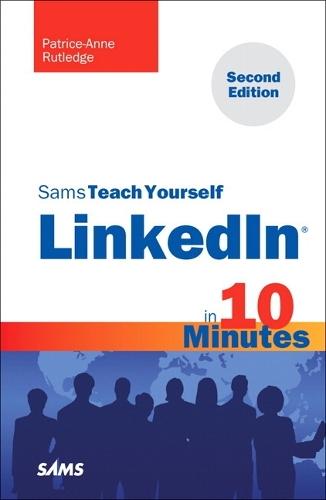
Sams Teach Yourself LinkedIn in 10 Minutes

Author:   Patrice-Anne Rutledge
Publisher:   Pearson Education (US)
Edition:   2nd edition
ISBN:  

9780672335440


Pages:   240
Publication Date:   02 March 2011
Replaced By:   9780672335983
Format:   Paperback
Availability:   In Print   Availability explained
Limited stock is available. It will be ordered for you and shipped pending supplier's limited stock.

Our Price $39.57 Quantity:  
Add to Cart

Share |

Sams Teach Yourself LinkedIn in 10 Minutes


Overview

Sams Teach Yourself LinkedIn® in 10 Minutes, Second Edition     Sams Teach Yourself Linkedln® in 10 Minutes, Second Edition offers straightforward, practical answers when you need fast results. Learn everything you need to know to quickly and easily generate solid results on LinkedIn.     Tips point out shortcuts and solutions Cautions help you avoid common pitfalls Notes provide additional information Plain English explains new terms and definitions     10 minutes is all you need to learn how to… Create a LinkedIn profile that generates results Find jobs, consulting opportunities, partners, and clients Enhance your visibility to an audience of millions Promote your services as a LinkedIn service provider Develop a streamlined approach for managing contacts Customize LinkedIn for maximum effectiveness and productivity Use LinkedIn Answers and Groups for research and marketing Extend the power of LinkedIn with third-party applications and tools Give and receive professional recommendations Recruit job candidates Access LinkedIn from mobile devices Advertise on LinkedIn     Category:  Internet Covers:  LinkedIn User Level:  Beginning  

Full Product Details

Author:   Patrice-Anne Rutledge
Publisher:   Pearson Education (US)
Imprint:   Sams Publishing
Edition:   2nd edition
Dimensions:   Width: 20.60cm , Height: 1.30cm , Length: 14.10cm
Weight:   0.260kg
ISBN:  

9780672335440


ISBN 10:   0672335441
Pages:   240
Publication Date:   02 March 2011
Audience:   General/trade ,  General
Replaced By:   9780672335983
Format:   Paperback
Publisher's Status:   Out of Print
Availability:   In Print   Availability explained
Limited stock is available. It will be ordered for you and shipped pending supplier's limited stock.

Table of Contents

Introduction 1 Chapter 1 Introducing LinkedIn 3 Understanding What LinkedIn Can Do for You ............................3 Understanding the Key to Success on LinkedIn..........................4 Understanding LinkedIn Account Types ......................................5 Using a LinkedIn Free Account ..................................................6 Exploring LinkedIn Premium Accounts........................................6 Creating a LinkedIn Account ....................................................8 Exploring the LinkedIn Home Page ..........................................13 Navigating LinkedIn ................................................................15 Chapter 2 Creating Your Profile 17 Viewing a LinkedIn Profile ......................................................17 Creating a Profile That Achieves Your Goals ............................18 Understanding Profile Completeness ......................................20 Entering Basic Profile Information ..........................................21 Adding Positions ....................................................................23 Adding Educational Information ..............................................24 Adding Website Links and Other Additional Information ............27 Integrating Your LinkedIn Account with Twitter ..........................28 Customizing Your Public Profile ..............................................30 Adding Profile Sections ..........................................................31 Adding a Profile Summary ......................................................33 Adding Personal Information ..................................................34 Specifying Contact Settings ....................................................35 Adding a Profile Photo ............................................................37 Viewing Your Profile................................................................38 Chapter 3 Adding and Managing Connections 39 Developing a Connection Strategy ..........................................39 Building Your Network ............................................................40 Importing Webmail Contacts ..........................................41 Importing Contacts from Other Email Systems ........................43 Connecting with Current or Past Colleagues ............................44 Connecting with Former Classmates........................................45 Connecting with Other LinkedIn Members ................................46 Connecting with People Not on LinkedIn ..................................49 Responding to Connection Invitations......................................49 Managing Your Connections....................................................51 Removing Connections ..........................................................53 Viewing Your Network Statistics ..............................................54 Chapter 4 Customizing Your LinkedIn Settings 55 Customizing the Way You Use LinkedIn....................................55 Customizing Profile Settings ..................................................56 Customizing Email Notification Settings ..................................57 Customizing Your Home Page Settings ....................................60 Subscribing to RSS Feeds ......................................................61 Customizing Group Invitations Settings....................................63 Customizing Your LinkedIn Personal Information ......................64 Customizing Your Privacy Settings ..........................................65 Specifying How You Want to Use the LinkedIn Network ............67 Chapter 5 Managing and Updating Your Profile 69 Understanding the Importance of a Current Profile ..................69 Posting an Update ................................................................70 Managing Your Updates..........................................................73 Commenting on an Update ....................................................74 Updating Your Profile..............................................................74 Promoting Your Profile on the Web ..........................................75 Printing and Downloading Your Profile......................................77 Chapter 6 Communicating with Other LinkedIn Members 79 Understanding Your LinkedIn Network......................................79 Understanding InMail, Introductions, and LinkedIn Messages....80 Understanding Your Contact Options ......................................81 Managing Your Inbox ..............................................................83 Sending Messages ................................................................85 Reading and Replying to Messages ........................................87 Sending InMail ......................................................................88 Requesting Introductions........................................................90 Managing Introduction Requests ............................................93 Chapter 7 Searching on LinkedIn 97 Performing a Quick Search ....................................................97 Searching for People ..............................................................98 Narrowing People Search Results............................................99 Performing an Advanced People Search ................................102 Saving a People Search........................................................103 Using Advanced Search Techniques ......................................105 Using the Profile Organizer ..................................................105 Chapter 8 Using LinkedIn Tools 109 Understanding LinkedIn Tools ..............................................109 Installing and Using the LinkedIn Firefox Browser Toolbar ......110 Installing and Using the LinkedIn Internet Explorer Toolbar......112 Using JobsInsider ................................................................115 Sharing Web Pages with LinkedIn Members ..........................117 Using the Outlook Toolbar ....................................................118 Creating an Email Signature ................................................119 Using the Google Toolbar Assistant ......................................121 Chapter 9 Finding a Job 125 Attracting Recruiters and Hiring Managers ............................125 Searching Job Postings ........................................................126 Viewing Job Postings............................................................129 Performing an Advanced Job Search......................................130 Applying for a Job ................................................................132 Finding Recruiters and Hiring Managers ................................133 Upgrading to a Job Seeker Premium Account ........................134 Chapter 10 Requesting and Providing Recommendations 137 Understanding LinkedIn Recommendations............................137 Requesting Recommendations..............................................138 Managing Recommendation Requests ..................................141 Responding to Recommendation Requests............................142 Accepting Recommendations ................................................145 Making Recommendations....................................................146 Managing Recommendations................................................147 Managing Received Recommendations.........................148 Managing Sent Recommendations ...............................149 Chapter 11 Participating in LinkedIn Groups 151 Understanding LinkedIn Groups ............................................151 Joining a Group....................................................................152 Participating in Group Discussions ........................................155 Liking a Discussion .....................................................156 Adding Comments to a Discussion...............................156 Following Group Discussions and Members ..................157 Starting a Discussion..................................................158 Using a Group's Jobs Discussion Board ................................160 Managing Your Groups ........................................................162 Viewing Your Groups....................................................162 Changing the Display Order of Your Groups...................163 Viewing Group Updates ...............................................164 Viewing Group Members..............................................165 Managing Group Settings ............................................165 Forwarding Information About Groups ...........................165 Leaving a Group..........................................................166 Creating and Managing Your Own Group ................................166 Creating Your Own Group.............................................166 Managing Your Own Group...........................................169 Chapter 12 Using LinkedIn Answers 171 Understanding LinkedIn Answers ..........................................171 Asking a Question................................................................173 Browsing Open Questions to Answer ....................................175 Answering Questions............................................................177 Searching LinkedIn Answers by Keyword ................................179 Viewing and Modifying Your Questions and Answers ..............180 Chapter 13 Using LinkedIn Applications 183 Understanding LinkedIn Applications ....................................183 Choosing the Right Applications............................................184 Adding Applications..............................................................185 Adding the Blog Link Application ..................................187 Adding the Box.net Files Application.............................189 Adding a Poll ..............................................................189 Adding the Reading List by Amazon Application.............193 Adding the SlideShare Presentations Application...........195 Adding the WordPress Application ................................197 Adding and Managing LinkedIn Events ..................................198 Removing Applications ........................................................200 Chapter 14 Using LinkedIn Service Providers 201 Understanding LinkedIn Service Providers ............................201 Searching for Service Providers ............................................202 Recommending a Service Provider ........................................203 Requesting a Service Provider Recommendation....................206 Responding to a Service Provider Recommendation Request ..208 Chapter 15 Using LinkedIn Mobile 209 Using LinkedIn Mobile ..........................................................209 Accessing LinkedIn on Your Mobile Phone ............................209 Using the LinkedIn iPhone Application ..................................211 Using LinkedIn on Your BlackBerry ........................................212 Using LinkedIn on Your Palm ................................................212 9780672335440 TOC 1/7/2011

Reviews

Author Information

Patrice-Anne Rutledge is a business technology author and expert who has been featured on CNN.com, AOL, CareerBuilder, Inc.com, Fox News, MSN, and other media outlets around the world. She specializes in teaching others to maximize the power of new technologies such as social media and online collaboration to promote their businesses and careers. Patrice is a long-time LinkedIn member and social networking advocate who uses LinkedIn to develop her business, find clients, recruit staff, and much more. Her other books include Using LinkedIn, Using Facebook, and The Truth About Profiting from Social Networking, all from Pearson. She can be reached through her website at www.patricerutledge.com.

Tab Content 6

Author Website:  

Countries Available

All regions
Latest Reading Guide

April RG 26_2


Shopping Cart
Your cart is empty
Shopping cart
Mailing List