Overview
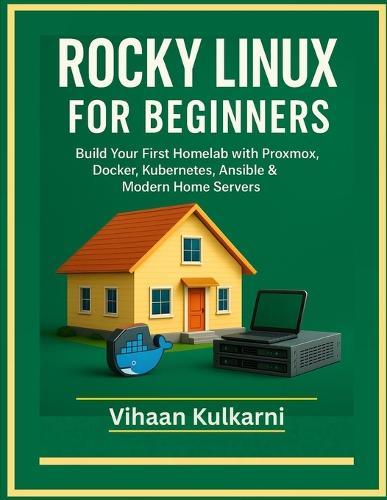
Rocky Linux has rapidly become the favorite open-source alternative to CentOS for home engineers, developers, and self-hosters who want a stable, secure and enterprise-grade operating system-without the complexity. If you want to build your first homelab, run virtual machines, deploy containers, automate your servers, host your own applications or learn modern DevOps skills, this book gives you the perfect beginner-friendly roadmap. Rocky Linux for Beginners is a completely hands-on guide designed to take you from zero experience to confidently running your own full-stack homelab environment. Using step-by-step labs, real-world examples and an end-to-end homelab project, you will learn how to deploy Rocky Linux on bare metal, Proxmox, KVM, cloud images and containers, and build a home infrastructure capable of supporting databases, web apps, media servers, Kubernetes clusters and more. Unlike traditional Linux books, this guide is purpose-built for the modern homelab ecosystem. Every chapter teaches practical workflows used by today's DevOps and cloud engineers: virtualization, containerization, automation with Ansible, Kubernetes with K3s, secure networking, monitoring with Prometheus and automated provisioning using cloud-init templates. By the end of the book, you will have a fully functional homelab that mirrors real production systems. This is the ultimate beginner's guide if you want to build skills that translate directly into DevOps, SRE, Cloud or Platform Engineering careers-right from your home. Inside This Book, You Will Learn How To: Install Rocky Linux 9 on bare metal, Proxmox VMs, KVM, cloud images and container environments Configure storage, filesystems, RAID, LVM and basic ZFS for home servers Design a proper homelab network with static IPs, VLANs, DNS, hostnames and firewall rules Deploy Docker, Podman and Buildah for self-hosted apps and containerized services Run real applications like NGINX, MariaDB, Nextcloud, Portainer and more using containers Automate your entire homelab using Ansible playbooks, roles and templates Build Rocky Linux VM templates with cloud-init and automated provisioning Deploy a complete K3s Kubernetes cluster for apps, services, ingress, storage and monitoring Implement SELinux policies, firewalld rules and SSH hardening for secure operations Set up logging, monitoring, metrics and dashboards using Prometheus and Grafana Build a full-stack end-to-end homelab project combining virtualization, automation, containers and Kubernetes Perfect For: Absolute beginners who want to build their first homelab Self-hosters looking to modernize their home infrastructure Developers, sysadmins and DevOps learners wanting hands-on Linux skills Students preparing for Linux+, RHCSA, CKA or cloud certifications Anyone switching from Windows or macOS to Linux-based servers Engineers who want to learn Proxmox, Docker, K3s and Ansible in a practical way No prior Linux experience is required-every chapter builds progressively with guided labs. This book doesn't just teach Linux-it teaches modern infrastructure engineering through Rocky Linux. Start Building Your Real Homelab Today Whether your goal is to run your own private cloud, host applications, learn automation, practice DevOps skills or simply understand Linux deeply, this book gives you everything you need to succeed-step by step, hands on and beginner friendly. Take the first step. Build the homelab you've always wanted-with Rocky Linux at the core.
Full Product Details
Author: Vihaan Kulkarni
Publisher: Independently Published
Imprint: Independently Published
Dimensions:
Width: 21.60cm
, Height: 1.50cm
, Length: 27.90cm
Weight: 0.676kg
ISBN: 9798279429622
Pages: 290
Publication Date: 22 December 2025
Audience:
General/trade
,
General
Format: Paperback
Publisher's Status: Active
Availability: Available To Order

We have confirmation that this item is in stock with the supplier. It will be ordered in for you and dispatched immediately.