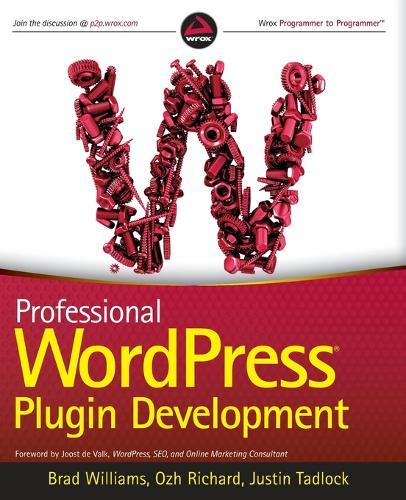
Professional WordPress Plugin Development

Author:   Brad Williams ,  Ozh Richard ,  Justin Tadlock ,  Joost de Valk
Publisher:   John Wiley & Sons Inc
ISBN:  

9780470916223


Pages:   560
Publication Date:   15 March 2011
Format:   Paperback
Availability:   In Print   Availability explained
Limited stock is available. It will be ordered for you and shipped pending supplier's limited stock.

Our Price $118.77 Quantity:  
Add to Cart

Share |

Professional WordPress Plugin Development


Overview

Taking WordPress to the next level with advanced plugin development WordPress is used to create self-hosted blogs and sites, and it's fast becoming the most popular content management system (CMS) on the Web. Now you can extend it for personal, corporate and enterprise use with advanced plugins and this professional development guide. Learn how to create plugins using the WordPress plugin API: utilize hooks, store custom settings, craft translation files, secure your plugins, set custom user roles, integrate widgets, work with JavaScript and AJAX, create custom post types. You'll find a practical, solutions-based approach, lots of helpful examples, and plenty of code you can incorporate! Shows you how to develop advanced plugins for the most popular CMS platform today, WordPress Covers plugin fundamentals, how to create and customize hooks, internationalizing your site with translation files, securing plugins, how to create customer users, and ways to lock down specific areas for use in corporate settings Delves into advanced topics, including creating widgets and metaboxes, debugging, using JavaScript and AJAX, Cron integration, custom post types, short codes, multi site functions, and working with the HTTP API Includes pointers on how to debug, profile and optimize your code, and how to market your custom plugin Learn advanced plugin techniques and extend WordPress into the corporate environment.

Full Product Details

Author:   Brad Williams ,  Ozh Richard ,  Justin Tadlock ,  Joost de Valk
Publisher:   John Wiley & Sons Inc
Imprint:   Wrox Press
Dimensions:   Width: 19.00cm , Height: 2.90cm , Length: 23.50cm
Weight:   1.010kg
ISBN:  

9780470916223


ISBN 10:   0470916222
Pages:   560
Publication Date:   15 March 2011
Audience:   Professional and scholarly ,  Professional & Vocational
Format:   Paperback
Publisher's Status:   Unknown
Availability:   In Print   Availability explained
Limited stock is available. It will be ordered for you and shipped pending supplier's limited stock.

Table of Contents

Foreword xxi Introduction xxiii Chapter 1: An Introduction to Plugins 1 What Is a Plugin? 1 How Plugins Interact with WordPress 2 When Are Plugins Loaded? 3 Available Plugins 3 Official Plugin Directory 3 Popular Plugin Examples 4 Popular Plugin Tags 4 Advantages of Plugins 5 Not Modifying Core 5 Why Reinvent the Wheel 5 Separating Plugins and Themes 6 Easy Updates 6 Easier to Share and Reuse 7 Plugin Sandbox 7 Plugin Community 7 Installing and Managing Plugins 7 Installing a Plugin 7 Managing Plugins 8 Editing Plugins 8 Plugin Directories 8 Types of Plugins 9 Testing Plugin Functionality 10 Summary 10 Chapter 2: Plugin Foundation 11 Creating a Plugin File 11 Naming Your Plugin 11 Using a Folder 12 Sanity Practices 12 Prefix Everything 12 File Organization 13 Folder Structure 13 Header Requirements 14 Creating the Header 14 Plugin License 15 Determining Paths 15 Plugin Paths 15 Local Paths 16 URL Paths 17 Activate/Deactivate Functions 18 Plugin Activation Function 18 Create Default Settings on Activate 19 Plugin Deactivation Function 19 Deactivate Is Not Uninstall 20 Uninstall Methods 20 Why Uninstall Is Necessary 20 Uninstall.php 21 Uninstall Hook 21 Coding Standards 22 Document Your Code 23 Naming Variables, Functions, and Files 23 Single and Double Quotes 24 Indentation 24 Brace Style 25 Space Usage 25 Shorthand PHP 26 SQL Statements 26 Plugin Development Checklist 26 Summary 27 Chapter 3: Hooks 29 Actions 30 What Is an Action? 31 Action Hook Functions 32 Commonly Used Action Hooks 36 Filters 39 What Is a Filter? 40 Filter Hook Functions 41 Quick Return Functions 46 Commonly Used Filter Hooks 47 Using Hooks from Within a Class 51 Creating Custom Hooks 52 Benefits of Creating Custom Hooks 53 Custom Action Hook Example 53 Custom Filter Hook Example 54 How to Find Hooks 55 Searching for Hooks in the Core Code 56 Variable Hooks 56 Hook Reference Lists 56 Summary 57 Chapter 4: Integrating in Wordpress 59 Adding Menus and Submenus 59 Creating a Top-Level Menu 60 Adding a Submenu 61 Adding a Menu Item to an Existing Menu 62 Creating Widgets 63 Creating a Widget 63 Advanced Widget 68 Creating Dashboard Widgets 74 Creating a Dashboard Widget with Options 75 Meta Boxes 79 Adding a Custom Meta Box 79 Saving Meta Box Data 80 Advanced Meta Box 84 Keeping It Consistent 90 Using the WordPress UI 90 Headings 90 Icons 91 Messages 91 Buttons 92 Links 93 Form Fields 93 Tables 94 Pagination 95 Summary 96 Chapter 5: Internationalization 97 Internationalization and Localization 97 Why Internationalize? 98 Understanding Internationalization in Professional Work 98 Getting Your Plugin Ready for Translation 99 Echoing and Returning Strings 99 Using Placeholders 108 Internationalizing JavaScript 110 Creating Translation Files 113 The MO and PO Files 113 Translation Tools 113 How to Create a POT File 114 Where to Store Translation Files 115 Summary 115 Chapter 6: Plugin Security 117 Securing Your Plugin 117 What Securing Your Plugin Is 118 What Securing Your Plugin Is Not 118 User Permissions 118 How to Check current_user_can() 118 Do Not Check Too Early 119 Nonces 120 Authority Versus Intention 120 What Is a Nonce? 121 How to Create and Verify Nonces 122 Nonces in Ajax Scripts 127 Data Validation and Sanitization 127 The Need for Data Validation and Sanitization 127 Good Practice: Identifying Potentially Tainted Data 129 Validating or Sanitizing Input? 130 Validating and Sanitizing Cookbook 131 Formatting SQL Statements 149 The $wpdb Object 149 Why wpdb Methods Are Superior 150 All-in-One Methods 151 Common Methods 153 Protecting Queries Against SQL Injections 157 Miscellaneous wpdb Methods and Properties 159 Security Good Habits 160 Summary 161 Chapter 7: Plugin Settings 163 The Options API 163 Saving Options 164 Saving an Array of Options 164 Retrieving Options 165 Loading an Array of Options 166 Deleting Options 167 The Autoload Parameter 167 The Settings API 169 Benefits of the Settings API 169 Settings API Functions 169 Wrapping It Up: A Complete Plugin Management Page 174 Improving Feedback on Validation Errors 176 Adding Fields to an Existing Page 177 The Transients API 180 Saving an Expiring Option 181 Retrieving an Expiring Option 181 Deleting an Expiring Option 181 A Practical Example Using Transients 182 Technical Details 182 Transient Ideas 183 Saving Per-User Settings 183 Crafting a Plugin 183 User Metadata 183 Saving User Metadata 184 Updating User Metadata 184 Getting User Metadata 185 Deleting User Metadata 185 Getting a User’s ID 186 Adding Input Fields to a Profile Page 186 BOJ’s Admin Lang Plugin 188 Per-User Settings: Best Practices 190 Storing Data in Custom Tables 191 Types of Data 191 WordPress’ Standard Tables 191 Creating a Custom Table 191 Updating the Structure of a Custom Table 193 dbDelta() Tips for Success 194 Accessing Your Custom Table 196 Summary 196 Chapter 8: Users 197 Working with Users 198 User Functions 198 Creating, Updating, and Deleting Users 202 User Data 207 User Metadata 212 Roles and Capabilities 219 What Are Roles and Capabilities? 220 Default Roles 220 Custom Roles 221 Limiting Access 221 Checking User Permissions 222 Is the User an Admin? 226 Allowing Custom Permissions 227 Customizing Roles 229 Creating a Role 229 Deleting a Role 230 Adding Capabilities to a Role 231 Removing Capabilities from a Role 232 A Custom Role and Capability Plugin 233 Summary 236 Chapter 9: HTTP API 237 HTTP Requests Crash Course 237 What Is an HTTP Request? 237 How to Make HTTP Requests in PHP 240 WordPress’ HTTP Functions 242 The wp_remote_ Functions 242 Advanced Configuration and Tips 248 Practice: Reading JSON from a Remote API 255 Getting and Reading JSON 256 Your Functional Plugin 257 Practice: Sending Data to a Remote API 259 Formatting Parameters for POST Requests 259 Your Functional Plugin 260 Practice: Reading Arbitrary Content 262 Make Your Own Plugin Repository 263 How Plugin Upgrades Work in WordPress 263 Polling an Alternative API from a Plugin 264 Building the Alternative API 268 A Few Words of Caution About Self-Hosted API 269 Special Case: Fetching Remote Feeds 269 Summary 270 Chapter 10: The Shortcode API 271 Creating Shortcodes 271 What Shortcodes Are 271 Register Custom Shortcodes 273 Shortcode Tips 277 Think Simplicity for the User 277 Remember the Dynamicity 280 Look Under the Hoods 281 A “bb code” for Comments Plugin 283 Shortcode Nesting Limitations 286 Integrating Google Maps 286 Accessing the Google Geocoding API 287 Storing API Results 288 Accessing the Google Maps API 290 More Shortcode Quick Ideas 295 Display Member-Only Content 295 Display Time-Limited Content 296 Obfuscate Email Addresses 296 Summary 297 Chapter 11: Extending Posts: Metadata, Custom Post Types, and Taxonomies 299 Creating Custom Post Types 300 Post Type Possibilities 300 Registering a Post Type 300 Setting Post Type Labels 305 Using Custom Capabilities 306 Attaching Existing Taxonomies 308 Using Custom Post Types 309 Creating a Custom Post Type Loop 309 Retrieving Custom Post Type Content 311 Checking if a Post Type Exists 312 Post Metadata 313 Adding Post Metadata 314 Retrieving Post Metadata 315 Updating Post Metadata 316 Deleting Post Metadata 317 Creating Custom Taxonomies 318 Understanding Taxonomies 318 Registering a Custom Taxonomy 319 Assigning a Taxonomy to a Post Type 323 Using Custom Taxonomies 324 Retrieving a Taxonomy 324 Using a Taxonomy with Posts 325 Taxonomy Conditional Tags 327 A Post Type and Taxonomy Plugin 329 Summary 332 Chapter 12: Javascript and Ajax in Wordpress 333 jQuery–A Brief Introduction 333 Benefits of Using jQuery 334 jQuery Crash Course 334 Ajax 337 What Is Ajax? 338 Ajax Best Practices 341 Adding JavaScript in WordPress 341 A Proper Way to Include Scripts 341 Where to Include Scripts 348 Adding Scripts Only When Needed 350 Dynamic Scripts in WordPress 354 Ajax in WordPress 358 Ajax in WordPress: Principles 358 A Complete Example: Instant “Read More” Links 360 Another Example: Frontend Comment Deletion 367 Debugging Ajax 372 Summary 373 Chapter 13: Cron 375 What Is Cron? 375 How Is Cron Executed? 375 Scheduling Cron Events 376 Scheduling a Recurring Event 376 Scheduling a Single Event 379 Unscheduling an Event 381 Specifying Your Own Cron Intervals 382 Viewing Cron Events Scheduled 382 True Cron 386 Practical Use 386 Deleting Post Revisions Weekly 386 The Blog Pester Plugin 391 The Delete Comments Plugin 395 Summary 401 Chapter 14: The Rewrite API 403 Why Rewrite URLs 403 Permalink Principles 404 Apache’s mod_rewrite 404 URL Rewriting in WordPress 405 How WordPress Handles Queries 406 Overview of the Query Process 406 The rewrite Object 407 The query Object 407 What Plugins Can Do 408 Practical Uses 408 Rewriting a URL to Create a List of Shops 408 Creating a New Permalink Structure and Integrating Non-WordPress Pages 415 Adding an Endpoint and Altering Output Format 417 Adding a Custom Feed for the Latest Uploaded Images 421 Summary 423 Chapter 15: Multisite 425 Differences 426 WordPress Versus Multisite Network 426 Understanding Multisite Terminology 426 Advantages of Multisite 427 Enabling Multisite in WordPress 427 Multisite Functions 428 The Power of Blog ID 428 Common Functions 429 Switching and Restoring Sites 431 Network Content Shortcode Examples 434 A Network Content Widget Example 440 Creating a New Site 446 Multisite Site Options 452 Users in a Network 453 Multisite Super Admin 457 Checking the Site Owner 458 Network Stats 459 Multisite Database Schema 460 Multisite-Specific Tables 460 Site-Specific Tables 460 Summary 461 Chapter 16: Debugging and Optimizing 463 Supporting Old Versions (Not) 463 Keeping Current with WordPress Development 464 Deprecated Functions 465 Dealing with Obsolete Client Installs 466 Debugging 466 Enabling Debugging 467 Displaying Debug Messages 467 Correcting Debug Messages 468 Error Logging 472 Enabling Logging 472 Setting Log File Location 473 Understanding the Log File 473 Caching 473 Saving, Loading, and Deleting Cached Data 474 Caching Data Within a Plugin 475 Summary 477 Chapter 17: Marketing Your Plugin 479 Choosing a License for Your Plugin 480 Different Options 480 Why It Matters 481 Making Money While Using the GPL 482 Submitting to WordPress.org 482 Creating an Account 484 Submitting a Plugin 484 Setting Up SVN 485 Creating a readme.txt File 486 Getting Your Plugin Renowned 489 Naming Your Plugin 489 Building a Web Site 491 Creating a Page for Your Plugin 492 Announcing Your Plugin 493 Supporting Your Plugins 493 Getting Feedback 494 Getting Out of the Basement 495 Other Promotion Methods 495 Summary 496 Chapter 18: The Developer Toolbox 497 Core as Reference 497 Inline Documentation 497 Finding Functions 499 Common Core Files 499 Codex 501 Searching the Codex 501 Function Reference 501 Tool Web Sites 502 PHPXref 502 Hooks Database 503 Community Resources 503 Support Forums 503 Mailing Lists 504 WordPress Chat 504 WordPress Development Updates 505 WordPress Ideas 505 Community News Sites 505 Local Events 506 Tools 507 Browser 507 Editor 507 Deploying Files with FTP, SFTP, and SSH 508 phpMyAdmin 508 Summary 509 Index 511

Reviews

Author Information

Brad Williams is the CEO and cofounder of webdevstudios.com. He is a coauthor of Professional WordPress. Ozh Richard has released a number of popular WordPress plugins and won an Annual WordPress Plugin Competition. Justin Tadlock has developed numerous plugins and teaches users how to use plugins and themes at his WordPress site ThemeHybrid.com.

Tab Content 6

Author Website:  

Countries Available

All regions
Latest Reading Guide

April RG 26_2


Shopping Cart
Your cart is empty
Shopping cart
Mailing List