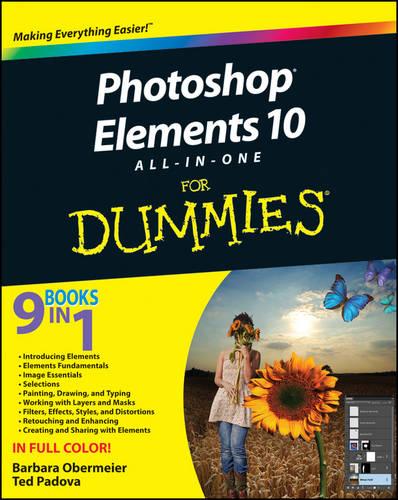
Photoshop Elements 10 All-in-One For Dummies

Author:   Barbara Obermeier ,  Ted Padova
Publisher:   John Wiley & Sons Inc
ISBN:  

9781118107393


Pages:   672
Publication Date:   15 November 2011
Format:   Paperback
Availability:   Awaiting stock   Availability explained


Our Price $105.57 Quantity:  
Add to Cart

Share |

Photoshop Elements 10 All-in-One For Dummies


Overview

Full Product Details

Author:   Barbara Obermeier ,  Ted Padova
Publisher:   John Wiley & Sons Inc
Imprint:   John Wiley & Sons Inc
Dimensions:   Width: 18.70cm , Height: 3.50cm , Length: 23.00cm
Weight:   1.496kg
ISBN:  

9781118107393


ISBN 10:   111810739
Pages:   672
Publication Date:   15 November 2011
Audience:   Professional and scholarly ,  Professional & Vocational
Format:   Paperback
Publisher's Status:   Out of Print
Availability:   Awaiting stock   Availability explained

Table of Contents

Introduction 1 Book I: Introducing Elements 7 Chapter 1: Examining the Elements Environment 9 Chapter 2: Getting to Know the Tools 33 Chapter 3: Viewing and Navigating Images 49 Chapter 4: Setting Your Preferences 63 Book II: Elements Fundamentals 87 Chapter 1: Acquiring, Saving, and Exporting Images 89 Chapter 2: Working in the Organizer 115 Chapter 3: Sorting and Organizing Files 133 Chapter 4: Working with iOS and Android Devices 159 Book III: Image Essentials 173 Chapter 1: Specifying Resolution and Changing Image Sizing 175 Chapter 2: Choosing Color Modes and File Formats 195 Chapter 3: Working with Camera Raw 215 Chapter 4: Using and Managing Color 231 Chapter 5: Time Travel Undoing in Elements 251 Book IV: Selections 257 Chapter 1: Making Selections 259 Chapter 2: Modifying and Transforming Selections 281 Book V: Painting, Drawing, and Typing 301 Chapter 1: Painting and Drawing with Elements 303 Chapter 2: Filling and Stroking 323 Chapter 3: Working with Type 341 Book VI: Working with Layers and Masks 363 Chapter 1: Creating Layers 365 Chapter 2: Managing Layers 389 Chapter 3: Playing with Opacity and Blend Modes 405 Chapter 4: Cutting, Extracting, and Masking 417 Book VII: Filters, Effects, Styles, and Distortions 433 Chapter 1: Making Corrections and Having Fun with Filters 435 Chapter 2: Distorting with the Liquify Command 455 Chapter 3: Adding Pizzazz with Styles and Effects 463 Book VIII: Retouching and Enhancing 475 Chapter 1: Quick Image Makeovers 477 Chapter 2: Correcting Lighting, Color, and Clarity 507 Chapter 3: Compositing with Photomerge 539 Chapter 4: Getting Help in Guided Mode 555 Book IX: Creating and Sharing with Elements 567 Chapter 1: Creating Elements Projects 569 Chapter 2: Getting It Printed 591 Chapter 3: Sharing Projects with Others 611 Index 623

Reviews

Author Information

Barbara Obermeier is principal of Obermeier Design, a graphic design studio in California. She is currently a faculty member in the School of Design at Brooks Institute. Ted Padova is an internationally recognized authority on Adobe Acrobat, PDF, and digital imaging.

Tab Content 6

Author Website:  

Countries Available

All regions
Latest Reading Guide

April RG 26_2


Shopping Cart
Your cart is empty
Shopping cart
Mailing List