Overview
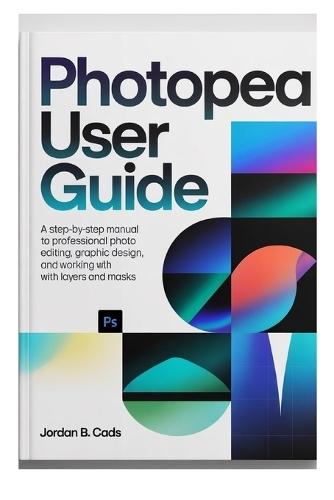
Are you ready to take your design skills to the next level without the burden of costly software subscriptions? Whether you're a complete beginner or an experienced designer looking for a powerful free tool, this comprehensive guide to Photopea is your ticket to mastering photo editing, graphic design, and digital illustration. In this step-by-step guide, you'll discover how to harness the full potential of Photopea, the web-based application that brings professional-level editing tools to your browser. What You'll Learn: Photopea Basics: Get started with a simple introduction to the Photopea workspace, tools, and interface. Learn how to create new projects, navigate menus, and work with different file types. Master Layers and Masks: Learn how to use layers, layer styles, and masks for professional-grade compositions. Dive deep into layer blending, grouping, and visibility to organize your workflow. Advanced Editing Techniques: Discover powerful tools for retouching photos, creating stunning designs, and crafting custom illustrations. From filters and adjustments to using the pen tool for precision shapes, you'll learn all the tricks the pros use. Graphic Design and Digital Illustration: Whether you're designing a logo, building a website, or creating digital art, Photopea has the tools you need. Learn how to use vectors, shapes, text, and typography to create beautiful designs. Exporting and Sharing: Master the process of exporting your projects in multiple formats, optimized for web, print, and social media. You'll also learn how to optimize files for faster load times and better performance across platforms. Why Choose Photopea? Free and Accessible: You don't need expensive software to create high-quality designs. Photopea is 100% free to use, making it perfect for students, hobbyists, and budget-conscious professionals. Professional Features: Despite being free, Photopea offers powerful tools found in industry-standard software like Photoshop, such as PSD compatibility, smart objects, and advanced blending modes. Web-Based and Cross-Platform: With Photopea, you can edit from anywhere without needing to download software. Work on your projects from any computer, phone, or tablet, and seamlessly switch between devices. Who This Guide Is For: Beginners: New to photo editing and graphic design? This guide is perfect for you. We'll take you through every step, showing you how to use Photopea's features from the ground up. Freelancers and Small Business Owners: Don't have the budget for Photoshop? This book shows you how to do professional-level design work without spending a dime. Students and Hobbyists: Learn graphic design on a budget! Photopea offers all the tools you need to start creating, and this book will guide you through every aspect of the process. Advanced Users: Already familiar with design software but want to expand your skillset? Learn how to use Photopea's advanced features for more complex projects. What Makes This Guide Stand Out: Detailed Explanations: Each chapter is packed with clear, detailed explanations and step-by-step tutorials, perfect for both beginners and seasoned designers. Comprehensive Coverage: This guide covers everything from the basics of photo editing to advanced design techniques. No stone is left unturned. Practical Tips and Tricks: Discover time-saving shortcuts and techniques that will boost your productivity and enhance your creative output. Real-Life Examples: Learn by doing! The guide includes hands-on projects and examples that you can follow along with, so you can apply what you learn right away. Transform your creative process with Photopea. Whether you're retouching images, creating digital art, or designing graphics for your business, this guide will show you how to make the most of the powerful tools Photopea offers, all without spending a dime.
Full Product Details
Author: Jordan B Cads
Publisher: Independently Published
Imprint: Independently Published
Dimensions:
Width: 15.20cm
, Height: 1.40cm
, Length: 22.90cm
Weight: 0.363kg
ISBN: 9798258591784
Pages: 270
Publication Date: 23 April 2026
Audience:
General/trade
,
General
Format: Paperback
Publisher's Status: Active
Availability: Available To Order

We have confirmation that this item is in stock with the supplier. It will be ordered in for you and dispatched immediately.