Overview
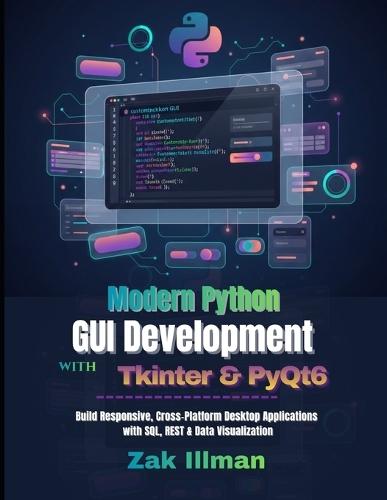
Modern Python GUI Development with Tkinter & PyQt6 Build Responsive, Cross-Platform Desktop Applications with SQL, REST & Data Visualization Unlock the power of professional desktop application development in Python - even if you're transitioning from scripts to full-featured GUIs.In 2026, users demand intuitive, modern interfaces that run flawlessly on Windows, macOS, and Linux. Whether you're building business tools, scientific dashboards, data analyzers, or personal productivity apps, this comprehensive guide takes you from beginner foundations to enterprise-grade mastery using the two most powerful Python GUI frameworks: Tkinter (Python's built-in standard) and PyQt6 (the professional Qt-based powerhouse). What You'll Discover Inside Why GUIs Matter in 2026 - Accessibility, UX principles, cross-platform demand, AI integration trends, and the future of desktop apps Tkinter Fundamentals to Intermediate Mastery - Event loops, core widgets (labels, buttons, entries), layout managers (pack, grid, place), event binding, input validation, and real projects like calculators and multi-window forms Professional PyQt6 Development - Signals & slots, Qt Designer for drag-and-drop UI, advanced widgets (tables, trees, multimedia), style sheets (CSS-like customization), model-view architecture, threading for responsive apps Data-Driven & Connected Applications - Seamless integration with SQL databases (PostgreSQL & SQLite), REST APIs, pandas, NumPy, Matplotlib, PyQtGraph for interactive charts and dashboards Security & Authentication - Secure PostgreSQL connections (SCRAM-SHA-256 + SSL/TLS), role-based access control (RBAC), row-level security, input sanitization, and production-ready authentication flows Professional Engineering Practices - Unit testing (unittest + pytest), Git/GitHub version control, CI/CD pipelines (GitHub Actions), packaging with PyInstaller/cx_Freeze, cross-platform installers (Inno Setup, .app bundles, AppImage), and deployment strategies Complete Real-World Projects - Simple calculator → record management system → secure business management tool → cross-platform file organizer utility → data visualization dashboard with REST + SQL backend Perfect For: Python developers ready to move beyond console scripts Data scientists / analysts building interactive tools and dashboards Beginners starting GUI programming with zero prior experience Intermediate coders seeking polished, modern, scalable applications Professionals needing cross-platform, secure, maintainable desktop software Key Features That Set This Book Apart: Step-by-step code examples you can copy-paste and run immediately Clear progression: Beginner → Intermediate → Advanced → Professional Modern 2026 practices: PyQt6 (not outdated PyQt5), latest Python 3.11+, responsive design techniques Focus on real deliverables: production-ready apps with testing, security, packaging & deployment Cross-platform emphasis - write once, deploy everywhere No fluff. No outdated code. Just practical, up-to-date knowledge that helps you ship beautiful, functional desktop applications faster.Ready to transform your Python skills into desktop software that users love?
Full Product Details
Author: Zak Illman
Publisher: Independently Published
Imprint: Independently Published
Dimensions:
Width: 21.60cm
, Height: 1.50cm
, Length: 27.90cm
Weight: 0.662kg
ISBN: 9798245922171
Pages: 284
Publication Date: 27 January 2026
Audience:
General/trade
,
General
Format: Paperback
Publisher's Status: Active
Availability: Available To Order

We have confirmation that this item is in stock with the supplier. It will be ordered in for you and dispatched immediately.