Overview
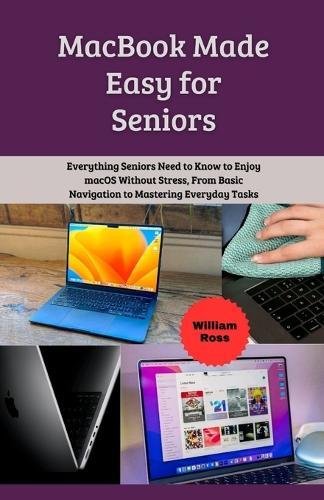
Enjoy Your MacBook Without Stress, Confusion, Or Fear MacBook Made Easy for Seniors Have you ever looked at your MacBook and wished it felt simpler to use? Maybe you worry about clicking the wrong thing, losing files, or not fully enjoying what your computer can do. You're not alone, and the good news is it doesn't have to stay that way. MacBook Made Easy for Seniors was written specifically with seniors in mind. This book takes a calm, patient, and easy to understand approach to learning macOS, helping you gain confidence step by step. No technical jargon. No rushing. Just clear explanations that make sense. Inside this book, you will discover how to Turn on, set up, and understand your MacBook with confidence Navigate the desktop, menus, and Finder without confusion Use email, internet browsing, and everyday apps safely Organize files, photos, and documents so nothing feels lost Adjust settings for comfort, accessibility, and easy viewing Stay safe online with built in security and privacy tools Fix common problems calmly without panic Use your MacBook comfortably for daily tasks and hobbies This guide focuses on what really matters to seniors: simplicity, safety, comfort, and independence. Each chapter builds gently on the last, helping you feel more confident every time you open your MacBook. By the end of this book, your MacBook will no longer feel intimidating. It will feel familiar, helpful, and enjoyable to use every day. Start Enjoying Your MacBook Today You don't need to be ""good with computers"" to use a MacBook well. You just need the right guide. Buy your copy of MacBook Made Easy for Seniors today and enjoy your MacBook with confidence and peace of mind.Description Enjoy Your MacBook Without Stress, Confusion, Or Fear MacBook Made Easy for Seniors Have you ever looked at your MacBook and wished it felt simpler to use? Maybe you worry about clicking the wrong thing, losing files, or not fully enjoying what your computer can do. You're not alone, and the good news is it doesn't have to stay that way. MacBook Made Easy for Seniors was written specifically with seniors in mind. This book takes a calm, patient, and easy to understand approach to learning macOS, helping you gain confidence step by step. No technical jargon. No rushing. Just clear explanations that make sense. Inside this book, you will discover how to Turn on, set up, and understand your MacBook with confidence Navigate the desktop, menus, and Finder without confusion Use email, internet browsing, and everyday apps safely Organize files, photos, and documents so nothing feels lost Adjust settings for comfort, accessibility, and easy viewing Stay safe online with built in security and privacy tools Fix common problems calmly without panic Use your MacBook comfortably for daily tasks and hobbies This guide focuses on what really matters to seniors: simplicity, safety, comfort, and independence. Each chapter builds gently on the last, helping you feel more confident every time you open your MacBook. By the end of this book, your MacBook will no longer feel intimidating. It will feel familiar, helpful, and enjoyable to use every day. Start Enjoying Your MacBook Today You don't need to be ""good with computers"" to use a MacBook well. You just need the right guide. Buy your copy of MacBook Made Easy for Seniors today and enjoy your MacBook with confidence and peace of mind.
Full Product Details
Author: William Ross
Publisher: Independently Published
Imprint: Independently Published
Dimensions:
Width: 14.00cm
, Height: 0.30cm
, Length: 21.60cm
Weight: 0.077kg
ISBN: 9798247185482
Pages: 56
Publication Date: 06 February 2026
Audience:
General/trade
,
General
Format: Paperback
Publisher's Status: Active
Availability: Available To Order

We have confirmation that this item is in stock with the supplier. It will be ordered in for you and dispatched immediately.