Overview
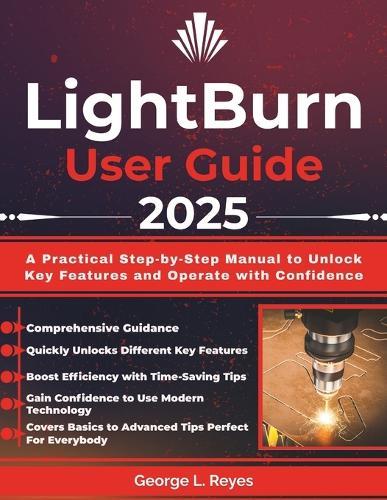
Unlock the Full Potential of LightBurn with LightBurn User Guide 2025Laser cutting and engraving open up an incredible world of creativity, but they can also feel overwhelming. From configuring your first project to troubleshooting misaligned cuts or burn marks, it's easy to get lost in the technical details. Whether you're crafting personalized gifts, building layered artwork, or launching a laser-based business, you may find yourself struggling to harness the full power of LightBurn. You're not alone. Many makers - from curious beginners to small-business entrepreneurs - face the same challenges: dialing in settings, managing materials, and keeping their machines safe and reliable. That's exactly why this guide was created. ""LightBurn User Guide 2025"" is your step-by-step, comprehensive resource for mastering LightBurn and laser cutting. Inside, you'll learn how to: Set Up LightBurn with Confidence: Install the software on Windows, macOS, or Linux, connect your machine, and configure device profiles without confusion. Master Core Tools and Features: Draw, import, align, and transform designs while learning to use layers, colors, and cut settings effectively. Work with Different Materials: Discover proven settings and techniques for wood, acrylic, leather, fabric, glass, stone, and even coated metals. Optimize Your Workflow: Build speed/power test charts, use path optimization, create templates, and set up jigs for efficient batch production. Troubleshoot Common Problems: Solve issues like incomplete cuts, blurry engravings, and material-specific challenges with clear, practical fixes. Maintain and Care for Your Machine: Clean lenses and mirrors, adjust belts and rails, set up proper ventilation, and extend the life of your laser tube or diode. Turn Projects into a Business: Price your services, identify best-selling product ideas, manage custom orders, and market your work on Etsy, Amazon, and local markets. Whether your goal is to enjoy laser engraving as a hobby, create thoughtful gifts for friends and family, or build a thriving small business, this guide gives you the tools, tips, and confidence to succeed. LightBurn User Guide 2025 takes you from setup to advanced projects with practical advice, tested settings, and professional workflow strategies. With this book, you'll stop guessing and start creating with clarity. No more wasted material, frustrating misalignments, or inconsistent results. Just step-by-step guidance to help you bring your ideas to life - safely, efficiently, and beautifully. Take your laser cutting and engraving from confusing to confident, and turn your creativity into finished projects you'll be proud to share or sell. Disclaimer: This is an independent publication created for educational purposes. It is not affiliated with, sponsored by, or endorsed by LightBurn Software or any laser machine manufacturer. All product names, trademarks, and registered trademarks are the property of their respective owners.
Full Product Details
Author: George L Reyes
Publisher: Independently Published
Imprint: Independently Published
Dimensions:
Width: 21.60cm
, Height: 0.60cm
, Length: 27.90cm
Weight: 0.277kg
ISBN: 9798263666293
Pages: 112
Publication Date: 03 September 2025
Audience:
General/trade
,
General
Format: Paperback
Publisher's Status: Active
Availability: Available To Order

We have confirmation that this item is in stock with the supplier. It will be ordered in for you and dispatched immediately.