|
|
|||
|
||||
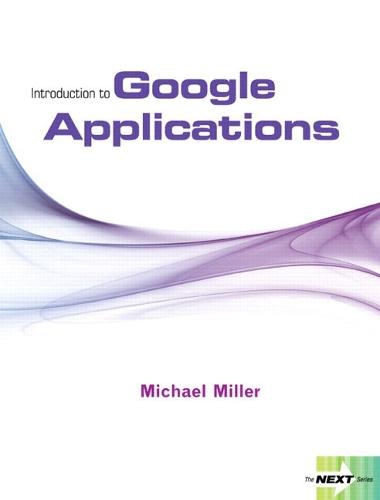
OverviewFor introductory courses on alternative application software or a supplement for an introductory course on Microsoft Office. The NEXT Series…making it easy to teach what’s next! New software applications with the potential to transform our everyday lives are constantly emerging onto the market. With this in mind, Introduction to Google Apps provides innovative instructors an opportunity to incorporate more than just the basic Office applications into their course. As part of an academic series written on alternative technology, this text presents key information on Google Apps and encourages hands-on learning throughout the material. Full Product DetailsAuthor: Michael MillerPublisher: Pearson Education (US) Imprint: Pearson Dimensions: Width: 21.00cm , Height: 1.50cm , Length: 27.60cm Weight: 0.440kg ISBN: 9780132457477ISBN 10: 0132457474 Pages: 240 Publication Date: 11 March 2009 Audience: College/higher education , Undergraduate Format: Paperback Publisher's Status: Out of Print Availability: In Print Limited stock is available. It will be ordered for you and shipped pending supplier's limited stock. Table of ContentsChapter 1: Using Google Web Search Objective 1: Conduct a Basic Search Objective 2: Refine Your Search Objective 3: Conduct an Advanced Search Objective 4: Search the Web for Images Objective 5: Keep Updated with Google Alerts Chapter 2: Using Other Google Search Tools Objective 1: Search the Google Directory Objective 2: Search for People Objective 3: Search for Scholarly Information Objective 4: Search for Books and Publications Objective 5: Search for News Articles Objective 6: Search for YouTube Videos Objective 7: Search for Locations and Directions Objective 8: Search for Words and Definitions Objective 9: Use Google as a Calculator Objective 10: Use Google for Constants and Conversions Chapter 3: Using Gmail Objective 1: Sign Up for a Gmail Account Objective 2: Read Email Messages Objective 3: Send Email Messages Objective 4: Send and Receive File Attachments Objective 5: Manage Messages Objective 6: Manage Gmail Contacts Chapter 4: Using Google Calendar Objective 1: Create a New Calendar Objective 2: View Your Calendars Objective 3: Add New Events Objective 4: Share Your Calendar with Others Chapter 5: Using Google Docs Objective 1: Create and Save New Documents Objective 2: Import and Export Word Documents Objective 3: Enter and Edit Text Objective 4: Format Text Objective 5: Format Paragraphs Objective 6: Create Bulleted and Numbered Lists Objective 7: Work with Images Objective 8: Insert Links and Comments Objective 9: Create a Table Objective 10: Proof and Print Your Document Objective 11: Share and Collaborate Chapter 6: Using Google Spreadsheets Objective 1: Create and Save New Spreadsheets Objective 2: Import and Export Excel Spreadsheets Objective 3: Enter and Edit Data Objective 4: Format Text and Numbers Objective 5: Work with Ranges and Sort Data Objective 6: Work with Formulas, Functions, and Gadgets Objective 7: Chart Your Data Objective 8: Print, Share, and Collaborate Chapter 7: Using Google Presentations Objective 1: Create and Save New Presentations Objective 2: Import and Export PowerPoint Presentations Objective 3: Manage the Slides in Your Presentation Objective 4: Change the Look and Feel of Your Presentation Objective 5: Add and Format Text Objective 6: Add Images, Charts, and Animations Objective 7: Print and Collaborate Objective 8: Deliver a Presentation Appendix A: Customizing Google Appendix B: Working with Google Chrome Glossary IndexReviewsAuthor InformationMichael Miller has written more than 80 nonfiction how-to books over the past twenty years, including Que’s Photopedia: The Ultimate Digital Photography Resource, iPodpedia: The Ultimate iPod and iTunes Resource, Absolute Beginner’s Guide to Computer Basics, YouTube 4 You, and YouTube for Business. His 1999 book, The Complete Idiot’s Guide to Online Search Secrets, was one of the first books to cover Google (then in beta testing). Mr. Miller has established a reputation for clearly explaining technical topics to non-technical readers, and for offering useful real-world advice about complicated topics. More information can be found at the author’s website, located at www.molehillgroup.com. Tab Content 6Author Website:Countries AvailableAll regions |
||||