Overview
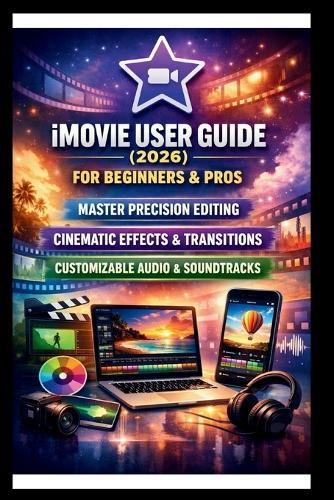
Unlock Your Creative Potential with the Ultimate iMovie User Guide Are you ready to take your video editing skills to the next level? Whether you're a beginner looking to learn the ropes or an experienced editor wanting to master advanced techniques, this comprehensive iMovie user guide is the perfect tool to help you create stunning videos with ease. In this easy-to-follow guide, you'll discover everything you need to know about iMovie, Apple's powerful video editing software. From basic editing tools to advanced visual effects, we cover it all, step-by-step. Expect a hands-on approach that helps you understand every feature, technique, and trick to make your videos look polished and professional. What You'll Learn: Getting Started: Learn the basics of iMovie, including how to import media, navigate the interface, and set up your first project. Even if you've never edited a video before, you'll feel confident starting with this beginner-friendly guide. Cutting, Trimming, and Arranging Clips: Master the essential editing skills-cutting, trimming, and arranging your clips-to craft a compelling story. Whether you're creating a YouTube video, a short film, or a social media post, you'll know exactly how to refine your footage for maximum impact. Adding Stunning Visual Effects: Dive into iMovie's powerful visual effects, such as Green Screen, Picture-in-Picture, and cinematic transitions. Learn how to use these tools to enhance your storytelling and make your video stand out. Audio Perfection: Perfect your videos with crisp, clear audio. Learn how to add background music, sound effects, and voiceovers, while balancing audio levels for seamless transitions and professional sound quality. Exporting and Sharing: Once your video is ready, discover how to export it in high-quality formats optimized for social media platforms like YouTube, Instagram, and Facebook. With our expert tips, your videos will be ready for sharing in no time! Pro Tips and Tricks: Throughout the guide, we share insider tips and advanced techniques that will save you time and make your editing process more efficient. Whether you want to speed up your workflow or add a creative flair, we've got you covered. This guide isn't just a manual; it's a launchpad for your creative journey. You'll walk away not only with technical knowledge but also with the confidence to create videos that capture attention, tell a story, and leave a lasting impact. With this user guide, you'll be able to unlock the full potential of iMovie, mastering the art of video editing like a pro. Whether you're creating personal projects or aiming for a professional career, this book will be your go-to resource for every step of the editing process.
Full Product Details
Author: George S Bogle
Publisher: Independently Published
Imprint: Independently Published
Dimensions:
Width: 15.20cm
, Height: 0.80cm
, Length: 22.90cm
Weight: 0.200kg
ISBN: 9798242800205
Pages: 144
Publication Date: 06 January 2026
Audience:
General/trade
,
General
Format: Paperback
Publisher's Status: Active
Availability: Available To Order

We have confirmation that this item is in stock with the supplier. It will be ordered in for you and dispatched immediately.