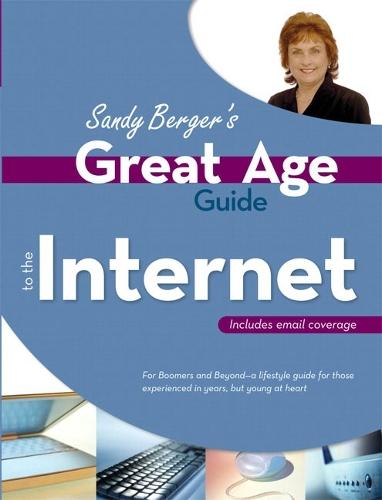
Great Age Guide to the Internet

Author:   Sandy Berger
Publisher:   Pearson Education (US)
ISBN:  

9780789734426


Pages:   288
Publication Date:   22 September 2005
Format:   Paperback
Availability:   Out of stock   Availability explained


Our Price $65.97 Quantity:  
Add to Cart

Share |

Great Age Guide to the Internet


Overview

Author Sandy Berger is the host of the AARP Webplace Computers and Technology website, and is the perfect host to guide you through the Internet. Sandy's easy-reading style and bite-sized chunks of information are just a few of the reasons why thousands of people who did not grow up with computers go to Sandy for her sound advice and easy to follow instruction. Sandy will explain the basics of the Internet, from creating and sending e-mail to designing a web page. Sandy will discuss which Internet Service Provider to choose based on your lifestyle and then explain what firewalls are, how to protect yourself from spam and identity theft, and how to prevent viruses from attacking your computer. There is much to learn and keep up-to-date with when it comes to technology. Let Sandy help guide your way with the Great Age Guide to the Internet!

Full Product Details

Author:   Sandy Berger
Publisher:   Pearson Education (US)
Imprint:   Que Corporation,U.S.
Dimensions:   Width: 22.80cm , Height: 1.80cm , Length: 17.60cm
Weight:   0.458kg
ISBN:  

9780789734426


ISBN 10:   0789734427
Pages:   288
Publication Date:   22 September 2005
Audience:   College/higher education ,  Tertiary & Higher Education
Format:   Paperback
Publisher's Status:   Out of Print
Availability:   Out of stock   Availability explained

Table of Contents

Introduction.     About Sandy Berger's Great Age Series     Guide to the Internet     What's Inside     How This Book Is Organized 1. Joining the Internet Community.     Can I Get to the Internet Without a Computer?       MSN TV       Other Email Capable Devices     Hi-tech Options for Accessing the Internet       The BlackBerry     Connecting Your Computer to the Internet Using a _Phone Line       Basic Dial-Up Connection       Hi-Speed Dial-Up Connection     Broadband Connections       Broadband: Cable Connections       Broadband: DSL Connections       Broadband: Satellite       Broadband: Other Types of Connections     Choosing an Internet Service Provider       Local Versus National ISP       Check the Yellow Pages       What Do You Get?       Connecting to the Internet While on the Road     Sandy's Summary 2. ABCs of the Internet.     Web Browsers: Your Window to the Internet     Internet Basics       Web Pages and Websites       What's a Home Page?       What's a Session?     Browser Basics       Title Bar       Menu Bar       Other Toolbars       Address Bar     Customizing Toolbars     Printing Web Pages       Printer-Friendly Feature       Print Preview     Navigating the Internet       Navigating with Hyperlinks       Navigating Within a Web Page     Sandy's Summary 3. The Language of the Internet.     Understanding Internet Addresses     Email Addresses     Acronyms and Emoticons       Saying Goodbye     Sandy's Summary 4. Exciting Things to Do on the Internet.     Finding Information with a Search Engine     Search Engine Choices     Using a Search Engine       Popular Search Engines       Why Are Search Results Different?       Which Search Engine Is for You?       Intelligent Searching     Downloading and Working with Files from the Internet       Download Files from the Internet       Saving Web Pages to your Computer       Overcoming Roadblocks     Online Shopping       Comparison Shopping       Shopping Online Safely     Sandy's Summary 5. Web Advertising and Pop-ups.     The All Powerful Mouse Click     Types of Online Ads       Banner Ads       Targeted Ads       Click for Cash       Pop-up Ads       Video Ads     Using Your Browser's Pop-Up Ad Blocker       Other Pop-Up Blockers       Disabling Pop-Up Blockers     Should Web Content Be Free?       Ad-free Websites for a Fee       Tip Boxes     Underhanded Advertising       Online Hijacking       Web Bugs       Other Devious Plots     Sandy's Summary 6. Email Essentials.     Choosing an Email Program       Outlook Express       Microsoft Outlook       Eudora       Mail on the Mac       Web Mail     Sending and Receiving Email       Basic Email Etiquette       Addressing Email Messages       Adding a Subject and Message       Replying to Email       Forwarding Email     Understanding Basic Email Management       Inbox/Outbox       Organizing Your Email       Deleting Email     Customizing Email     Email Attachments       Photos       Garbled Text and Unknown File Types     Email Hoaxes, Jokes, and Chain Letters       Chain Letters       Virus Hoaxes       Identifying Hoaxes       Avoiding Hoaxes       Jokes     Sandy's Summary 7. Dealing with Spam.     Recognizing Spam     Spam Morphs Itself     How Spam Affects Us and How to Stop It       Zombie Computers       Anti-spam Rules       Don't Click on Spam       Keep Your Email Address Private       Avoid Email Lists       Be a Tattletale     Spam Control Programs       Using Anti-Spam Tools in Email Software       Spam Blocking Software       Change Your Email Address     Using Sender Verification     Filtering out More Than Spam     The Spam Solution     Sandy's Summary 8. Chat Rooms, Message Boards, and Instant _Messaging.     Chatting on the Web       How to Find a Chat Room       Joining a Chat     Using Message Boards       Navigating the Boards       Finding Message Boards       Internet Groups     Instant Messaging       Contact (Buddy) Lists       Video Instant Messaging     Sandy's Summary 9. Putting Your Stuff on the Web.     Web Creation Software       Full-featured Web Development Software       Basic Web Page Creation Software       Learning HTML Basics       Doing It the Easy Way       Putting Your Page on the Internet     Sharing Family Photos     Content for Your Site       Keep the File Size Small     Sandy's Summary 10. Security in Cyberspace.     Understanding Computer Viruses     Detecting and Preventing Viruses       Updating Antivirus Software       Removing Viruses       Develop Healthy Computer Habits       Viruses Worsen Over Time     Bugs, Patches, and Updates       Updating Your Operating System Is a Must       Performing System Updates     Know Your Cookies       What Information Can a Cookie Extract?     Choosing Passwords and Biometric Identification       Common Password Mistakes       Tips for Choosing a Safe Password       Biometric Identification     Dealing with Spyware       How Spyware Invades Our Computers       Removing Spyware from Your Computer     Understanding Firewalls     Securing Wireless Connections     Avoiding Identity Theft       Phishing Scams       Be Informed and Protect Your Information     Sandy's Summary Index.  

Reviews

Author Information

"Sandy Berger is seen and heard everywhere these days: in her Compu-KISS newsletter, on her radio program, in her newspaper column, in her three books, and on the Internet and by fans from around the globe. And although she is the host of the Computers and Technology section of the AARP web site, a far broader age group seeks her opinions. It's the universal appeal that put Sandy in Parade Magazine and on the Today Show. Dubbed ""the Martha Stewart of e-learning,"" Sandy is knowledgeable, likable, and has a way with people. The New York Times placed her in the top five most influential people in e-learning.  "

Tab Content 6

Author Website:  

Countries Available

All regions
Latest Reading Guide

April RG 26_2


Shopping Cart
Your cart is empty
Shopping cart
Mailing List