Overview
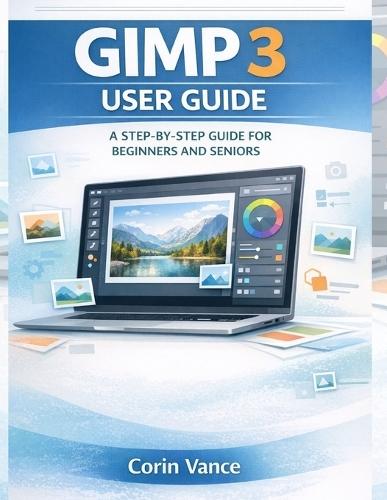
Do you want to edit photos beautifully without paying for expensive software or feeling overwhelmed by complex menus? Have you opened GIMP before, clicked a few things, and thought, ""Where do I even start?"" GIMP 3 is a powerful free image editor used for photo correction, graphic design, and everyday creative projects. But power can feel confusing when you are new, especially if you are a senior learner or someone who simply wants clear steps and fast results. This guide was written to solve that problem. Instead of forcing you to ""figure it out,"" it walks you through GIMP 3 the way real people learn best: calmly, step by step, with practical examples you can follow on your screen. You will not be buried in theory. You will learn what matters most first: how to set up GIMP 3, understand the workspace, and use the essential tools with confidence. Then you will build real skills that make a visible difference in your photos and designs, including layers, masks, corrections, text, exporting, and print-ready output. By the time you finish, you will be able to fix common photo problems, create clean graphics for social media, and export files that look right everywhere. What buyers will get in this guide A simple setup path for Windows, macOS, and Linux so you start correctly A friendly walkthrough of the GIMP 3 interface so nothing feels ""missing"" or confusing Clear, practical explanations of the tools beginners struggle with most Layers and masks taught in plain language, with a safe workflow that prevents mistakes Photo correction made easy: exposure, color, curves, sharpening, and noise cleanup Real projects you can actually use: restoring old photos, thumbnails, posters, banners, and more Export guidance for web and print, including transparency and file-format decisions Troubleshooting answers for the issues users commonly report, so you do not get stuck Attractive reasons to buy this book It is designed specifically for beginners and seniors who want clarity, not complexity It focuses on real results, not random features, so you improve faster It teaches a repeatable workflow that protects your work and saves time It helps you avoid the most common mistakes that cause blurry exports, lost layers, and frustrating rework If you are ready to finally feel confident using GIMP 3 and start producing edits you are proud to share, get this guide now and begin your first project today.
Full Product Details
Author: Corin Vance
Publisher: Independently Published
Imprint: Independently Published
Dimensions:
Width: 21.60cm
, Height: 0.50cm
, Length: 27.90cm
Weight: 0.249kg
ISBN: 9798244708578
Pages: 98
Publication Date: 20 January 2026
Audience:
General/trade
,
General
Format: Paperback
Publisher's Status: Active
Availability: Available To Order

We have confirmation that this item is in stock with the supplier. It will be ordered in for you and dispatched immediately.