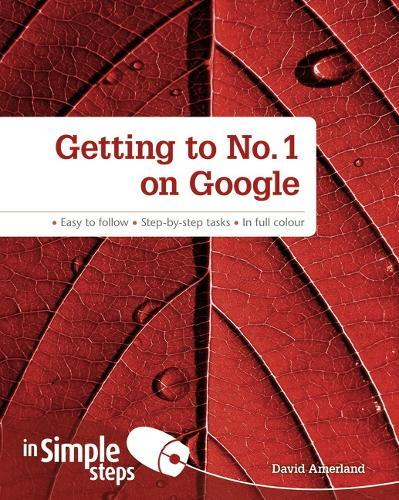
Getting to No1 on Google in Simple Steps

Author:   David Amerland
Publisher:   Pearson Education Limited
ISBN:  

9780273774778


Pages:   192
Publication Date:   01 November 2012
Format:   Paperback
Availability:   Available To Order   Availability explained
We have confirmation that this item is in stock with the supplier. It will be ordered in for you and dispatched immediately.

Our Price $33.61 Quantity:  
Add to Cart

Share |

Getting to No1 on Google in Simple Steps


Overview

Everything you want to know about making positive changes to your website enabling it to get 1st page listings and climb to the top of the rankings of Google, generating huge quantities of targeted traffic and revenue.   •   Specific information on how to identify key search words, and how to identify niche markets with little or no competition •   Covers improving existing Google positions and keeping ahead of your competition   This series of vibrant books will teach you exactly what you need to know using A friendly, visual approach Easy-to-understand language Practical hands-on tasks Full-colour large format screenshots To build your confidence and help you to get the most out of your computer, practical hints, tips and shortcuts feature on every page:   §    ALERT!– Explains and provides practical solutions to the most commonly      encountered problems §    HOT TIPS– Time and effort saving shortcuts §    SEE ALSO… -  Points you to other related tasks and information §    DID YOU KNOW?  – Additional features to explore    §    WHAT DOES THIS MEAN?– Jargon and technical terms explained in plain English

Full Product Details

Author:   David Amerland
Publisher:   Pearson Education Limited
Imprint:   Pearson Education Limited
Dimensions:   Width: 18.90cm , Height: 0.90cm , Length: 23.30cm
Weight:   0.398kg
ISBN:  

9780273774778


ISBN 10:   0273774778
Pages:   192
Publication Date:   01 November 2012
Audience:   Professional and scholarly ,  Professional & Vocational
Format:   Paperback
Publisher's Status:   Active
Availability:   Available To Order   Availability explained
We have confirmation that this item is in stock with the supplier. It will be ordered in for you and dispatched immediately.

Table of Contents

Top Ten Tips Create a Google Account Optimize your Website Using Online Tools Learn to research keywords for content Use Webmaster Tools for Higher Ranking How to set up Google Alerts Learn how to mine SEO data from Google How to choose a commenting system for your website Choose the Channels to Market your Website on Learn to Socialise your SEO Establish a real-time web presence Chapter 1 Search engines and your business Understand Ranking Factors Create a Google Account Assess Your Own Website Understand How search volume affects your business Use Google Webmaster Tools Know what Website Ranking Elements you control Learn to see Google Rankings Understand the factors which affect your website's ranking Understand Website Structure and indexing Use Social Sharing Tools Design your website for optimal SEO Speed up the indexing of your pages Increase the speed your website loads Create SEO friendly images Chapter 2 URLs and Keywords Understand how a Search Query Works Learn How Keywords Work Know How To Implement Keywords on your Website Implement Keywords in Webpage Titles Check What Your Competitors Are Doing Check Backlinks to a Competitor Website Optimize your Website Using Online Tools Use Metadata for Better Ranking Incorporate Rich Snippets Link Your Website to Your Google Plus Account Chapter 3 Keywords and Content Learn to research keywords for content Group your keywords for better ranking Manage your website navigation Boost your website's SEO importance Create a website SEO map Learn to use linking strategies for website traffic Create a linking strategy Create snippets which help your online visitors Use long-tail keywords Estimate your website traffic for specific keywords Use keywords naturally Chapter 4 Content and SEO What is spam content How to Understand Google's Panda Update How to use Google's Webmaster Tools How to Use Google Analytics to help with content How to avoid Google's spam content signature trap How to use your website's content to Tell A Story How to plan your website's content How to see your content on the web How to create a content creation plan How to check for duplicate content issues To claim your website's content so it cannot be copied To check whether you have claimed your website's content successfully How to refresh your website's content in the Google Index To socialise your website's content Chapter 5 SEO Strategies and Your Business Learn how to create an SEO strategy for your business Learn to automate your SEO strategy Learn to set up Google Alerts Learn how to do a Vanity Search Learn to use social media to boost your SEO Learn how to link up social media profiles Learn to create content for high-volume traffic Learn how to check server response codes Learn how to increase conversions on your website Learn how to identify seasons traffic peaks in your website Chapter 6 Analyzing SEO Performance Learn how to mine SEO data from Google Learn How to use real-time Analytics Learn how to use data visualisation to see where your website visitors come from Learn how to understand how your website visitors use your website Learn how to use Google's Webmaster Tools to check your website's Indexing Learn how to use Online Tools to analyze your website Learn to Spot Poorly Performing Website Pages How to Use the Google Panda Update to Boost your Website Learn to measure the marketing grade of your website Learn to Optimize Your Website Images for Better SEO Chapter 7 Commenting systems and SEO Use Commenting to Help your SEO How to benefit the most from a commenting system Learn How to Use Social Media Marketing to help your SEO Learn How to Social Media Market your Website's Content Choose the Channels to Market your Website on Learn to use Social Media Keyboard Shortcuts Measure how effective your Social Media Marketing is in Twitter Measure how effective your Social Media Marketing is in GooglePlus Use Twitter in your Marketing Campaign Chapter 9 SEO and Paid Advertising Learn what Pay-per-Click Advertising is Promote your website with keyword specific Google Ads Use the Click Through Rate (CTR) to maximise CPM Use keywords to maximise CPC traffic to your website Use Paid Advertising Can Help Your SEO Learn to Socialise your SEO Use Paid Traffic to Increase Time Spent on your Website Learn how to create synergy between paid advertising and natural SEO Chapter 10 The Real-Time Web and SEO Establish a real-time web presence Use the Real-Time Web to boost your Website's rankings Learn to Interact on Twitter How to increase the authority of your website How to Use the Real-Time Web to Increase your SEO How to use Twitter to Increase your website's ranking How to use URL shorteners to increase your SEO How to save time in the Real Time Web Top Ten Problems Solved Problem 1: My website has dropped in search rankings Problem 2: I am still not getting the traffic I used to get Problem 3: My Images do not Show up on Google Search Problem 4: My Website Traffic is Dropping Problem 5: My website traffic has still not recovered Problem 6: My website is not sticky enough Problem 7: I cannot generate engagement in Social Media Channels Problem 8: My keywords are not performing well Problem 9: I do not know what content I need to create Problem 10: How do I create a quality website?

Reviews

Author Information

Tab Content 6

Author Website:  

Countries Available

All regions
Latest Reading Guide

NOV RG 20252


Shopping Cart
Your cart is empty
Shopping cart
Mailing List