Overview
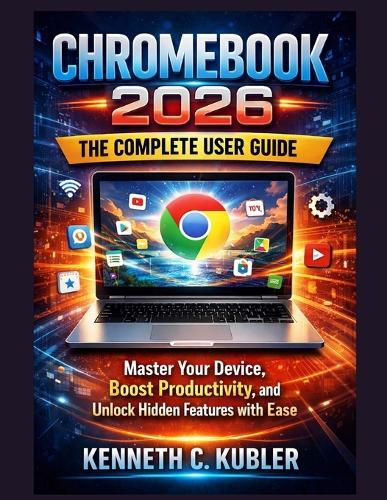
Are you feeling overwhelmed by your Chromebook-unsure how to customize it, boost productivity, or take advantage of powerful features hidden beneath the surface? You're not alone. Many users only scratch the surface of what Chrome OS can do, missing out on tools that could save time, simplify daily tasks, and dramatically improve their digital experience. Chromebook 2026: The Complete User Guide is your clear, practical, and confidence-building roadmap to mastering your device-whether you're a first-time user, upgrading to a newer Chromebook, or simply want to use Chrome OS more efficiently. Written in plain language and organized step by step, this guide removes the confusion and helps you take full control of your Chromebook with ease. Instead of technical jargon or scattered tips, this book walks you through everything you need to know-from initial setup to advanced productivity features-so you can apply what you learn immediately. You'll discover not just how things work, but why they matter and how to tailor them to your needs. Inside this complete Chromebook user guide, you'll learn how to: Set up and personalize your Chromebook for speed, security, and comfort Navigate Chrome OS 2026 with confidence, even if you're a beginner or senior user Use built-in tools and apps to boost productivity at work, school, or home Unlock hidden Chromebook features, tips, and shortcuts most users never find Manage files, downloads, cloud storage, and Google Drive efficiently Improve performance, extend battery life, and keep your device running smoothly Troubleshoot common Chromebook issues without frustration Use your Chromebook safely with smart privacy and security settings This Chromebook manual is designed to grow with you. Start with the basics, then move into more advanced techniques as your confidence builds. Each section is written with empathy, clarity, and real-world use in mind-making it ideal for beginners, non-tech users, and anyone who wants a reliable Chrome OS handbook they can return to anytime. If you're ready to stop guessing, save time, and finally use your Chromebook to its full potential, this guide is for you. Take control of your Chromebook today. Scroll up, grab your copy of Chromebook 2026: The Complete User Guide, and start mastering your device with confidence.
Full Product Details
Author: Kenneth C Kubler
Publisher: Independently Published
Imprint: Independently Published
Dimensions:
Width: 21.60cm
, Height: 0.50cm
, Length: 27.90cm
Weight: 0.245kg
ISBN: 9798242796829
Pages: 96
Publication Date: 06 January 2026
Audience:
General/trade
,
General
Format: Paperback
Publisher's Status: Active
Availability: Available To Order

We have confirmation that this item is in stock with the supplier. It will be ordered in for you and dispatched immediately.