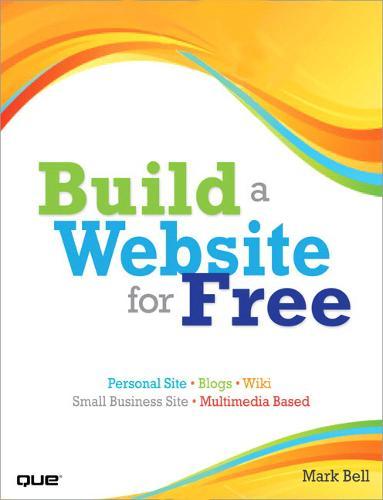
Build a Website for Free

Author:   Mark Bell
Publisher:   Pearson Education (US)
ISBN:  

9780789739216


Pages:   360
Publication Date:   23 January 2009
Replaced By:   9780789747181
Format:   Paperback
Availability:   In Print   Availability explained
Limited stock is available. It will be ordered for you and shipped pending supplier's limited stock.

Our Price $65.97 Quantity:  
Add to Cart

Share |

Build a Website for Free


Overview

Build a Website for Free Build yourself a state-of-the-art website.It's incredibly easy... and it won't cost you a dime! You need a website. But you don't need the hassles that usually go with building one, or the expense of hiring someone else to do it. Here's your solution: Build a Website for Free! You'll learn how you can use new Web 2.0 technologies to create a site that's impressive and effective. And here's the best part: You'll do it all with software and tools that won't cost you a dime! * Plan, organize, and design a site that really works, using tools you can find for free * Discover the simple secrets of writing pages people want to read * Use video on your site-and get someone else to pay for hosting it * Add an easy-to-update blog and start building your own web community * Quickly and easily handle nuts and bolts tasks, from getting your site name to uploading your content * Get your site picked up by Google, Yahoo!, and other search engines * Adapt your site for easy viewing on cell phones Mark Bell is a Ph.D. student in the Indiana University Telecommunications department. He studies virtual worlds and mediated trust with the Synthetic Worlds Initiative and has spent 15 years in the computer industry. Mark created his first website in 1992, ran a web design company in the '90s, and consults on several academic web projects. CATEGORY: Internet/Web

Full Product Details

Author:   Mark Bell
Publisher:   Pearson Education (US)
Imprint:   Que Corporation,U.S.
Dimensions:   Width: 17.80cm , Height: 2.00cm , Length: 23.10cm
Weight:   0.562kg
ISBN:  

9780789739216


ISBN 10:   0789739216
Pages:   360
Publication Date:   23 January 2009
Audience:   Professional and scholarly ,  Professional & Vocational
Replaced By:   9780789747181
Format:   Paperback
Publisher's Status:   Out of Print
Availability:   In Print   Availability explained
Limited stock is available. It will be ordered for you and shipped pending supplier's limited stock.

Table of Contents

Introduction Part I: The Basics Chapter 1 The Order of Things The Website Creation Process 1. Planning 2. Design 3. Building 4. Testing 5. Promotion and Maintenance Chapter 2 Choosing a Location for Your Site Web Hosting What Is a Web Server? Determining Your Web Hosting Needs Cost Technical Knowledge Required Maintenance Needs Storage Space Accessibility Bandwidth Needs Domain Name Service Hosting Options Home Hosting Free Online Hosting Online Hosting Service Professional Hosting Commercial Hosting So What Works Best for You? Working with Different Types of Hosting Services Free Services Low-Cost Commercial Sites Other Resources Part II: Plan and Prep Chapter 3Planning Your Site What Type of Site Do You Want to Build? Types of Sites Learning From Sites You Go To Website Goals Organizing Websites Organizing the Site Organizing the Pages Best Practices of Website Organization Keep Your Website Simple Keep Your Website Consistent Keep Your Website Easy to Maintain Chapter 4Designing Your Site I Can't Make a Website That Looks That Good! Content Before Design Overall Design Design Ideas Central Image Design Colors The Magic Four Hex Color Color Schemes Color Blindness Fonts System Fonts Fonts as Images Fonts and Color Images Cascading Style Sheets Design Best Practices Keep It Simple Don't Use Attention Grabbers Be Consistent Chapter 5Gathering Your Development Tools Finding the Right Tools for the Job Tool Sites and Reviews Downloading New Software Downloading and Installing Software Essential Tools File Transfer Protocol (FTP) Programs Text Editor Graphics Editors HTML Editors Sound Recorders Advanced Tools The Future of Free Web Tools Chapter 6Moving Files To and From the Internet Storing Your Files Naming Files Keep All Your Web Files in One Place Have an Organizational Structure Use a Version Control System Uploading Files to the Internet Logging In Adding New Files Changing Existing Files Downloading Files from an FTP Server One File or Many Downloading from a Browser Types of Download Files Best Practices for Downloading Files Part III: Website Building Basics Chapter 7Elements of a Website Content Content Best Practices Content Standards Parts of a Web Page Title Header Body Footer Sidebars Navigational Elements Parts of a Website Home Page Content Pages Web Advertising Banner Ads Animated Ads Google AdSense Chapter 8Using Existing Websites Promotion Social Networking Sites MySpace Facebook Other Web 2.0 Sites Flickr Twitter Del.icio.us Chapter 9Web Page Services Google Sites Signing Up for Google Sites Creating a Google Site Editing a Page Creating a Page Move a Page Delete a Page Edit Page Settings Edit Site Settings Google Sites Features and Limitations SnapPages Signing Up for SnapPages Creating a SnapPage Editing a Page Adding and Editing Photos Editing Site Settings SnapPages Features and Limitations Netvibes Signing Up for Netvibes Public Versus Private Pages Personalizing Your Netvibes Page Chapter 10 HTML 101 The Structure of HTML The Structure of Tags Common HTML Tags HTML Structure Tags Text Tags Lists Tables Hyperlinks Images Free HTML Editors Text Editors WYSIWYG Editors Resources Chapter 11 Working with Images Working with Images Lossy and Lossless Compression The Image Tag Background Images Image Maps Animated GIFs Optimizing Images Resizing Images When to Use Different File Types Slicing Images Finding Images Free Images Other People's Images Using Your Own Images Chapter 12 Working with Multimedia Digital Audio Files Audio Formats Audio Players Digitizing Audio Audio Editing Audio Resources Digital Video Files Video Formats Video Players Digitizing Video Video Editing Video Hosting Sites Video Resources Chapter 13 Using HTML to Build a Site How Web Pages Work Page File Extensions Tools for Creating Web Pages Parts of a Page Cascading Style Sheets Format of a Style Sheet Creating and Linking a Style Sheet Scripting Using Templates Chapter 14 How'd They Do That? Viewing Code from Other Websites Web Development Firefox Add-ons Recommended Firefox Web Development Add-ons Badges Templates Developer Networks and Sites Chapter 15 Making Your Site Mobile Why Should You Care About the Mobile Web? How People Access the Mobile Web Become a Mobile Web User Mobile Web Devices (MWD) Mobile Operating Systems Mobile Browsers Limitations of the Mobile Web Making Your Website Mobile Mobile Browser Detection Domains and Subdomains Use the Right Code Page Sizes Interface Things to Avoid Mobile Web Tools and Sites Testing Your Site on a Mobile Phone Part IV: Site Testing and Maintenance Chapter 16 Testing Your Website Why Testing Is Important Building a Test Plan Start at the End Testing Basic Functionality Testing HTML Testing Browsers Testing Resolution Testing Printing Testing Navigation Testing Consistency of Design Testing Security Testing Accessibility After Testing Testing Tools Chapter 17 Promoting Your Website Self-Promotion Have Excellent and Unique Content Update Content Publicize Your URL Connect with Others Search Engines How Search Engines Work Optimizing Your Site for Search Engines Keywords Chapter 18 Maintaining Your Website What? I'm Not Done? Regular Maintenance Weekly Tasks Monthly Tasks Annual Tasks The Power of Analytics Common Analytics and What They Mean Using Google Analytics Tweaking Your Site Based On Analytics Part V: Website Workshop Chapter 19 Building a Blog Site with WordPress What Is a Blog? Why Should I Blog? Blog Publishing Syndication What Is WordPress? Software Versions Five Reasons to Use Wordpress.com to Host Your Blog Five Reasons to Create Your Blog Using WordPress Software Building a Blog Using WordPress.com Signing Up for WordPress.com Activating Your Account Logging In to Your Blog Writing Blog Posts Managing Blog Posts Changing the Design of Your Blog Manage the Comments on Your Blog Setting Up Your Own Blog with WordPress Software Information You Need Before You Begin How WordPress Software Works How Much Does All This Cost? Before Installing Your Software Download and Install WordPress Download WordPress Software Customization of WordPress Adding Themes Adding Plug-ins Personalization of WordPress Modifying Themes Creating Themes Creating Plug-ins Blogging on Your iPhone Keep an Eye on Things Chapter 20 Using a Content Management System to Build a Website Five Reasons to Use Ning.com as Your CMS Five Reasons to Use Joomla as Your CMS What Is Ning? Building a Social Network with Ning.com Signing Up for Ning.com Invite Friends Add Photos and Video Start a Discussion Building a Site with Joomla Information You Need Before You Begin Before Installing Your Joomla Software Download and Install Joomla Adding Articles Managing Users Modules, Plug-ins, and Templates Keep an Eye on Things Chapter 21 Building a Multimedia Website Best Practices for Multimedia Using Multimedia Storing Multimedia Files Downloading Audio and Video Files Streaming Audio and Video Adding Advanced Multimedia Elements Register a Sprout Account Building a New Sprout Add Sprout to Your Web Page Edit an Existing Sprout Viewing Sprout Statistics Advanced Open Source Multimedia Chapter 22 Building a Wiki Five Reasons to Use PBwiki to Host Your Wiki Five Reasons to Use MediaWiki for Your Wiki What Is PBwiki? Building a Wiki Using PBwiki.com Signing Up for PBwiki Activating Your Account Edit a Page Add a Page Linking Pages View Page History Setting Up Your Own Wiki Using MediaWiki Software Information You Need Before You Begin MediaWiki Software Architecture Before Installing Your MediaWiki Software Download and Install MediaWiki Keep an Eye on Things Part VI: Appendixes Appendix A List of the Most Common HTML Tags Appendix B Free and Open Source Software Sites 0789739216 TOC 1/8/2009

Reviews

Author Information

Mark Bell is a Ph.D. student at Indiana University. He studies virtual worlds and their effect on social relations. Before returning to school, Mark worked for 15 years in the software industry as a technical writer, trainer, and developer. He started his first web design company in 1993 and has been making pages and managing websites ever since. He is the father of Jackson, 6, and the husband of Sarah Intellagirl Robbins. Mark blogs at blog.markwbell.com. He can be found on Twitter, Facebook, and LinkedIn.

Tab Content 6

Author Website:  

Countries Available

All regions
Latest Reading Guide

April RG 26_2


Shopping Cart
Your cart is empty
Shopping cart
Mailing List