Overview
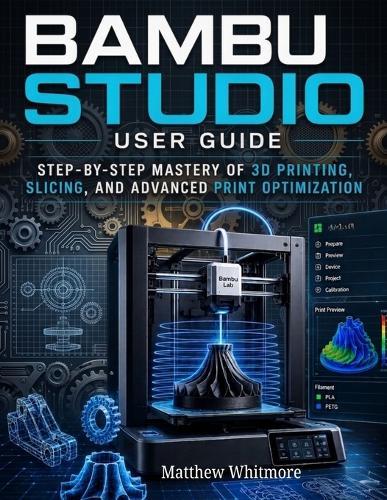
Master the full power of modern 3D printing with Bambu Studio User Guide: A Step-by-Step Practical Manual for 3D Modeling, Slicing, and High-Quality Printing-the complete guide designed to take you from beginner confusion to confident, professional-level printing results. Whether you are completely new to 3D printing or looking to improve your workflow, this book provides a clear, structured, and hands-on approach to using Bambu Studio, one of the most advanced and efficient slicing platforms in the industry today. Unlike overly technical manuals, this guide is written in a practical, experience-based style, helping you understand not just what to do, but why it works. Each chapter is designed to feel like learning directly from an experienced user who has already gone through the trial-and-error process-so you don't have to. Inside This Guide, You Will Learn How To: Understand the complete 3D printing workflow from model to finished object Install, configure, and navigate Bambu Studio with ease Import, position, and prepare 3D models for perfect slicing Master essential and advanced print settings for better results Optimize print quality, speed, and material usage Use multi-plate and batch printing for efficient workflows Work with multi-color and multi-material printing systems Preview and simulate prints before wasting time or filament Troubleshoot common printing problems with confidence Improve consistency and reliability across all your prints Most 3D printing guides are either too technical or too simplified. This book strikes the perfect balance. You won't just learn software features-you'll learn how to actually use them in real printing situations. Every section is designed to be: Step-by-step and beginner-friendly Practical and workflow-focused Easy to follow even without prior experience Useful for both hobbyists and professionals By the end of this guide, you won't be guessing your settings anymore-you'll understand how to make informed decisions that consistently produce high-quality prints. Perfect For: Beginners entering the world of 3D printing Students and engineers working on design projects Makers, hobbyists, and DIY creators Professionals managing prototyping or production Users of Bambu Lab printers and slicing software Anyone struggling with failed or low-quality prints Why Bambu Studio MattersBambu Lab has quickly become one of the most innovative names in modern 3D printing, and Bambu Studio is at the center of that ecosystem. With its advanced slicing engine, intelligent automation, and seamless printer integration, it allows users to move from design to print faster, more efficiently, and with greater accuracy than traditional slicers. However, without proper guidance, many users never unlock its full potential-that's exactly what this book solves. What Makes This Guide ValuableThis is not just a software manual-it is a complete learning system for practical 3D printing success. You will gain: Confidence in using professional slicing tools A deeper understanding of print optimization Faster workflow and fewer failed prints Real-world skills applicable to any 3D printing project Take Control of Your 3D Printing WorkflowStop wasting filament, time, and effort on trial-and-error settings. This guide gives you a structured path to mastering Bambu Studio and producing reliable, high-quality prints every time. If you're ready to move beyond frustration and start printing like a pro, this book is your starting point.
Full Product Details
Author: Matthew Whitmore
Publisher: Independently Published
Imprint: Independently Published
Dimensions:
Width: 21.60cm
, Height: 0.60cm
, Length: 27.90cm
Weight: 0.295kg
ISBN: 9798195812942
Pages: 120
Publication Date: 06 May 2026
Audience:
General/trade
,
General
Format: Paperback
Publisher's Status: Active
Availability: Available To Order

We have confirmation that this item is in stock with the supplier. It will be ordered in for you and dispatched immediately.