Overview
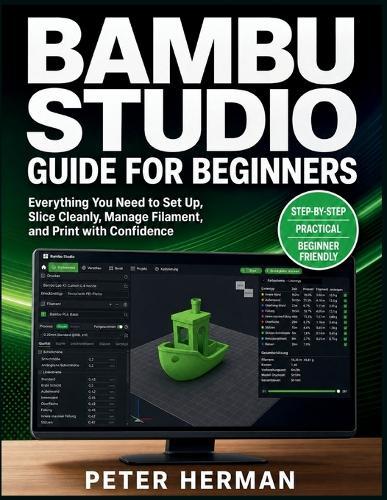
Bambu Studio can feel easy until a print fails, a color comes out wrong, supports scar the model, or the preview shows paths you do not understand. If you are tired of guessing which settings matter, this book gives you a clear beginner workflow from first setup to reliable finished prints. Bambu Studio Guide for Beginners teaches you how to prepare, slice, preview, send, monitor, and troubleshoot prints with confidence. You will learn how to make smarter choices before printing so you waste less filament, avoid common failures, and build a repeatable system that works. Start Correctly - install Bambu Studio, connect your printer, choose the right printer profile, and understand the main workspace without confusion. Understand File Types - learn the difference between STL, 3MF, STEP/STP, and project files so you know what each file can and cannot preserve. Prepare Models Properly - import, rotate, scale, duplicate, mirror, arrange, and organize models before slicing. Choose Better Profiles - match printer, nozzle, filament, and build plate settings so Bambu Studio starts every print with the right assumptions. Slice with Purpose - understand walls, infill, top layers, bottom layers, layer height, print time, filament use, and quality tradeoffs. Prevent Common Failures - use supports, brims, rafts, plate checks, and first-layer habits to reduce warping, curling corners, and failed starts. Master AMS Basics - load filaments, map slots, assign colors, preview color changes, and understand purge towers before printing. Improve Print Quality - use flow dynamics, flow rate calibration, test prints, and symptom-based diagnosis without changing random settings. Troubleshoot Smarter - fix stringing, blobs, rough surfaces, weak parts, clogs, layer shifts, adhesion issues, support scars, and filament mapping errors. Build a Reliable System - create a print log, save working projects, test changes safely, and repeat successful results. This book is for new Bambu Studio users, first-time Bambu Lab printer owners, hobbyists, makers, teachers, Etsy sellers, and anyone who wants better prints without getting lost in advanced settings. Start using Bambu Studio with a clear workflow, fewer failed prints, and the confidence to slice, preview, and troubleshoot like you know exactly what you are doing.
Full Product Details
Author: Peter Herman
Publisher: Independently Published
Imprint: Independently Published
Dimensions:
Width: 21.60cm
, Height: 0.90cm
, Length: 27.90cm
Weight: 0.413kg
ISBN: 9798197050953
Pages: 172
Publication Date: 15 May 2026
Audience:
General/trade
,
General
Format: Paperback
Publisher's Status: Active
Availability: Available To Order

We have confirmation that this item is in stock with the supplier. It will be ordered in for you and dispatched immediately.