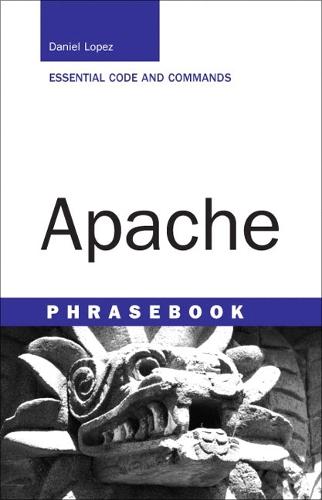
Apache Phrasebook

Author:   Daniel Lopez ,  Jesus Blanco
Publisher:   Pearson Education (US)
ISBN:  

9780672328367


Pages:   240
Publication Date:   08 June 2006
Format:   Paperback
Availability:   Out of stock   Availability explained


Our Price $52.77 Quantity:  
Add to Cart

Share |

Apache Phrasebook


Overview

What is the new essential for Apache developers? The Apache Phrasebook. Packed with practical solutions, or ""phrases,"" for tasks that the Apache developer much accomplish every day, the phrasebook fills the need for a short, functional, to-the-point reference for Apache. The code contained in the phrasebook is flexible, so it can be easily adapted to your needs. Today's problem is likely to be tomorrow's problem, so don't waste your time on lengthy tutorials. Go straight to practical Apache tools that provide immediately applicable solutions for any situation with the Apache Phrasebook.

Full Product Details

Author:   Daniel Lopez ,  Jesus Blanco
Publisher:   Pearson Education (US)
Imprint:   Sams Publishing
Dimensions:   Width: 11.40cm , Height: 1.40cm , Length: 17.60cm
Weight:   0.192kg
ISBN:  

9780672328367


ISBN 10:   0672328364
Pages:   240
Publication Date:   08 June 2006
Audience:   College/higher education ,  Tertiary & Higher Education
Format:   Paperback
Publisher's Status:   Out of Print
Availability:   Out of stock   Availability explained

Table of Contents

                    Introduction Chapter 1    Apache Basics                 Discovering Apache                 Determining Whether Apache Is Already Installed                 Installing Apache 1.3 on Linux and Unix                 Installing Apache 2.0 on Linux and Unix                 Installing Apache on Windows                 Configuration File Basics                 Using Multiple Configuration Files                 Starting, Stopping, and Restarting Apache                 Changing the Address and Port Apache Uses                 Changing the User Apache Runs As                 Specifying a Server Name                 Providing an Icon for my Web Page                 Discovering the Modules Available on the Server                 Enabling and Disabling Individual Modules                 Adding Modules after Compiling Apache Without Recompiling                 Publishing Content                     Default Apache Directive Containers                     Directive Containers for Conditional Evaluation Chapter 2    Troubleshooting                 Help! My Apache Server Does Not Work!                 The Error Log                 Logging to the System Log Daemon                 Controlling the Amount of Information Logged                 Testing the Apache Configuration for Problems                 Testing Apache from the Command Line                 Checking That Apache Is Running                 Alternate Ways of Stopping Apache                 Using Apache to Debug Apache                 Startup Errors                     Syntax Error                     Address Already in Use                     Could Not Bind to Port                     Module Not Compatible                     Name Resolution                     Cannot Open Log or Configuration File                 Access Denied Errors                 Internal Server Errors                     Segmentation Faults                     Premature End of Script Headers                     Malformed Headers                 Additional Error Log Files                 Redirections Do Not Work                 Troubleshooting Checklist                     Starting the Server                     Connecting to the Server                     Document Not Found                     Access Forbidden                     Internal Server Errors                     If All Else Fails Chapter 3    Logs and Monitoring                 Introduction to Logging in Apache                 Default Apache Log Files                 Creating Log Formats                 Creating a Custom Log File                 Redirecting Logs to an External Program                 Logging Requests Conditionally                 Monitoring Who Is Linking to Your Website                 Monitoring Apache with mod_status                 Monitoring Apache with SNMP                 Analyzing Your Logs with Open-source Tools                 Monitoring Your Logs in Real Time                 Logging Requests to a Database                 Rotating and Archiving Logs                 Controlling IP Address Resolution                 Processing Logged IP Addresses                 Restarting Apache Automatically If It Fails                 Merging and Splitting Log Files                 Keeping Separate Logs for Each Virtual Host                 Common Log Entries Chapter 4    URL Mapping and Dynamic Content                 URL Mapping                 Mapping URLs to Files with Alias                 Mapping URL Patterns to Files with AliasMatch                 Redirecting a Page to Another Location                 Redirecting to the Latest Version of a File                 Redirecting Failed or Unauthorized Requests                 Defining Content Handlers                 Understanding MIME Types                 Configuring MIME Types                 Basics of Running CGI Scripts                 Marking Resources As Executable CGIs                 Associating Scripts with HTTP Methods and MIME Types                 Troubleshooting the Execution of CGI Scripts                 Improving CGI Script Performance                 Understanding Server Side Includes                 Configuring Server Side Includes                 Setting Environment Variables                 Setting Environment Variables Dynamically                 Special Environment Variables                 Understanding Content Negotiation                 Configuring Content Negotiation                 Assigning Default Charsets and Language Priorities                 Advanced URL Mapping with mod_rewrite                 Understanding the “Trailing Slash” Problem                 Fixing Spelling Mistakes                 Fixing Capitalization Problems                 Validating Your Pages with Tidy Chapter 5    Virtual Hosting                 What Is Virtual Hosting?                 What Is IP-based Virtual Hosting?                 Configuring IP-based Virtual Hosting                 What Is Name-based Virtual Hosting?                 Configuring Name-based Virtual Hosting                 What Happens If a Request Does Not Match Any Virtual Host?                 Configuring a Default Name-based Virtual Host                 Configuring a Default IP-based Virtual Host                 Mixing Name-based and IP-based Virtual Hosts                 Debugging Virtual Host Setups                 Using SSL with Name-based Virtual Hosts                 Alternate Virtual Hosting                 Alternate Virtual Hosting Modules                 Per-directory Configuration Files                 Controlling the Scope of Per-directory Configuration Files                 Disabling Per-directory Configuration Files Chapter 6    Security and Access Control                 Understanding the Need for Access Control                 Differences Between Apache Versions                 Understanding Basic and Digest Authentication                 Introducing Apache Access Control                 Introducing Apache Authorization and Authentication Configuration                 Creating a User Database                 Using Require to Authorize Users and Groups                 Handling a Large Number of Users                 Allowing Access Only to Specific IP Addresses                 Denying Access to Specific IP Addresses                 Combining Access Control Methods                 Customizing Your Access Denied Page                 Putting Users in Control                 Denying Access to System and Sensitive Files                 Restricting Program Execution                 Preventing Abuse                 Disabling Directory Listings                 Changing the Server: Header                 Preventing Hotlinking to Your Images                 Restricting Specific HTTP Methods                 Restricting Access Based on the Browser Type                 Using Location and Directory Sections                 Additional Authentication Modules                     mod_security                 Apache 2.2                 Keeping Up to Date with Apache Security                 Security Checklist                     Disable Unneeded Modules                     Remove Sample Scripts                     Limit or Disable CGI Execution and SSI                     Check File Permissions                     Limit or Disable Proxy Functionality                     Restrict Access to Your Server by Default Chapter 7    SSL/TLS                 What Is SSL?                 How Does SSL Work?                 Compiling OpenSSL                 Encryption Keys                 Creating a Key Pair                 Creating a Password-protected Key Pair                 Remove the Password from a Key                 Certificates                 Creating a Certificate Signing Request                 Showing the Contents of a Certificate Signing Request                 Creating a Self-signed Certificate                 Compiling SSL Support in Apache 1.3                 Compiling SSL Support in Apache 2.x                 Minimal Apache Configuration                 Starting Apache with SSL Support                 SSLPassPhraseDialog                 Improving SSL Performance                 Forcing All Content to Be Served Using SSL                 SSL and Name-based SSL Virtual Hosts                 Using Apache Auth Modules with SSL                 Warning Messages When Accessing an SSL-enabled Website                 Creating Client Certificates                 Authentication Using Client Certificates                 Alternatives to mod_ssl                 Testing SSL-enabled Websites from the Command Line                 Working Around Buggy SSL Implementations                 Complex Access Control with mod_ssl                 Related Chapters Chapter 8    Content Publishing with DAV                 Content Publishing and Apache                 Introducing WebDAV                 Advantages of Using mod_dav                 WebDAV and the HTTP Protocol                 Installing mod_dav on Apache 2.0                 Installing mod_dav on Apache 1.3                 Basic WebDAV Configuration                 Securing Your WebDAV Configuration                 Accessing DAV Resources from Microsoft Office                 Accessing DAV from Microsoft Windows                 Accessing DAV Resources from Firefox                 Accessing DAV from the Command Line                 Dealing with Buggy Clients                 mod_speling and DAV                 Dynamic Content and DAV                 Enabling Per-user Pages                 Alternate User Directories                 Fixing Problems with DAVLockDB Chapter 9    Performance and Scalability                 Tuning Apache                 Understanding Performance and Scalability                 Tuning Your Hardware                 Increasing OS Limits                 Increasing OS Limits on Processes                 Increasing OS File Descriptors                 Controlling External Processes                 Improving File System Performance                     Mounting File Systems with noatime Option                 Handling Symbolic Links                     Disabling Per-directory Configuration Files                     Configuring Content Negotiation                     Disabling or Minimizing Logging                 Tuning Network and Status Settings                     HostnameLookups                     Request Accept Mechanism                     mod_status                     AcceptFilter                     KeepAlives                 Preventing Abuse                 Limiting Connections and Bandwidth                 Dealing with Robots                 Reverse Proxies and Load Balancers                 Caching and Compression                 Module-specific Optimizations                 Alternatives to Apache Chapter 10    Apache Proxy and Caching Support                 Understanding the Need for Caching and Proxies                 Understanding Forward and Reverse Proxies                 Differences Between Apache 1.3, 2.0, and 2.2                 Enabling mod_proxy Support                 Enabling Forward Proxy Support                 Using a Reverse Proxy to Unify Your URL Space                 Hiding the Backend Servers                 Preventing URLs from Being Reverse Proxied                 Improving Performance                 Offloading SSL Processing                 Passing Proxy Information in Headers                 Manipulating Headers                 Implementing a Caching Proxy                 Caching in Apache 2                 Load Balancing                 Connecting to Tomcat                 Alternate Proxies                 Transparent HTTP Proxies Chapter 11    Multi Processing and Protocol Modules                 The Evolution of Apache’s Architecture                 Selecting a Multi Processing Module                 Understanding Process-Based MPMs                 Configuring the Prefork MPM                 Understanding Threaded and Hybrid MPMs                 Configuring the Worker MPM                 Using Alternate MPMs                 Understanding Apache 2 Filters                 Using Apache As an FTP Server                 Using Apache As a POP3 Server                 Compressing Content on the Fly 0672328364, TOC, 5/24/06  

Reviews

Author Information

Daniel Lopez is President and CTO of BitRock, a company building multiplatform installation and management tools with a focus on open source. He is the original author of the mod_mono Apache module, the Comanche configuration tool and is a member of the Apache Software Foundation and speaks regularly at a number of open source related conferences. Jesus Blanco is a Project Manager at BitRock, a company building multiplatform installation and management tools with a focus on open source. He is the author of the official Spanish translation of the Apache documentation. Jesus has a degree in Business Administration from University of Seville and a BS in Computer Engineering from UNED.

Tab Content 6

Author Website:  

Countries Available

All regions
Latest Reading Guide

April RG 26_2


Shopping Cart
Your cart is empty
Shopping cart
Mailing List