Overview
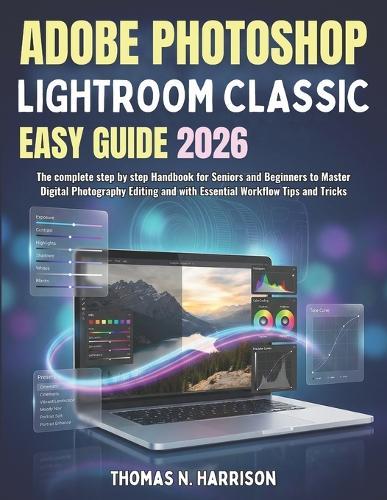
Still hunting through messy folders for that one photo you know you edited last year? Wish you could get clean, professional-looking edits without feeling lost in Lightroom's panels and sliders? Adobe Photoshop Lightroom Classic Easy Guide 2026 is a practical, step-by-step user guide built for seniors and beginners who want simple explanations, a clear workflow, and results they can trust. You will learn how Lightroom Classic really works (catalogs, previews, and non-destructive editing), then follow the same process photographers use every day: import, organize, edit, export, and back up. What you will learn inside: Set up Lightroom Classic the right way (performance tips, first-launch checklist, workspace tour) Build a safe catalog system and move it without breaking links Import photos confidently (Copy vs Move vs Add), avoid duplicates, and apply metadata and keywords Organize faster with folder structures, collections, ratings, flags, and smart searching Edit with confidence in Develop using clear, beginner-friendly explanations of the core tools Use modern masking tools (Subject, Sky, Background), plus brush and gradients for local fixes Retouch the clean way (healing, cloning, distraction removal) and avoid the ""over-edited"" look Speed up your work with presets, profiles, and batch editing that keeps skin tones natural Export correctly for social media, prints, and clients (size, sharpening, watermarks, color space basics) Know when to stay in Lightroom and when to round-trip to Photoshop, including format choices Protect your entire library with backup plans, including a simple routine and the 3-2-1 strategy Fix common problems fast with a dedicated troubleshooting section and practical answers Use the included glossary, keyboard shortcuts cheat sheet (Windows and macOS), and recommended settings checklist Why this guide is different, and why you need it now: Most Lightroom books either jump into advanced edits too fast or skip the parts that actually prevent disasters: catalog structure, storage planning, missing files, and backups. This guide treats those as must-know skills, then shows you how to edit with a repeatable workflow so you can stay organized as your library grows. If you have ever worried about losing photos, felt confused by the catalog, or exported images that looked ""different"" after saving, this book is for you. No experience? No problem. Follow it chapter by chapter, or jump straight to the quick help sections when you need an answer fast. Get your copy today and start editing and organizing with a workflow that feels calm, clear, and reliable.Positive disclaimer: This book is an independent educational user guide created to help you learn Lightroom Classic. It is not affiliated with or endorsed by Adobe, and product names may be trademarks of their respective owners.
Full Product Details
Author: Thomas N Harrison
Publisher: Independently Published
Imprint: Independently Published
Dimensions:
Width: 21.60cm
, Height: 0.80cm
, Length: 27.90cm
Weight: 0.363kg
ISBN: 9798245672724
Pages: 150
Publication Date: 26 January 2026
Audience:
General/trade
,
General
Format: Paperback
Publisher's Status: Active
Availability: Available To Order

We have confirmation that this item is in stock with the supplier. It will be ordered in for you and dispatched immediately.