Overview
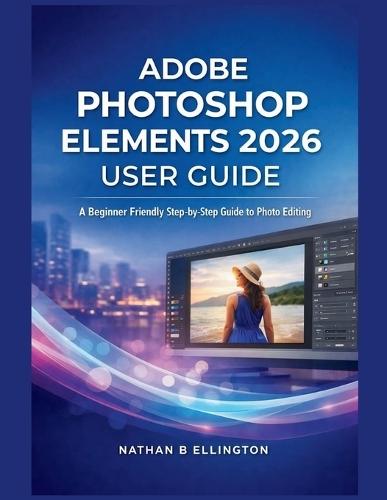
DISCLAIMER This book is a user guide created strictly for educational purposes only. It is designed to teach concepts, tools, and workflows related to Adobe Photoshop Elements 2026 in a clear and beginner-friendly manner. It does not replace official Adobe documentation, professional training, or technical support. The author is not affiliated with or endorsed by Adobe Inc. All software names and trademarks belong to their respective owners. Struggling to edit your photos without feeling overwhelmed, confused, or unsure of what each tool actually does? Adobe Photoshop Elements 2026 offers powerful features, yet many users barely scratch the surface because most guides assume prior knowledge. This user guide was written to change that experience entirely. Adobe Photoshop Elements 2026: A Beginner-Friendly Step-by-Step Guide to Photo Editing is a comprehensive educational user guide designed specifically for beginners and everyday users who want clear explanations, practical workflows, and real confidence when editing photos. Instead of throwing technical jargon at you, this book explains each concept in plain language, guiding you from the basics to more advanced features at a steady, understandable pace. You will learn how to navigate the workspace, manage photos properly, enhance images automatically and manually, work with selections and retouching tools, apply creative effects, organize large photo libraries, prepare images for social media and print, and confidently transition into Expert Mode. Every chapter is structured to build understanding, not just follow steps. This guide is ideal if you want to: Edit photos confidently without fear of making irreversible mistakes Understand what Photoshop Elements tools do and why they matter Improve image quality for social media, personal projects, and everyday use Learn non-destructive editing habits that protect your original photos Develop real skills rather than relying only on one-click effects Whether you are a complete beginner, a casual photo editor, a content creator, a small business owner, or someone transitioning from mobile apps to desktop editing, this book gives you the clarity and structure most tutorials lack. If you are ready to stop guessing and start editing with purpose, this educational user guide will walk you through Adobe Photoshop Elements 2026 step by step, from first launch to confident editing. This book is not about shortcuts it is about understanding, control, and lasting skills you can apply to every photo you edit.
Full Product Details
Author: Nathan B Ellington
Publisher: Independently Published
Imprint: Independently Published
Dimensions:
Width: 21.60cm
, Height: 0.30cm
, Length: 27.90cm
Weight: 0.163kg
ISBN: 9798246860229
Pages: 60
Publication Date: 03 February 2026
Audience:
General/trade
,
General
Format: Paperback
Publisher's Status: Active
Availability: Available To Order

We have confirmation that this item is in stock with the supplier. It will be ordered in for you and dispatched immediately.