Overview
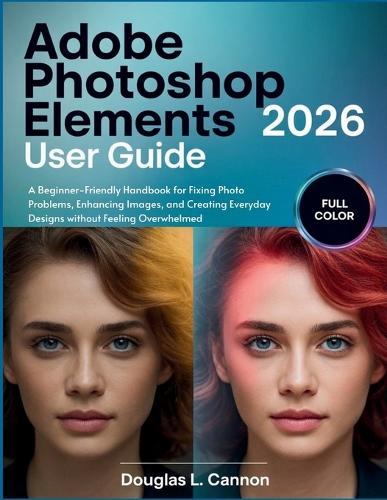
Feel Confident Editing Your Photos - Without Feeling Overwhelmed Most people don't struggle with photo editing because they lack creativity. They struggle because modern editing software feels overwhelming, technical, and unforgiving - especially when all they want is for their photos to look good. If you've ever opened a photo editor, stared at dozens of tools, panels, and sliders, and thought ""I don't even know where to start,"" you're not alone. Photos come out too dark, washed out, blurry, poorly cropped, or just... off. And while the software promises powerful results, it rarely explains what to do next in a way that feels approachable. That's exactly why this book exists. This Is Not Another Feature Manual Adobe Photoshop Elements 2026 User Guide is not about memorizing tools, mastering jargon, or turning photo editing into a second job. It's a beginner-friendly, real-world handbook designed for everyday users - people who take photos with their phones or cameras and want better results without stress. Instead of explaining features in isolation, this guide focuses on real situations you actually face: A photo looks too dark or dull - what do you fix first? Colors don't feel right - how do you correct them without guesswork? Faces need improvement - how do you retouch naturally without overdoing it? You want to share online or print - how do you prepare images properly? You're afraid of ""ruining"" a photo - how do you edit with confidence? Every chapter is built around problems first, tools second, so you always understand why you're doing something - not just how. Built for Beginners Who Want Results, Not Intimidation This book was written with one clear goal: to help you feel capable, confident, and in control when editing photos. You won't be rushed. You won't be talked down to. And you won't be expected to remember everything at once. Instead, you'll learn through clear explanations, step-by-step guidance, and practical workflows that make sense - even if you've never edited a photo before. You'll discover: How to fix common photo problems without starting over How to improve everyday photos using simple, effective adjustments How to use Guided Edits and AI tools without fear How to prepare images for social media, print, and real-world use How to avoid common mistakes that make photos look worse How to keep improving without feeling overwhelmed or stuck The tone is calm, supportive, and practical - like a knowledgeable friend sitting beside you, explaining what to do next and why it works. Why This Book Is Different Focuses on real outcomes, not software features Written in plain, beginner-friendly language and full colored images to aide learning Designed for everyday users, not professionals Encourages progress without pressure or perfection Helps you understand what to fix when a photo doesn't look right. You don't need to be creative. You don't need technical experience. You just need clear guidance - and that's exactly what this book provides. Start Editing With Confidence Today If you're tired of feeling stuck, overwhelmed, or unsure every time you edit a photo - this guide was written for you. Open the book. Fix your photos. Build confidence with every edit. Get your copy of Adobe Photoshop Elements 2026 User Guide today and finally feel comfortable improving your photos - without feeling overwhelmed.
Full Product Details
Author: Douglas L Cannon
Publisher: Independently Published
Imprint: Independently Published
Dimensions:
Width: 21.60cm
, Height: 1.20cm
, Length: 27.90cm
Weight: 0.540kg
ISBN: 9798246798676
Pages: 228
Publication Date: 03 February 2026
Audience:
General/trade
,
General
Format: Paperback
Publisher's Status: Active
Availability: Available To Order

We have confirmation that this item is in stock with the supplier. It will be ordered in for you and dispatched immediately.