Overview
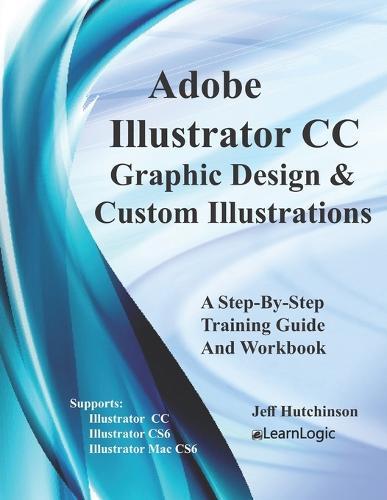
Illustrator is a graphic design tool used to allow the creation of custom illustrations for use in artwork. A similar program, such as Photoshop, is primarily used to adjust photos. However, Illustrator will open your creative side to develop logos, symbols, create artwork, and allow unique warping of text to create unusual effects. Artistic and 3D effects are also commonly used to give your artwork a different look. This program will create vector graphics which are the mathematical definitions of lines, boxes, and circles. It will also teach important skills such as how to use selection techniques, Text Tools, Drawing Tools, and advanced formatting techniques. What's is in the workbook? Click on the left side of the screen: Look Inside! Enter one of the following keywords: logos, symbols, artwork, warping, effects, etc. Take A Class: http: //www.elearnlogic.com/download/schedule18.pdf We are only offering the fundamentals book at this time (no advanced book available). Once you understand style of the program, you will be able to continue the learning process on your own. Also, we will review some of the intermediate features so you will be able to expand your knowledge at your own pace. The features covered are very similar to Illustrator CS4, CS5, CS6 and Mac CS6 commands. Design Strategy This workbook is designed in conjunction with an Online-Instructor-Led course (for more information see: www.elearnlogic.com). Unlike other computer guides, students will not need to review lengthy procedures in order to understand a topic. All that is necessary are the brief statements and command paths located within the guide that demonstrate how a concept is used. There are many Step-By-Step Practice Exercises and more comprehensive Student Projects offered to help students better understand concepts. Furthermore, they will find that this workbook/guide can often be used as a reference to help them understand concepts quickly and thoroughly. An index is also provided on the last page to reference important topics as necessary. However, if more detail is needed for study, the Internet can be used, as well, to search a concept. Also, if student's skills are weak due to lack of implementation, they can refresh their knowledge quickly by visually scanning concepts of choice, and then testing them out using the application.
Full Product Details
Author: Jeff Hutchinson
Publisher: Createspace Independent Publishing Platform
Imprint: Createspace Independent Publishing Platform
Dimensions:
Width: 21.60cm
, Height: 0.30cm
, Length: 27.90cm
Weight: 0.168kg
ISBN: 9781987724035
ISBN 10: 1987724038
Pages: 62
Publication Date: 10 April 2018
Audience:
General/trade
,
General
Format: Paperback
Publisher's Status: Active
Availability: Available To Order

We have confirmation that this item is in stock with the supplier. It will be ordered in for you and dispatched immediately.
Author Information
Jeff Hutchinson is a computer instructor teaching a variety of classes around the country. He has a BS degree from BYU in Computer-Aided Engineering and has worked in the Information Technology field supporting and maintaining computers for many years. He also previously owned a computer training and consulting firm in San Francisco, California. After selling his business in 2001, he has continued to work as an independent computer instructor/consultant around the country. Jeff Hutchinson lives in Utah and also provides training for Utah Valley University Community Education system, offering valuable computer skills for the general knowledge of students, career development, and career advancement. Understanding the technology and the needs of students has been the basis for developing this material. Jeff Hutchinson can be contacted at jeffhutch@elearnlogic.com or (801) 376-6687.