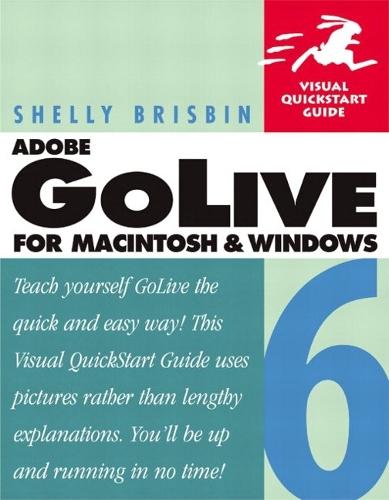
Adobe GoLive 6 for Macintosh and Windows: Visual QuickStart Guide

Author:   Shelly Brisbin
Publisher:   Pearson Education (US)
ISBN:  

9780321112224


Pages:   512
Publication Date:   01 May 2002
Format:   Paperback
Availability:   Awaiting stock   Availability explained


Our Price $58.05 Quantity:  
Add to Cart

Share |

Adobe GoLive 6 for Macintosh and Windows: Visual QuickStart Guide


Overview

Not everyone has their very own online superstore. In fact, many people don't even know how to build a homepage from scratch. If you're new to Web design, or if you're simply new to Adobe GoLive 6, you'll want Adobe GoLive 6 for Macintosh and Windows: Visual QuickStart Guide by your side as you learn the ins and outs of this cutting-edge Web creation tool. Adobe GoLive offers visual design tools, dynamic HTML, flexible source code editors, and advanced site management capabilities, making it a favorite of many professional Web designers around the world. Adobe GoLive 6 for Macintosh and Windows: Visual QuickStart Guide teaches you this professional tool through step-by-step tasks illustrated with hundreds of screenshots, so you never get lost while learning. Before you know it, you'll be working the program's menus and palettes like a pro as you quickly master GoLive's powerful site management and collaboration capabilities, wireless authoring features, and dynamic database tools.

Full Product Details

Author:   Shelly Brisbin
Publisher:   Pearson Education (US)
Imprint:   Peachpit Press Publications
Dimensions:   Width: 22.80cm , Height: 2.70cm , Length: 17.80cm
Weight:   0.771kg
ISBN:  

9780321112224


ISBN 10:   0321112229
Pages:   512
Publication Date:   01 May 2002
Audience:   College/higher education ,  Tertiary & Higher Education
Format:   Paperback
Publisher's Status:   Out of Print
Availability:   Awaiting stock   Availability explained

Table of Contents

Introduction. 1. Learning Your Way Around. The GoLive Workspace. The Document Window. The Toolbar. The Objects Palette. The Inspector. The Color Palette. Auxiliary Palettes. Site Management Tools. Using the GoLive Interface. Getting Help. 2. Your First GoLive Project. Setting Up a Site. Opening and Creating Files. Saving and Adding Files. Introducing Point & Shoot. 3. Working with Text. Entering Text. Formatting Text. Formatting Text Blocks. Spell Checking. Find and Replace Text. 4. Working with Images. Using Images on the Web. Adding Images. Setting Image Attributes. Creating Image Maps. Smart Objects and Save For Web. Adding Layered Photoshop Images. Importing Tracing Images. 5. Working with Color. GoLive Color Schemes. Applying Color. Using the Color Palette to Match Colors. 6. Working with Links. How Links Work. Creating Links. Editing Links. Linking to Anchors on a Page. Links and Targets. Finding Broken Links. 7. Working with Tables. Table Basics. Setting Table and Cell Dimensions. Setting Table Attributes. Adding and Removing Cells. Adding Content to A Table. Nesting Tables. Using Table Styles. Converting Tables to Layout Grids. 8. Working with Layout Grids. Meet the Layout Grid. Adding Text to a Grid. Objects on a Grid. 9. Floating Boxes and Positioning. Floating Box Basics. Floating Box Tools. Working with Floating Boxes. Working with Positioning. 10. Working with Forms. How Forms Work. Creating Forms. Adding Form Elements. HTML 4.0 Form Elements. 11. Working with Frames. How Frames Work. Creating Frames. Linking Content to Frames. Adding Frames and Framesets. Adding Noframes Content. 12. Working with Code. The Source Editor. Using Source Code and Visual Tools Together. Using the Outline Editorl. Head Elements. Web Settings. 13. Working with Style Sheets. How Style Sheets Work. Types of Style Sheets. Creating Style Sheets. Style Types. Adding Properties. Cascading and Inheritance. Using Style Sheets. 14. Working with Rich Media. Setting Up Plug-ins. JavaScript. Java Applets. 15. Building Sites. Site-Building Tools. Creating Sites. Adding Files and Objects. Site Assets. Fine-tuning Preferences. Using Site Templates. Site Diagramming. 16. Viewing and Managing Sites. A Closer Look at the Site Window. Working with Site Objects. The Navigation View. The Links View. Peripheral Panes. Troubleshooting Sites. Site Reports. 17. Publishing Sites. Choices for Publishing Your Site. Two Kinds of FTP. Exporting a Site. Using WebDAV. 18. The Workgroup Server. Workgroup Server Architecture. Setting up a Workgroup Server. Collaborative Authoring. 19. Using Actions. Action Tools. Adding Action Icons. Configuring Actions. The External Script Library. Types of Actions. Creating Your Own Actions. 20. Animation and QuickTime. Animation Basics. QuickTime Authoring and Editing. Working with QuickTime Movies. QuickTime Tracks. 21. Dynamic Content. Dynamic Content Basics. Dynamic Content Resources. Index.

Reviews

Author Information

Shelly Brisbin is a freelance technology writer based in Austin, Texas. She is a former associate editor at MacUser magazine where she covered networking, telecommunications, and the Internet. Shelly is the author of all previous editions of this book.

Tab Content 6

Author Website:  

Countries Available

All regions
Latest Reading Guide

April RG 26_2


Shopping Cart
Your cart is empty
Shopping cart
Mailing List