Overview
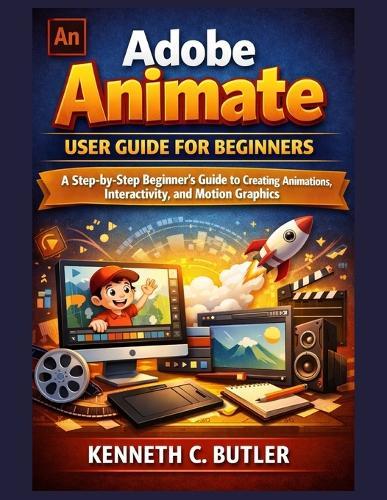
Are you eager to create eye-catching animations but feel overwhelmed by Adobe Animate's tools and interface? If you've ever opened Adobe Animate and wondered where to begin-or struggled to turn your ideas into smooth, engaging motion-this book is exactly what you need. Adobe Animate User Guide for Beginners: A Step-by-Step Beginner's Guide to Creating Animations, Interactivity, and Motion Graphics is designed to take you from confusion to confidence, one clear step at a time. This comprehensive user guide removes the guesswork from learning Adobe Animate. Instead of dense technical jargon or scattered tutorials, you'll follow a structured, beginner-friendly path that makes animation easy to understand and practical to apply. Whether you want to design simple 2D animations, create interactive content, or explore motion graphics for web and video, this guide gives you the tools and knowledge to get started the right way. Written with beginners in mind, this book walks you through the fundamentals and gradually builds your skills, ensuring you always know why you're doing something-not just how. By the time you finish, Adobe Animate will feel less like complex software and more like a creative partner that helps bring your ideas to life. Inside this Adobe Animate beginner guide, you will learn how to: Understand the Adobe Animate interface, timeline, frames, keyframes, and layers Create simple animations using frame-by-frame and motion tween techniques Draw and edit artwork using shapes, brushes, pens, and imported images Work with symbols, libraries, and reusable assets for efficient projects Add text, audio, and sound effects to enhance storytelling Build basic interactivity with buttons and click events Apply advanced tools like motion paths, masking, and camera effects Export and optimize animations for web, video, and HTML5 Canvas Complete real-world sample projects that reinforce learning This guide is ideal for complete beginners, students, content creators, designers, educators, and anyone interested in learning animation and motion graphics from scratch. No prior animation experience is required-just curiosity and creativity. If you're ready to stop feeling intimidated by animation software and start creating polished, professional-looking animations with confidence, this book is your roadmap. Take control of your creative journey today. Open the book, follow the steps, and start animating with Adobe Animate-one frame at a time.
Full Product Details
Author: Kenneth C Butler
Publisher: Independently Published
Imprint: Independently Published
Dimensions:
Width: 21.60cm
, Height: 0.40cm
, Length: 27.90cm
Weight: 0.200kg
ISBN: 9798244755404
Pages: 76
Publication Date: 20 January 2026
Audience:
General/trade
,
General
Format: Paperback
Publisher's Status: Active
Availability: Available To Order

We have confirmation that this item is in stock with the supplier. It will be ordered in for you and dispatched immediately.