Overview
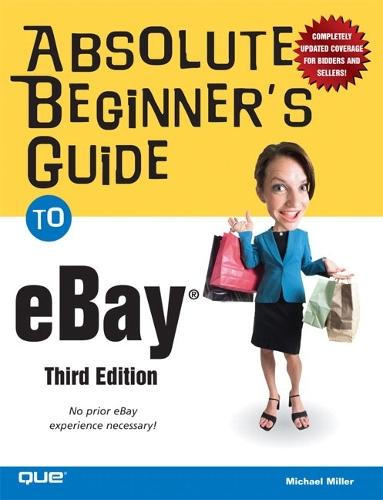
On any given day there are more than 28 million items listed for auction at eBay, the world's largest online trading community. Almost $34 billion worth of merchandise, in more than 1.4 billion individual auctions, was traded over eBay during the year 2004; that's $93 million a day, or more than $1,000 every second. At the end of 2004, eBay had more than 135 million registered users - more than double the number of users just two years previous. The first two editions of this book were best-sellers, so it's only natural we would update this great book to reflect some of eBay's most recent upgrades such as: eBay Stores, Half.com, and Trading Assistants.
Full Product Details
Author: Michael Miller
Publisher: Pearson Education (US)
Imprint: Que Corporation,U.S.
Edition: 3rd edition
Dimensions:
Width: 17.60cm
, Height: 2.40cm
, Length: 23.00cm
Weight: 0.580kg
ISBN: 9780789734310
ISBN 10: 0789734311
Pages: 408
Publication Date: 23 June 2005
Audience:
College/higher education
,
Tertiary & Higher Education
Replaced By: 9780789735614
Format: Paperback
Publisher's Status: Out of Print
Availability: Awaiting stock 
Table of Contents
Introduction. How This Book Is Organized Conventions Used in This Book Web Page Addresses Special Elements Further Reading Let Me Know What You Think I. ESSENTIAL EBAY. 1. Introducing eBay, the World's Largest Online Auction. What Is eBay-And How Did It Come to Be? The eBay Story How Big Is eBay? How Does an eBay Auction Work? What You Can-And What You Can't-Trade on eBay Major Categories What You Can't Trade on eBay What's What (and What's Where) on eBay eBay's Home Page-For New Users eBay's Home Page-For Registered Users Where to Find Everything Else: eBay's Site Map Contacting eBay 2. Joining Up and Getting Started. Everybody Does It: Filling Out eBay's Registration Form Checklist: Before You Register Signing Up for Basic Membership Creating a Seller's Account The Costs of Using eBay Protecting Yourself from Phishing Scams Getting Started II. EBAY FOR BIDDERS. 3. Bidding 101: A Tutorial for Beginning Bidders. Understanding the Bidding Process Deciding How Much to Bid Understanding Proxy Bidding How to Read an Item Listing Title, Number, and Your Information Auction Details Seller Information Description Shipping, Payment Details, and Return Policy Payment Methods Accepted Ready to Bid? Before You Bid Checklist: Before You Bid Just Do It-Placing a Bid Bidding in Other Types of Auctions Dutch Auctions Reserve Price Auctions What to Do After You've Bid Keeping Track of Your Bids Increasing Your Bid Amount Oh, No! You've Been Outbid! Retracting a Bad Bid Bidding in the Final Moments Five Common Bidding Mistakes Mistake #1: Bidding Too Early Mistake #2: Bidding Too Low Mistake #3: Bidding Too High Mistake #4: Getting Caught Up in a Bidding Frenzy Mistake #5: Not Reading the Fine Print You Won! Now What? 4. Searching for Items to Buy. Browsing or Searching-Which One Is for You? Browsing: The Easy Way to Find Things Searching: The Powerful Way to Find Things Using eBay's Basic Search Function Using the Find It Now Page Using the Advanced Search Page Fine-Tuning Your Search Results Complex Searches-For Simpler Results Practice Makes Perfect: Some Sample Searches Saving Your Searches-and Repeating Them Get Notification of New Items That Match Your Search 5. The Best Ways to Pay. Different Ways to Pay Paying by Cash Paying by Check Paying by Money Order or Cashier's Check Paying by Credit Card-Via PayPal Paying by Credit Card (Without PayPal) Paying Cash on Delivery Using Escrow Evaluating Different Methods of Payments Which Method Is Fastest? Which Method Is Safest? Which Method Should You Use? 6. After the Auction: Taking Care of Business. Using the Post-Auction Checklist Checklist: After You've Won Making Contact-And Paying Calculating the Final Price Paying via Credit Card Paying via Check or Money Order Contacting the Seller Directly Waiting for Your Doorbell to Ring Receiving the Goods Finishing Things Up and Leaving Feedback 7. Dealing with Fraudulent Sellers. Protecting Yourself Before You Buy Protecting Yourself After the Auction Getting Help from eBay Resolving Conflicts Beyond eBay Reporting Inappropriate Behavior Tips for Protecting Yourself on eBay 8. Other Ways to Buy on eBay. Get It Quick with Buy It Now Shopping at eBay Stores Browsing and Buying from an eBay Store Searching eBay Stores Just Like Amazon: Half.com Express Shopping for Books, CDs, DVDs, and Video Games Want It Now? Then Ask for It! 9. Secrets of Successful Bidders. The Guaranteed Way to Win an Auction-Be Sneaky and Snipe Sniping: Pros and Cons Successful Sniping, Step-by-Step Using Software to Snipe Forty Sure-Fire Tips for Placing a Winning Bid-And Getting the Most for Your Money Tip #1: Bid in the Off Season Tip #2: Look for Off-Peak Auctions Tip #3: Do Your Research Tip #4: Don't Bid on the First Item You See Tip #5: Know When to Say No Tip #6: Don't Let the Proxy Bid Things Up Tip #7: There Are Other Fish in the Sea Tip #8: If It Sounds Too Good to Be True, It Probably Is Tip #9: Ask Questions Tip #10: Check the Feedback Tip #11: Check the Seller's Past Auctions Tip #12: Check the Seller's Other Current Auctions Tip #13: Search; Don't Browse Tip #14: Search Smart Tip #15: Search for Misspellings Tip #16: Search for Last-Minute Bargains Tip #17: Don't Show Your Hand Tip #18: Watch, Don't Bid Tip #19: Use the eBay Toolbar Tip #20: Watch the Finish Tip #21: Get in Sync Tip #22: Put Your Best Foot Forward Tip #23: Bid in Odd Numbers Tip #24: Don't Be a Deadbeat Tip #25: Use My eBay to Track Your Auctions Tip #26: Read the Fine Print Tip #27: Don't Forget Shipping Costs Tip #28: But Don't Overpay for Shipping Tip #29: Pay Quickly Tip #30: Pay by Credit Card Tip #31: Money Orders Cost Money Tip #32: Provide All the Information Necessary Tip #33: Use a Middleman for Expensive Items Tip #34: Insure It Tip #35: Document Everything Tip #36: Keep a Log Tip #37: If You Win It, Inspect It Tip #38: If You Get Ripped Off, Tell eBay About It Tip #39: Communicate! Tip #40: Be Nice III. EBAY FOR SELLERS. 10. Selling 101: A Tutorial for Beginning Sellers. Getting Ready to List Checklist: Before You List an Item for Auction Getting Started: Creating an Item Listing Step 1: Get Ready to Sell Step 2: Choose the Type of Auction Step 3: Choose Your Category Step 4: Choose a Listing Option Step 5: Describe Your Item Step 6: Fill in the Details Step 7: Enter Payment and Shipping Info Step 8: Review and Submit Your Listing You're Done! Selling Commonly Sold Items with Pre-Filled Item Information Dealing with Different Types of Auctions Set a Higher Minimum with a Reserve Price Auction Sell Larger Quantities with a Dutch Auction Keep It Anonymous with a Private Auction End It Quick with Buy It Now Managing Your Item Listing Editing Your Listing Canceling an Auction Blocking Buyers Relisting an Item Five Common Selling Mistakes Mistake #1: List in the Wrong Category Mistake #2: Set Too High a Starting Price Mistake #3: Don't Adequately Describe the Item Mistake #4: Don't Include a Picture Mistake #5: Don't Charge Enough Shipping and Handling The Auction's Over! Now What? 11. Determining What to Sell-And for How Much. Finding Items to Sell Garage Sales and Yard Sales Flea Markets Estate Sales Live Auctions Vintage and Used Retailers Thrift Stores Discount and Dollar Stores Closeout Sales Going Out of Business Sales Classified Ads Friends and Family Liquidators and Wholesalers eBay! Picking the Right Category Setting the Right Price Set It Low Enough to Be Attractive But Don't Set It So Low That It's Not Believable Make Sure You Recover Your Costs But Not So High That You Pay Too High a Listing Fee Make Sure You Can Live with a Single Bid 12. Deciding on Your Payment Methods-And Using PayPal. Accepting Cash Accepting C.O.D. Payments Accepting Personal Checks Accepting Money Orders and Cashier's Checks Accepting Credit Cards-Via PayPal Signing Up for PayPal Paying for PayPal Choosing PayPal in Your New Auction Listing Collecting PayPal Payments Withdrawing PayPal Funds Which Way Is Best? 13. Choosing the Right Listing Options. Choosing the Right Length Choosing a Different Start Time To Reserve, Or Not to Reserve Sell It Now? Public or Private? A Pretty Picture Grab Attention with Listing Upgrades Subtitle Gallery Gallery Featured Bold Border Highlight Featured Plus! Home Page Featured Gift Icon Listing Designer Count 'em Up 14. Writing a Listing That Sells. Write a Title That SELLS! Include Key Information Make Your Title Stand Out Write the Right Description Take All the Space You Need First Things First The Bare Necessities Describe It-Accurately Stress Benefits, Not Features Break It Up Don't Forget the Fine Print Include Alternate Wording Making the Grade Making a Mint Getting Graded Other Ways to Describe Your Item 15. Using Pictures in Your Listings. Checklist: eBay Pictures Take a Picture-Or Make a Scan Tips for Taking Great Product Photos Scan Instead of Shoot Use eBay's Stock Photos Convert a Picture to a Digital Graphics File Edit the Image File Things to Edit Graphics Editing Software Resizing Your Photos Resizing Your Files Upload Your Image File to the Internet-Or Use eBay Picture Services Using eBay Picture Services Using Another Web Host Adding a Picture Within Your Item Description 16. Creating a Great-Looking Listing. Apply Cool Templates with eBay's Listing Designer Create Fancy Listings with Listing-Creation Tools eBay Turbo Lister Free Listing Templates Third-Party Listing-Creation Tools Insert Simple HTML Formatting with eBay's HTML Editor How HTML Works Entering HTML Codes Codes to Format Your Text Codes for Font Type, Size, and Color Codes for Paragraphs, Line Breaks, and Rules Codes for Graphics Codes for Links Codes for Lists 17. Automating Item Listing with eBay Turbo Lister. Downloading and Configuring the Turbo Lister Software Downloading Turbo Lister Configuring Turbo Lister Creating an Item Listing Creating Listings for Commonly Sold Items Uploading Your Listings 18. Managing the Auction Process. Keeping Tabs on Your Current Auctions Receiving Daily Updates from eBay Using My eBay Using Auction Management Software and Services Editing In-Process Auctions Updating Your Auction Listing Deleting Unwelcome Bidders Canceling an Auction Answering Bidder Questions Promoting Your Auctions Linking to Specific Item Listings Linking to All Your Auction Listings 19. After the Auction: Concluding Your Business. The Post-Auction Process Checklist: After the Auction Communicating with the Winning Bidder Accepting Payment Packing and Shipping Finishing Things Up and Leaving Feedback Handling Buyer Complaints and Problems What If You Don't Sell Your Item? What If the Buyer Doesn't Pay? 20. Automating Auction Management with eBay Selling Manager. Introducing eBay Selling Manager How Selling Manager Works For Higher-Volume Sellers: eBay Selling Manager Pro Sending Buyer Emails Sending a Standard Email Message Editing an Email Template Receiving Payment Printing Invoices and Shipping Labels After the Item Is Shipped Leaving Feedback Archiving Completed Listings 21. Shipping It Out-Cheaply and Safely. Packing 101 Essential Packing Supplies Checklist: Packing Supplies Where to Find Boxes and Packing Materials Picking the Right Shipping Container How to Pack Packing for International Customers How to Seal the Package Labeling 101 Buying the Right Kinds of Labels How to Create an Idiot-Proof Label Printing Labels and Postage on Your Own Computer Shipping 101 Examining the Major Shipping Services How to Reduce Shipping Weight-And Shipping Costs Shipping Large or Heavy Items How to Price Shipping and Handling for Your Item Listings How to Track Your Shipment When to Recommend Insurance What to Do When Things Go Wrong Tips for Less-Painful Shipping 22. Dealing with Deadbeat Bidders. How to Handle Bum Bidders Checklist: Dealing with Deadbeat Bidders Contacting an Unresponsive Bidder Filing an Unpaid Item Dispute Asking eBay to Refund Your Fees Leaving Negative Feedback Giving Other Bidders a Second Chance Relisting Your Item 23. Other Ways to Sell on eBay. Fixed-Price Selling on Half.com Finding Buyers with Want It Now Letting Someone Else Sell It for You Listing Your Real Estate on eBay 24. Secrets of Successful Sellers. Forty Sure-Fire Tips for Closing More Auctions-And Increasing Your Revenues Tip #1: Research Your Price Tip #2: Make Your Listing Stand Out Tip #3: Use Turbo Lister to Create Your Listings Tip #4: Get All the Buzzwords in the Title Tip #5: A Picture Says a Thousand Words Tip #6: Be Descriptive Tip #7: Reuse Text That Sells Tip #8: Include Shipping and Payment Details Tip #9: Be Honest Tip #10: Promote Yourself with Your About Me Page Tip #11: Make the Buyer Pay Tip #12: Go Long Tip #13: Or Create a Short-Term Frenzy Tip #14: There's No Reason to Reserve Tip #15: Single Items Are Best Tip #16: Although You Can Unload Some Dogs in a Pack Tip #17: Don't Compete Against Yourself Tip #18: Start and End in Prime Time Tip #19: End on a Sunday Tip #20: Don't End on a Friday or Saturday Night Tip #21: Slow Down in the Summer Tip #22: Promote Your Auctions Tip #23: Use My eBay to Track Your Auctions Tip #24: If You Sell a Lot, Use eBay Selling Manager Tip #25: Avoid Premature Cancellation Tip #26: Avoid Deadbeats Tip #27: Include All Your Shipping Costs Tip #28: Use a Middleman for Expensive Items Tip #29: Document Everything Tip #30: Communicate Quickly-And Clearly Tip #31: Be Nice Tip #32: Ship Promptly Tip #33: If Nobody Buys, Relist-With a Different Description Tip #34: If You Get Stiffed, Ask for a Refund Tip #35: Don't Forget About Number Two Tip #36: The Customer Is Always Right Tip #37: Or All Sales Are Final Tip #38: Accept Credit Cards-Via PayPal Tip #39: Wait for the Check to Clear Tip #40: If It's a Business, You Pay Taxes One Extra Tip: Join the eBay Community IV. USING EBAY'S ADVANCED FEATURES. 25. Creating a Home Base with My eBay. Accessing and Using My eBay My Summary View All Buying Page All Selling Page My Messages Page All Favorites Page My Account Page Managing and Personalizing My eBay Sorting and Filtering Hiding or Displaying Columns Changing How Many Listings to Display Leaving Notes to Yourself Printing Key Information 26. Creating Your Own Personal About Me Page. Introducing the About Me Page Creating Your Own About Me Page Publicizing Your eBay Auctions with About Me 27. Understanding and Using Feedback. What Do All Those Stars and Numbers Mean? Reading Feedback Comments-And Contacting Other Users How to Leave Feedback Figuring Out What Kind of Feedback to Leave Dealing with Negative Feedback V. BECOMING A POWER SELLER. 28. Using Auction Software and Services. Listing and Auction Management All My Auctions Ándale Auction Hawk Auction Lizard Auction Wizard 2000 AuctionHelper AuctionSage AuctionTamer Auctiva ChannelAdvisor eBay Seller's Assistant eBay Selling Manager eBay Selling Manager Pro eBay Turbo Lister HammerTap inkFrog ManageAuctions Marketworks Shooting Star SpareDollar Vendio Sniping and Bidding Tools Auction Sentry Auction Sniper AuctionStealer AuctionTamer BidNapper BidRobot BidSlammer Cricket Power Sniper eSnipe HammerSnipe Vrane 29. Going International. Pros and Cons of Selling Internationally Selling Outside the United States Communicating with International Bidders Accepting Foreign Payments Shipping Across Borders-And Oceans eBay's International Marketplaces 30. Making a Living from eBay. Becoming an eBay PowerSeller Turning Your Online Auctions into a Real Business Maintaining Your Sales Inventory Automating Your Auction Activities Tracking Revenues and Costs Promoting Your Online Auctions Supplementing Your Auctions with an eBay Store Do You Qualify? The Costs of Running an eBay Store Setting Up Your eBay Store Index.
Reviews
Author Information
Michael Miller is a top eBay seller and a successful and prolific author. He has a reputation for practical, real-world advice and an unerring empathy for the needs of his readers. Mr. Miller has written more than 60 nonfiction books over the past 15 years, for Que and other major publishers. His books for Que include Tricks of the eBay Masters, Making a Living from Your eBay Business, Bad Pics Fixed Quick, and Absolute Beginner's Guide to Computer Basics. He is known for his casual, easy-to-read writing style and his ability to explain a wide variety of complex topics to an everyday audience. Mr. Miller is also president of The Molehill Group, a strategic consulting and authoring firm based in Carmel, Indiana. As a consultant, he specializes in providing strategic advice to and writing business plans for Internet- and technology-based businesses. You can email Mr. Miller directly at abg-ebay@molehillgroup.com. His website is located at http://www.molehillgroup.com, and his eBay user ID is trapperjohn2000. © Copyright Pearson Education. All rights reserved.
Tab Content 6
Author Website:
Countries Available
All regions
|