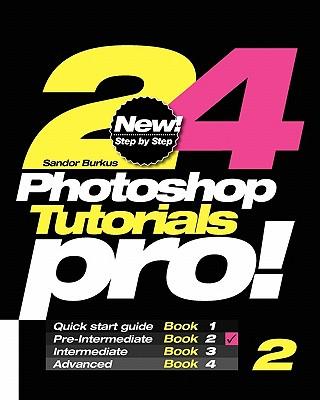
24 Photoshop Tutorials Pro: Pre-Intermediate

Author:   Sandor Burkus
Publisher:   Createspace Independent Publishing Platform
ISBN:  

9781451567625


Pages:   30
Publication Date:   24 March 2010
Format:   Paperback
Availability:   Awaiting stock   Availability explained
The supplier is currently out of stock of this item. It will be ordered for you and placed on backorder. Once it does come back in stock, we will ship it out for you.

Our Price $26.37 Quantity:  
Add to Cart

Share |

24 Photoshop Tutorials Pro: Pre-Intermediate


Overview

- Professional Photoshop book ! - This book was designed for people, who are looking for a job, and to apply for a position need a Photoshop knowledge. The book based on personal working experience in editorial offices and graphic design studios. - 24 Photoshop is a serie of 4 books works together, and build a knowledge from beginner to advanced level. - This is the 2nd book of the serie. - Each book contains 24 easy, step by step tutorials, so alltogether there are 96 tutorials in these 4 books. - These 4 books based on a personal working experience in editorial offices and graphic design studios, and explains professional tricks and secrets. That's why these tutorials are professional, secrets of the pros. - CONTENTS - 01. Layers / Using Layers - 02. Layer Sets / Making layer sets - 03. Pencil / Using the Pencil Tool - 04. Brush / Using the Brush Tool - 05. Type / Using the Type Tool - 06. Bevel and Emboss / Three dimensional effect - 07. Crop / Cut off the part of the image - 08. Path 01 / Clipping Path - 09. Path 02 / Trick - 10. Color Range / Select Background Color Fast - 11. Selective Color / Tool for Color Correction - 12. Clone / Correct small mistakes in the picture - 13. Colorize / Making old picture - 14. Opacity / Ofted used effect - 15. Crystallize / Nice Filter - 16. Paint Bucket / Using the Paint Bucket Tool - 17. Gradient / Making gradient - 18. Transform / Making the picture larger - 19. Polygon Tool / Using the Polygon Tool - 20. Red / Making exact Red color - 21. White / Making perfect White background - 22. Deep shadow / How to correct deep shadow - 23. Clipping Mask / Useful for Color Correction - 24. Actions / Working faster with the Actions palette - S. Shortcuts / Use shortcuts during the job! - N.Notes / Useful notes for your future work. - Buy this book, get a job! -

Full Product Details

Author:   Sandor Burkus
Publisher:   Createspace Independent Publishing Platform
Imprint:   Createspace Independent Publishing Platform
Dimensions:   Width: 20.30cm , Height: 0.20cm , Length: 25.40cm
Weight:   0.082kg
ISBN:  

9781451567625


ISBN 10:   1451567626
Pages:   30
Publication Date:   24 March 2010
Audience:   General/trade ,  General
Format:   Paperback
Publisher's Status:   Active
Availability:   Awaiting stock   Availability explained
The supplier is currently out of stock of this item. It will be ordered for you and placed on backorder. Once it does come back in stock, we will ship it out for you.

Table of Contents

Reviews

Author Information

Sandor Burkus is the author of professional Photoshop books. These tutorial books help people to find a new job, because explain professional Photoshop tricks and tips, You have to know to get the job and to make the job.

Tab Content 6

Author Website:  

Countries Available

All regions
Latest Reading Guide

NOV RG 20252


Shopping Cart
Your cart is empty
Shopping cart
Mailing List