Overview
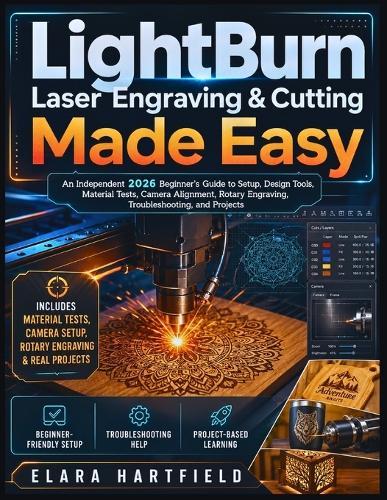
Are you excited to start laser engraving, but confused by LightBurn's panels, settings, layers, speed, power, focus, origin choices, camera tools, and rotary options? Many beginners open LightBurn for the first time and feel overwhelmed. The software is powerful, but one wrong setting can waste material, ruin a blank, place a design in the wrong spot, create weak cuts, burn an engraving too dark, or leave you wondering why the laser did not behave the way you expected. Laser engraving should feel creative, not stressful. LightBurn Laser Engraving & Cutting Made Easy is an independent 2026 beginner's guide written to help you move from confusion to confident, repeatable results. Instead of throwing every tool at you at once, this guide walks you through LightBurn step by step, helping you understand what each setting means, why it matters, and how to use it in real projects. Inside, you will learn how to: Install LightBurn and prepare a safer laser workspace. Add your laser and understand GCode, DSP, and Galvo device differences. Navigate the LightBurn interface without feeling lost. Create, import, resize, align, group, and clean up artwork. Use layers, colors, Line mode, Fill mode, and Image mode correctly. Understand speed, power, passes, focus, interval, DPI, and material behavior. Run material test grids before wasting expensive blanks. Save tested settings so you can repeat good results later. Use preview and frame tools before sending a job to the laser. Prepare images for engraving with cleaner results. Calibrate and use a LightBurn camera for better placement. Set up rotary engraving for tumblers and cylindrical objects. Troubleshoot common problems such as connection errors, wrong placement, weak cuts, blurry engraving, image striping, rotary misalignment, and camera overlay issues. Complete beginner-friendly tutorials and a capstone project from design to finished piece. This book is especially useful for hobbyists, makers, small business owners, crafters, sign creators, workshop users, educators, and complete beginners who want practical instruction without scattered online advice. You do not need to master everything in one day. This guide helps you build the right habits: test first, preview carefully, frame before firing, inspect the result, record your settings, and improve with each project. If you want a clear, organized, beginner-friendly path to using LightBurn for laser engraving and cutting, this book gives you the step-by-step foundation you need to start creating with more confidence.
Full Product Details
Author: Elara Hartfield
Publisher: Independently Published
Imprint: Independently Published
Dimensions:
Width: 21.60cm
, Height: 1.40cm
, Length: 27.90cm
Weight: 0.608kg
ISBN: 9798196120633
Pages: 260
Publication Date: 08 May 2026
Audience:
General/trade
,
General
Format: Paperback
Publisher's Status: Active
Availability: Available To Order

We have confirmation that this item is in stock with the supplier. It will be ordered in for you and dispatched immediately.