Overview
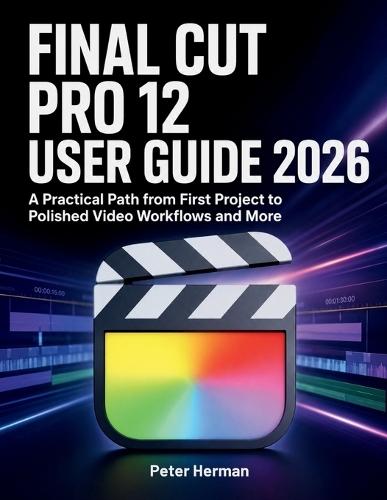
Final Cut Pro 12 can feel powerful and frustrating when libraries, timelines, media files, audio, color, exports, and new AI-assisted tools all demand attention at once. Many users open the software ready to edit, then get stuck trying to organize footage, fix messy timelines, balance sound, or export the right file. Get a clear start-to-finish workflow for creating polished videos with less confusion and fewer costly mistakes. Learn how to set up projects correctly, edit with control, improve sound and image quality, use 2026 workflow tools wisely, and deliver finished files with confidence. - Start Strong - Set up your Mac, storage, libraries, events, and projects before editing problems begin. - Edit with Control - Learn the Magnetic Timeline, primary storyline, connected clips, trimming tools, and clean cut techniques. - Work Faster - Use favorites, rejects, keywords, Smart Collections, Visual Search, and Transcript Search to find the right clips quickly. - Improve Your Sound - Balance dialogue, music, effects, ambience, fades, keyframes, synced audio, and roles for cleaner exports. - Polish the Image - Correct exposure, contrast, white balance, color, LUTs, Log footage, SDR, HDR, and shot matching. - Add Clean Finishing Touches - Use titles, generators, transitions, effects, presets, and motion controls without cluttering your video. - Handle Advanced Edits - Build multicam sequences, create slow motion, use speed ramps, stabilize footage, and animate simple movements. - Use 2026 Tools Wisely - Apply Beat Detection, Montage Maker, Visual Search, and Transcript Search without giving up creative judgment. - Export Correctly - Choose the right format, codec, resolution, frame rate, bitrate, Compressor settings, master files, and delivery versions. - Protect Your Work - Fix missing media, solve playback problems, manage large libraries, back up projects, and archive finished edits. Ideal for beginners, content creators, students, freelancers, educators, business owners, and editors who want a practical Final Cut Pro 12 workflow from first import to final delivery. It also helps users who have tried the software before but still feel unsure about organization, editing, audio, color, export, or troubleshooting. Start building cleaner edits, stronger workflows, and finished videos you can share, publish, or deliver with confidence
Full Product Details
Author: Peter Herman
Publisher: Independently Published
Imprint: Independently Published
Dimensions:
Width: 21.60cm
, Height: 1.80cm
, Length: 27.90cm
Weight: 0.803kg
ISBN: 9798198889859
Pages: 346
Publication Date: 27 May 2026
Audience:
General/trade
,
General
Format: Paperback
Publisher's Status: Active
Availability: Available To Order

We have confirmation that this item is in stock with the supplier. It will be ordered in for you and dispatched immediately.