Overview
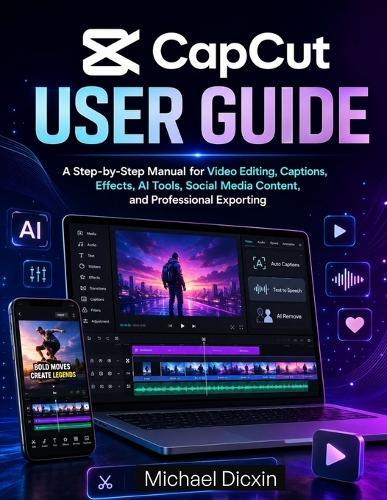
Master CapCut with confidence and create professional-quality videos for TikTok, YouTube Shorts, Instagram Reels, Facebook, business promotions, tutorials, vlogs, and more. Are you new to CapCut and looking for a simple, practical, and step-by-step guide to video editing? Do you want to learn how to cut clips, add captions, use music, apply effects, remove backgrounds, work with templates, use AI tools, and export high-quality videos without feeling overwhelmed? This CapCut User Guide is written for beginners, content creators, small business owners, students, social media managers, YouTubers, TikTok creators, and anyone who wants to edit videos easily and professionally. With clear instructions and practical explanations, this guide walks you through the essential CapCut tools and shows you how to create clean, engaging, and polished videos from start to finish. Inside this guide, you will learn how to: Download, install, and set up CapCut on mobile, desktop, and web Understand the CapCut workspace, timeline, preview window, and editing tools Import videos, photos, audio, and other media files Trim, split, crop, resize, rotate, arrange, and adjust video clips Add text, titles, subtitles, auto captions, and end screens Record voiceovers, add music, use sound effects, and balance audio Use text-to-speech, voice effects, and caption tools Apply filters, transitions, overlays, stickers, and visual effects Use keyframes, masks, chroma key, green screen, and background removal Explore CapCut AI tools for faster and smarter video creation Edit videos for TikTok, YouTube Shorts, Instagram Reels, Facebook, and YouTube Use templates while keeping your content original Create branded videos, business promos, tutorials, and social media content Choose the best export settings for high-quality results Avoid copyright, watermark, and publishing mistakes Fix common CapCut problems such as lagging, export errors, audio sync issues, caption mistakes, and poor video quality Whether you are creating your first video or trying to improve your editing workflow, this book gives you the foundation you need to use CapCut with ease. Each chapter is organized in a beginner-friendly way, helping you move from basic editing skills to more advanced tools without confusion. This guide is perfect for anyone who wants to create videos for social media, grow a personal brand, promote a business, edit educational content, make YouTube videos, or produce professional-looking short-form videos using CapCut. With this book, you will stop guessing and start editing with purpose. Learn CapCut step by step, improve your video editing skills, and start creating high-quality videos that look clear, engaging, and ready to publish.
Full Product Details
Author: Michael Dicxin
Publisher: Independently Published
Imprint: Independently Published
Dimensions:
Width: 21.60cm
, Height: 0.70cm
, Length: 27.90cm
Weight: 0.322kg
ISBN: 9798198873339
Pages: 132
Publication Date: 27 May 2026
Audience:
General/trade
,
General
Format: Paperback
Publisher's Status: Active
Availability: Available To Order

We have confirmation that this item is in stock with the supplier. It will be ordered in for you and dispatched immediately.