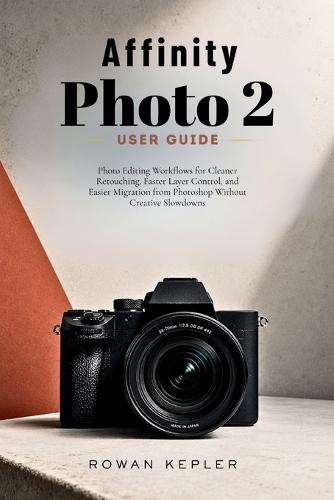
Affinity Photo 2 User Guide: Photo Editing Workflows for Cleaner Retouching, Faster Layer Control, and Easier Migration from Photoshop Without Creative Slowdowns

Author:   Rowan Kepler
Publisher:   Independently Published
ISBN:  

9798199174411


Pages:   118
Publication Date:   29 May 2026
Format:   Paperback
Availability:   Available To Order   Availability explained
We have confirmation that this item is in stock with the supplier. It will be ordered in for you and dispatched immediately.

Our Price $39.31 Quantity:  
Add to Cart

Share |

Affinity Photo 2 User Guide: Photo Editing Workflows for Cleaner Retouching, Faster Layer Control, and Easier Migration from Photoshop Without Creative Slowdowns


Overview

Affinity Photo 2 has a different logic than Photoshop. The persona system, the way adjustment layers interact with the stack, how RAW processing works before you ever touch a retouching tool. None of it is explained during installation. Most tutorials cover individual features in isolation without connecting them into a workflow that actually holds together across a full editing session. This book is organized around how editing actually happens. You open a file, you work through a problem, you export. Every chapter follows that kind of logic rather than listing features in order of where they appear in the menu. What you will learn: How to configure the workspace and preferences so the software stops fighting your habits How the persona system works and why getting it wrong slows everything down Layer organization methods that keep complex edits navigable from start to finish Selection and masking workflows that produce clean edges on hair, skin, and irregular subjects Portrait retouching using frequency separation without the plastic, over-smoothed result Clone, heal, and inpainting tools used in the right sequence for the right problems Color correction and white balance from a workflow perspective, not just slider definitions How adjustment layers should be stacked, clipped, and masked for clean non-destructive editing RAW processing in the Develop Persona including exposure recovery and lens correction Sharpening and noise reduction applied in the correct order with the correct tools Export settings for JPEG, TIFF, PNG, and PDF across web, print, and client delivery Specific Photoshop habits that break in Affinity and the direct replacements for each one The retouching chapters are built around keeping edits non-destructive from the first stroke. The export chapter covers profile management and format decisions rather than just format names. The layer chapter goes beyond naming conventions into how stack logic determines what your adjustments actually affect.

Full Product Details

Author:   Rowan Kepler
Publisher:   Independently Published
Imprint:   Independently Published
Dimensions:   Width: 15.20cm , Height: 0.60cm , Length: 22.90cm
Weight:   0.168kg
ISBN:  

9798199174411


Pages:   118
Publication Date:   29 May 2026
Audience:   General/trade ,  General
Format:   Paperback
Publisher's Status:   Active
Availability:   Available To Order   Availability explained
We have confirmation that this item is in stock with the supplier. It will be ordered in for you and dispatched immediately.

Table of Contents

Reviews

Author Information

Tab Content 6

Author Website:  

Countries Available

All regions
Latest Reading Guide

RGJ26


Shopping Cart
Your cart is empty
Shopping cart
Mailing List